





Quick Answer
Third-party data recovery software for iPhone can help users recover or extract data from available iCloud, computer, or device backups.
Apple recommends restoring an iPhone from an existing iCloud or computer backup when one is available.
Because the iPhone uses strong data protection, third-party recovery cannot guarantee recovery of permanently deleted data.
Author Bio
Author: Gulnaz Malik
Gulnaz Malik is a technology writer with 5+ years of experience.
She covers iPhone software, data recovery, and technology guides.
Her goal is to explain complex tech topics in simple English.
Introduction
Third-party data recovery software for iPhone can help you find and recover lost photos, contacts, messages, videos, and other important files. Losing iPhone data can feel stressful, especially when you accidentally delete something you cannot replace.
Many iPhone users first check Recently Deleted, iCloud, or a computer backup. Those methods often solve the problem. However, they may not help when no usable backup exists.
That situation makes third-party iPhone data recovery software an option worth understanding.
Third-party recovery programs claim to scan iPhones, local backups, or other data sources for recoverable information.
Some tools focus on photos and videos. Others support contacts, messages, notes, call history, WhatsApp data, and selected files.
Their actual recovery ability depends heavily on the iPhone model, iOS version, type of loss, available backup, encryption, and the device’s condition.
This guide explains how these tools work, what they can and cannot recover, when you should use them, and how to choose one safely.
It also explains why you should always check Apple’s built-in recovery options before paying for a third-party product.
If you want to understand the broader role of software in modern devices, TechCrebia’s guide to the difference between software and hardware provides useful background.
Quick Answer
Third-party data recovery software for iPhone refers to independent computer programs that attempt to recover lost or deleted iPhone information from the device, local backups, or other accessible data sources.
These tools can help in some situations, but they cannot guarantee recovery. Check iCloud and computer backups first, stop creating new data when possible, and choose software with clear privacy, compatibility, and refund policies.
Author Information
Author: Gulnaz Malik
Role: Founder, Publisher & Technology Content Specialist
Experience: 5+ Years in Technology, AI, Software & Digital Innovation
Content Review:
All content follows Google’s latest EEAT guidelines and includes fact-checked information from official documentation, trusted technology sources, industry reports, and practical research to ensure accuracy, reliability, and up-to-date insights.
Table of Contents
- What Is Third-Party Data Recovery Software for iPhone?
- How Third-Party iPhone Data Recovery Software Works
- What Can iPhone Recovery Software Recover?
- When Should You Use Third-Party Recovery Software?
- Third-Party Recovery Software vs Apple Backup Recovery
- How to Choose Safe iPhone Data Recovery Software
- How to Use Third-Party Data Recovery Software for iPhone
- Common Problems and Troubleshooting Tips
- Common Mistakes to Avoid
- Security and Privacy Risks
- Costs and Free vs Paid Recovery Tools
- Latest Trends in iPhone Data Recovery
- Future of iPhone Data Recovery Software
- Key Takeaways
- Conclusion
- FAQs
What Is Third-Party Data Recovery Software for iPhone?
Third-party data recovery software for iPhone comes from companies other than Apple. These programs usually run on Windows PCs or Macs. They connect to an iPhone or examine a local iPhone backup and look for information that the software can access.
The term “recovery” can sound stronger than it really is. Modern iPhones use strong security and encryption. iOS also manages deleted information differently from older storage systems. Therefore, no reputable tool should promise that it can recover every deleted file from every iPhone.
Many recovery applications actually perform several different tasks under one product. A program might:
- Recover information from an existing computer backup.
- Extract selected information from an accessible iPhone.
- Locate files inside available backup data.
- Help restore information from an iCloud-related workflow.
- Export recoverable information to a computer.
- Repair or extract data from certain backup situations.
This distinction matters.
For example, if you accidentally delete a photo but still have a recent backup, the software may simply extract that photo from the backup. That process differs from recovering a file that no longer exists in an accessible backup.
Users should also understand that a recovery program cannot magically bypass every iPhone security layer. Device passcodes, encryption, iOS restrictions, damaged storage, and unavailable backups can limit what any software can access.
Apple itself recommends backup-based recovery. Its current support guidance explains that users can restore an iPhone from an iCloud backup or a computer backup. Apple’s iPhone backup recovery guide
How Third-Party iPhone Data Recovery Software Works
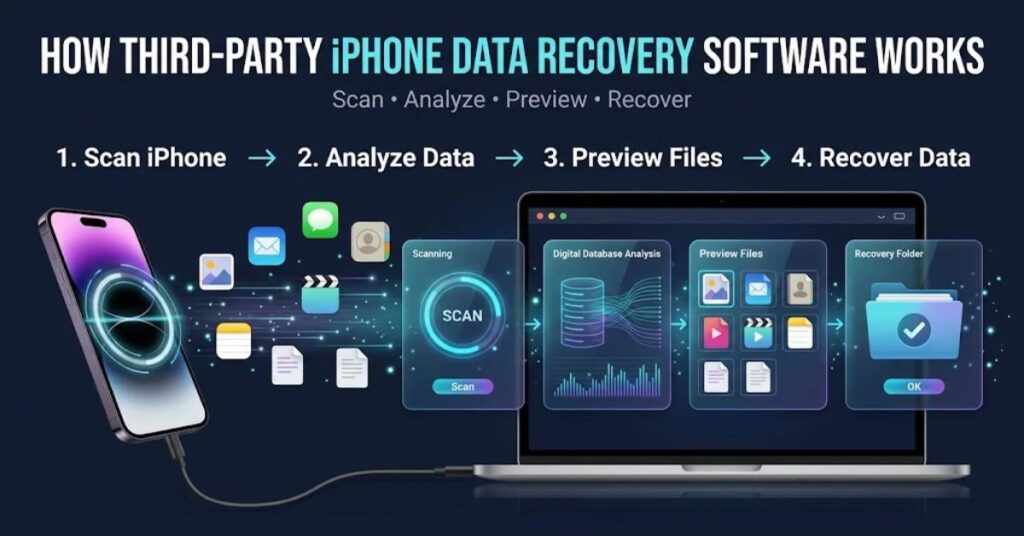
The recovery process depends on where the lost data still exists.A recovery tool may communicate with the iPhone through Apple’s supported device connection mechanisms.
It may then identify accessible information and organize it into categories such as photos, contacts, messages, notes, or media.
Other tools focus primarily on backups. This approach often makes more sense because a backup provides an existing copy of information.
Apple supports both iCloud and computer backups, so users should always investigate those sources first.Apple’s iPhone backup instructions
Main Recovery Methods
- Device scanning: The program connects to an iPhone and checks information that the device makes accessible.
- Local backup scanning: The software examines an iPhone backup stored on a Mac or Windows PC.
- Backup extraction: The program extracts selected information from an accessible backup.
- Data export: The software saves recoverable information to another location.
- System repair features: Some products combine recovery features with iOS troubleshooting tools.
The exact process varies between vendors. One product may support newer iOS versions while another may support only certain devices or backup formats.
This explains why you should check compatibility before installing anything.
A recovery tool that worked with an older iPhone may not provide the same functions on a newer model. Apple changes iOS security, backup behavior, permissions, and device architecture over time.
What Can iPhone Recovery Software Recover?
The answer depends on the software and the source of the data.
Some products support common categories such as photos, videos, contacts, messages, notes, calendars, call history, and selected app information. Other products support fewer categories.
You should treat every recovery claim as a feature that needs verification rather than a guarantee.
| Data Type | Possible Recovery Source | Recovery Reliability |
| Photos | iCloud or computer backup | Often good when a backup exists |
| Videos | iCloud or computer backup | Often good when included in backup |
| Contacts | iCloud, device, or backup | Depends on sync and backup status |
| Messages | Device or backup | Depends on available data |
| Notes | Device or synced account | Depends on synchronization |
| Call history | Device or backup | Tool and backup dependent |
| WhatsApp data | Backup or supported device data | Highly dependent on configuration |
| App data | Backup or app-specific source | Varies widely |
| Deleted files | Accessible remnants or backups | No guaranteed result |
One important point can save users time: a recovery tool cannot guarantee recovery simply because you deleted something recently.
If an item never existed in a backup and the current iOS environment no longer exposes the required information, a third-party program may have no usable source to recover.
For this reason, stop unnecessary activity after important data loss. Avoid installing multiple recovery applications directly on the iPhone. Avoid taking large numbers of new photos or downloading large files if you can safely wait.
If you need a broader understanding of utility software, TechCrebia’s productivity software guide explains how different software categories perform specialized tasks.
When Should You Use Third-Party Recovery Software?
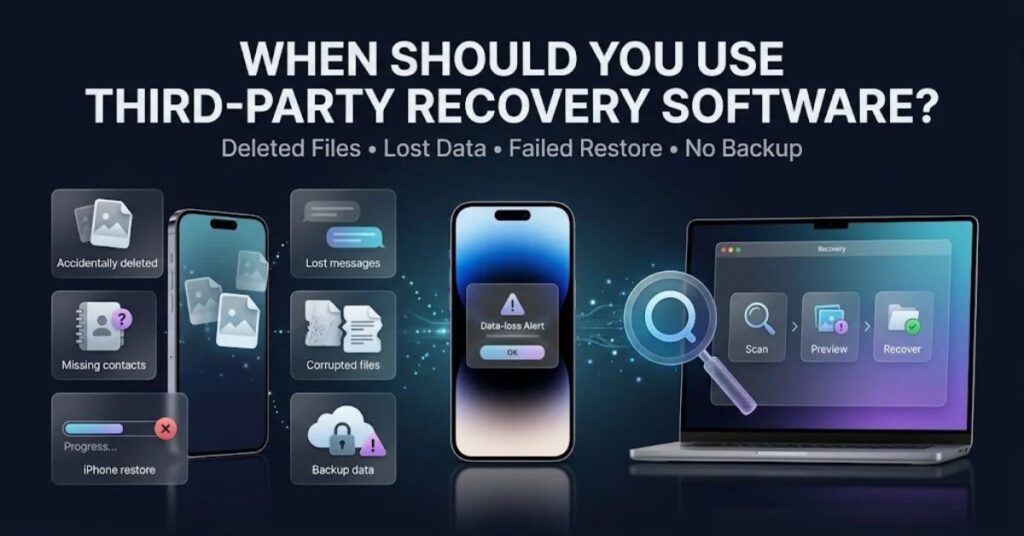
You should consider third-party software after you check Apple’s normal recovery options.
Start with these questions:
- Did you accidentally delete the information?
- Does Recently Deleted still contain it?
- Do you have an iCloud backup from before the loss?
- Do you have a Mac or Windows backup?
- Does the relevant app provide its own backup?
- Did you recently reset or restore the iPhone?
- Does the iPhone still turn on and connect to a trusted computer?
- Does the recovery software support your exact iPhone and iOS version?
A simple example helps.
Imagine you deleted several family photos. You first check Photos and Recently Deleted. If the photos no longer appear, you check your iCloud Photos setup and available backups. If you have a suitable backup, restoring from that source may offer the safest path.
Apple’s current instructions explain that you can restore an iPhone from an iCloud backup or from a backup stored on a computer. Apple’s official restore instructions
A third-party tool becomes more interesting when you need selective extraction from an existing backup, need a different way to inspect accessible backup information, or have a specific recovery scenario that Apple’s standard interface does not address.
However, you should never treat third-party software as a guaranteed replacement for backups.
Third-Party Recovery Software vs Apple Backup Recovery
Apple’s own backup and restore tools should usually come first.
The main advantage of Apple’s approach involves trust, integration, and direct support for the operating system. Apple also controls the backup and restore workflows used by iOS.
Third-party software can offer extra analysis and export features. Some products provide a more detailed interface for viewing categories inside a backup.
| Feature | Apple Recovery | Third-Party Recovery Software |
| Official Apple support | Yes | No |
| iCloud backup restoration | Yes | Depends on tool |
| Computer backup restoration | Yes | Many tools support backup analysis |
| Selective data extraction | Limited by Apple’s workflow | Often a major selling point |
| Device compatibility | Designed for supported Apple devices | Depends on vendor |
| Recovery guarantee | No | No legitimate tool should guarantee all data |
| Privacy responsibility | Apple ecosystem | You must evaluate the vendor |
| Cost | Built into Apple services and devices | Free, trial, or paid depending on product |
Third-party software can therefore fill a specific gap, but it does not automatically outperform Apple’s tools.
If your iPhone still works normally, start with Apple-supported recovery. If the situation requires deeper backup analysis, compare reputable third-party tools carefully.
How to Choose Safe iPhone Data Recovery Software
Choosing recovery software requires more care than choosing an ordinary utility. You may give the program access to highly personal information.
Look beyond marketing claims.
Features to Check
- iOS compatibility: Confirm support for your exact iOS version.
- iPhone compatibility: Check your exact model.
- Recovery categories: Confirm that the tool supports the data type you lost.
- Backup support: Check whether it can read the backup format you have.
- Preview feature: Prefer software that lets you preview recoverable information before payment.
- Export options: Check whether you can save selected data in usable formats.
- Privacy policy: Read how the company handles your information.
- Refund policy: Check the conditions before buying.
- Trial limitations: Understand whether the free version only scans or actually recovers data.
- Vendor reputation: Look for a clear company identity, support channels, and long-term product history.
A major warning sign involves unrealistic promises.
Avoid products that claim they can recover 100% of deleted iPhone data, bypass every iPhone passcode, or restore information from any damaged device without limitations.
Real recovery depends on technical conditions. Honest software companies explain those limits.
TechCrebia’s Samsung J7 software update guide also highlights an important general software principle: users should verify device compatibility and avoid unofficial files. The same principle applies when selecting iPhone recovery software.
How to Use Third-Party Data Recovery Software for iPhone
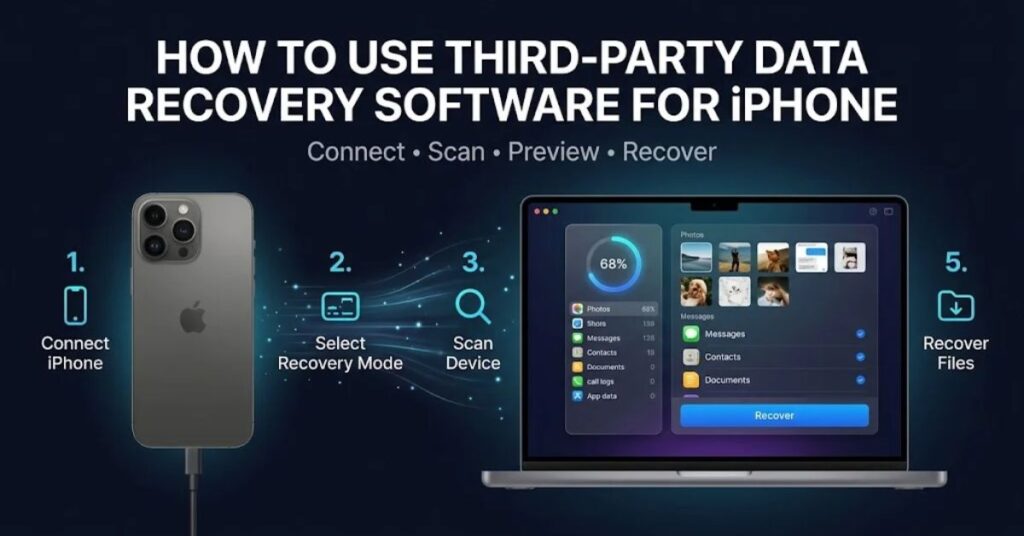
The safest workflow starts with preparation.Do not rush into scanning. First determine where the missing data may still exist.
Recommended Recovery Process
- Step 1: Stop unnecessary changes. Avoid downloading large files or repeatedly modifying the iPhone.
- Step 2: Check Recently Deleted. Photos and other apps may retain deleted content for a limited period.
- Step 3: Check iCloud. Look for synced content and available backups.
- Step 4: Check computer backups. Look at Finder or Apple device-management tools on your computer.
- Step 5: Identify the missing data. Decide whether you need photos, contacts, messages, notes, or another category.
- Step 6: Research compatible software. Confirm support for your exact iPhone and iOS version.
- Step 7: Download from the official vendor. Avoid cracked or modified installers.
- Step 8: Scan before purchasing. If the software offers a preview, use it.
- Step 9: Recover to another location. Save recovered files to your computer or another safe destination.
- Step 10: Verify the files. Open photos, videos, documents, and other recovered content before deleting anything else.
Saving recovered information to another location matters. If you save recovered files back onto the same device or overwrite the source, you may complicate later recovery attempts.
For advanced users, keep an original backup untouched. Work from a copy whenever the software supports that workflow.
Common Problems and Troubleshooting Tips
Third-party recovery software can fail for many reasons. Failure does not always mean that the tool itself has a bug.
A connection problem may prevent detection. A locked iPhone may restrict access. An encrypted backup may require its password. A missing backup may simply contain no copy of the requested data.
Here are practical fixes.
The software does not detect the iPhone:
Use a reliable cable, unlock the iPhone, confirm the computer connection, and follow the trust prompt if iOS displays one. Restart both devices if necessary.
The program finds no deleted files:
Check backups before running repeated scans. If no accessible source contains the data, another scan may not change the result.
The scan stops halfway:
Check storage space on the computer, update the recovery program, restart the computer, and reconnect the iPhone.
The software asks for a backup password:
Use the correct password for an encrypted backup. Do not try random passwords repeatedly.
Recovered files appear damaged:
Try another export format if the program offers one. Verify the source and test another backup if available.
The software asks you to erase the iPhone:
Stop and read the instructions carefully. Do not erase the device simply because a recovery tool recommends it. First confirm that you have a secure backup.
For general software troubleshooting knowledge, TechCrebia’s PhysX System Software guide offers another example of how compatibility, installation, and system conditions can affect software behavior.
Common Mistakes to Avoid
People often make recovery harder because they act too quickly.
Avoid these mistakes:
- Installing random recovery applications from search ads.
- Using cracked recovery software.
- Giving an unknown program your Apple Account password.
- Ignoring the vendor’s privacy policy.
- Restoring a backup without checking its date.
- Erasing the iPhone before checking existing backups.
- Assuming a scan result means successful recovery.
- Buying software before confirming that it supports your data type.
- Saving recovered files over the source.
- Trusting claims that promise guaranteed recovery.
Never provide sensitive account credentials to a recovery program unless you fully understand why it needs them and can verify the provider.
You should also avoid downloading recovery tools from unofficial file-sharing websites. Modified installers can introduce malware or unwanted software.
Security and Privacy Risks
Recovery software handles sensitive information. An iPhone may contain private photos, conversations, contacts, documents, passwords, location information, and financial records.
That makes vendor trust essential.
Before using any tool, read its privacy policy. Look for clear answers to these questions:
- Does the software upload your data?
- Does the company store recovered files?
- Does the program process data locally?
- Does the company share information with third parties?
- How long does it retain technical logs?
- Does it require an Apple Account login?
- Does it request unnecessary permissions?
Local processing can offer a privacy advantage because your personal content does not need to leave your computer. However, you should verify this claim in the vendor’s documentation.
Also check the installer itself. Download software directly from the developer’s official website whenever possible.
Security should matter more than a low price.
A free recovery program that exposes your private photos creates a poor trade-off. A paid product from a transparent company may offer better protection, but you should still review its privacy practices.
Costs and Free vs Paid Recovery Tools
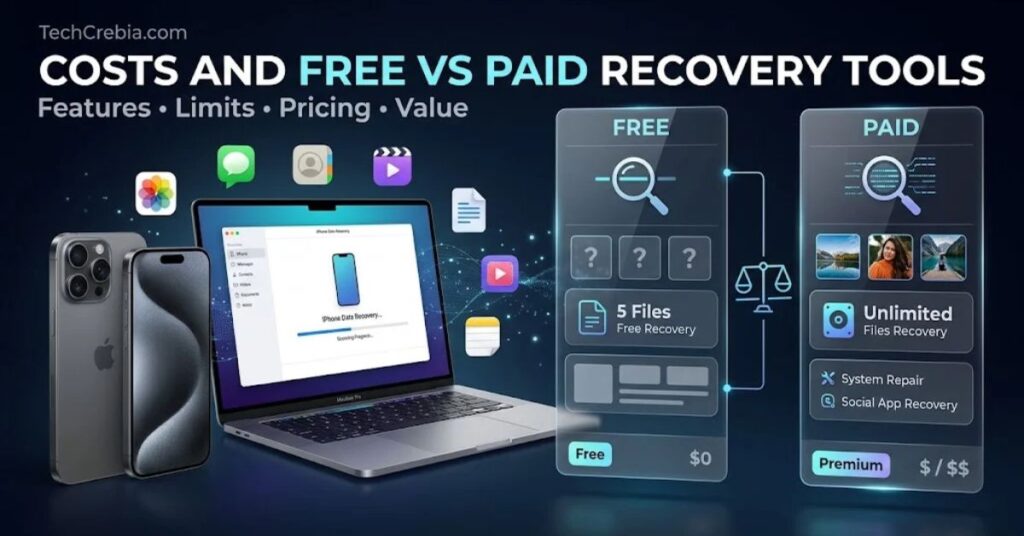
Many iPhone recovery products use a free-to-paid model.A free version may scan the device and show a preview. The program may then require payment before it exports recovered files.
Some products offer monthly or annual subscriptions. Others offer a one-time license. Business or technician editions may cost more.
| Pricing Model | Typical Benefit | What to Check |
| Free | Basic scanning | Recovery limits |
| Free trial | Preview before purchase | Export restrictions |
| One-time license | No recurring fee | Upgrade policy |
| Subscription | Ongoing updates | Renewal terms |
| Technician plan | Multiple devices | Commercial-use rules |
Do not choose a product simply because it has the lowest price.
First confirm that the program can see the information you need. A preview feature can reduce the risk of paying for software that cannot recover your files.
Also read the refund policy. Some licenses may exclude refunds after activation or recovery.
Latest Trends in iPhone Data Recovery
iPhone recovery continues to change as Apple improves device security and privacy.
Modern recovery tools increasingly focus on backup analysis rather than promising unlimited access to deleted device storage. This approach makes sense because encrypted mobile systems limit direct access to low-level information.
Another trend involves more selective recovery. Users often want one category rather than a complete device restore. For example, someone may need a small set of photos instead of restoring an entire iPhone.
Cloud-based workflows also influence recovery. People increasingly store photos, contacts, notes, and documents across iCloud and third-party services. That means the best recovery strategy often starts by identifying where the information actually lives.
AI may also improve software interfaces. Future tools could help users classify recoverable files, detect duplicate content, identify damaged files, and guide users through recovery steps.
However, AI cannot overcome fundamental access limitations. Better software can organize accessible information more efficiently, but it cannot guarantee access to data that the system securely protects or has permanently discarded.
For broader technology trends, TechCrebia’s AI latest news and updates coverage provides additional context about how AI continues to influence software development.
Future of iPhone Data Recovery Software
The future will likely focus on safer backup analysis, smarter diagnostics, better compatibility, and clearer recovery explanations.
Apple continues to strengthen privacy and device security. Recovery developers therefore need to adapt their tools to supported data sources instead of relying on unrealistic low-level access claims.
Future recovery software may provide more intelligent guidance. A program could examine available backups and tell users which one contains the best chance of recovering a particular category.
For example, a future tool might say:
Your computer backup from Tuesday contains photos from the requested period. Your newer backup does not contain the same information.
That type of guidance could help users make better decisions without promising impossible recovery.
We can also expect better cross-platform support. Windows and Mac users may receive more consistent interfaces for backup inspection and data export.
Privacy will remain another major factor. Users will increasingly want tools that process information locally and explain exactly what data the software accesses.
The most important trend will remain simple: prevention beats recovery.
Regular backups reduce the need for recovery software in the first place. Apple provides iCloud and computer backup options for this reason. Apple’s official iPhone backup guide
Key Takeaways
- Third-party data recovery software for iPhone can help in selected recovery situations.
- Recovery success depends on the data source, iOS version, device model, backups, encryption, and type of data loss.
- Always check Recently Deleted, iCloud, and computer backups before buying third-party software.
- No legitimate recovery program can guarantee recovery of every deleted iPhone file.
- Preview-based tools can help you verify recoverability before payment.
- Choose software from a transparent vendor with clear privacy and refund policies.
- Never use cracked recovery software.
- Avoid giving sensitive Apple Account credentials to unknown programs.
- Save recovered files to another safe location.
- Regular backups provide the strongest protection against permanent data loss.
Conclusion
Third-party data recovery software for iPhone can provide a useful option when normal recovery methods do not solve a specific problem. However, users should approach these tools with realistic expectations.
Modern iPhones use strong security and encryption. These protections improve privacy, but they also limit what recovery programs can access. A tool may recover information from an existing backup even when it cannot recover permanently deleted data directly from the device.
Start with Apple’s recovery options. Check Recently Deleted, iCloud, and computer backups. Then identify exactly what information you lost.
If you still need third-party software, check compatibility, privacy practices, recovery features, preview options, pricing, and refund terms. Never trust unrealistic guarantees.
Most importantly, create regular backups before data loss happens. Recovery software can sometimes help, but a reliable backup gives you a much safer path back to your important information.
FAQs
Can third-party software recover permanently deleted iPhone data?
Sometimes, but no tool can guarantee it. Recovery depends on whether the data remains available through a backup or another accessible source.
Is third-party iPhone recovery software safe?
Some products can provide safe local recovery, but safety depends on the vendor. Check its privacy policy, download source, security practices, and permissions before use.
Can I recover iPhone data without a backup?
You may recover some accessible information without a backup, depending on the device and software. However, modern iOS security can make direct recovery difficult or impossible in many cases.
Should I use Apple recovery or third-party software first?
Use Apple’s built-in recovery and backup options first. Third-party software makes more sense when you need specialized backup analysis, selective extraction, or another supported recovery workflow.
Can recovery software recover deleted photos from an iPhone?
It may recover photos from an accessible backup or supported data source. If no usable copy remains, the software may not recover the photos.
Does iPhone recovery software need my Apple Account password?
It should not automatically need your Apple Account password simply to scan an iPhone or local backup. If a program requests sensitive credentials, understand the reason and verify the provider before continuing.
Can recovery software damage my iPhone?
A reputable recovery tool should not damage your iPhone during a normal supported recovery process. However, risky instructions such as unauthorized firmware changes or unnecessary resets can create problems.
Is free iPhone data recovery software worth using?
Free software can help with basic scanning or backup inspection, but many free tools limit actual recovery. Check what the free version can really export before relying on it.
How can I prevent iPhone data loss?
Create regular iCloud or computer backups. Also keep important photos and documents in trusted storage locations and avoid deleting important information before checking whether you have another copy.
SEO Tags
- Third-party data recovery software for iPhone
- iPhone data recovery software
- iPhone deleted data recovery
- iPhone photo recovery
- iPhone backup recovery
- recover deleted iPhone data
- iOS data recovery
- iPhone recovery tools
- iPhone backup software
- data recovery for iPhone
Internal Linking Suggestions with Anchor Text
- Difference Between Software and Hardware — https://techcrebia.com/difference-between-software-and-hardware/
- Productivity Software Guide — https://techcrebia.com/productivity-software/
- Samsung J7 Software Update Guide — https://techcrebia.com/samsung-j7-software-update-guide/
- PhysX System Software Guide — https://techcrebia.com/physx-system-software/
- AI Latest News 2026 — https://techcrebia.com/ai-latest-news-2026/
Authoritative External References
- Apple Support — Restore iPhone from a backup: https://support.apple.com/en-euro/118105
- Apple Support — How to back up iPhone: https://support.apple.com/en-us/118426
Social Media Title
Third-Party Data Recovery Software for iPhone: Complete Guide
Social Media Description
Lost iPhone data? Learn how third-party recovery software works, what it can recover, its risks, costs, and the safest recovery methods.