





Quick Answer
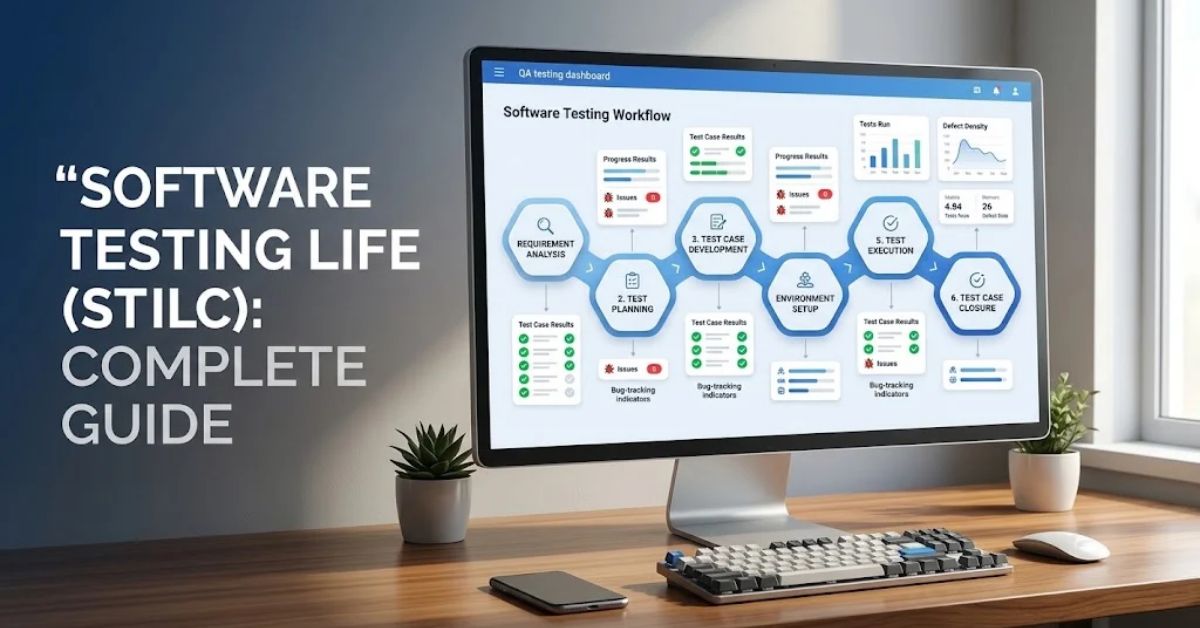
The Software Testing Life Cycle (STLC) is a structured process that QA teams follow to test software and verify its quality.
It typically includes six phases: requirement analysis, test planning, test case development, test environment setup, test execution, and test cycle closure.
Each phase helps testers identify defects, reduce risks, verify requirements, and deliver reliable software.
Author Information
Author: Gulnaz Malik
Role: Founder, Publisher & Technology Content Specialist
Experience: 5+ Years in Technology, AI, Software & Digital Innovation
Content Review: This article explains software testing concepts, common industry practices, and established QA principles. Readers should verify tool-specific features and testing requirements against current official documentation.
Introduction
Have you ever used an app that crashed during checkout, displayed the wrong information, or stopped working after an update? These problems can frustrate users and damage a company’s reputation.
Software testing helps teams find these problems before they affect customers. However, effective testing requires more than opening an application and clicking buttons. Testers need a clear process that guides their work from the first requirement review to the final testing report.
This process is called the Software Testing Life Cycle, or STLC.
STLC helps quality assurance (QA) teams organize testing activities, assign responsibilities, manage risks, and evaluate software quality. It also helps developers understand defects and fix problems before a product reaches users.
In this guide, you will learn how STLC works, why each phase matters, how it differs from SDLC, and how QA teams apply it in real-world projects. You will also explore testing tools, common mistakes, automation, and modern testing practices.
Table of Contents
- What Is the Software Testing Life Cycle?
- Why Is STLC Important?
- Six Phases of the Software Testing Life Cycle
- STLC vs. SDLC
- Types of Software Testing Used in STLC
- Popular Software Testing Tools
- Real-World STLC Example
- Common STLC Challenges and Mistakes
- Best Practices for an Effective STLC
- Software Testing Life Cycle in Agile and DevOps
- Future Trends in STLC
- Key Takeaways
- Conclusion
- Frequently Asked Questions
What Is the Software Testing Life Cycle (STLC)?
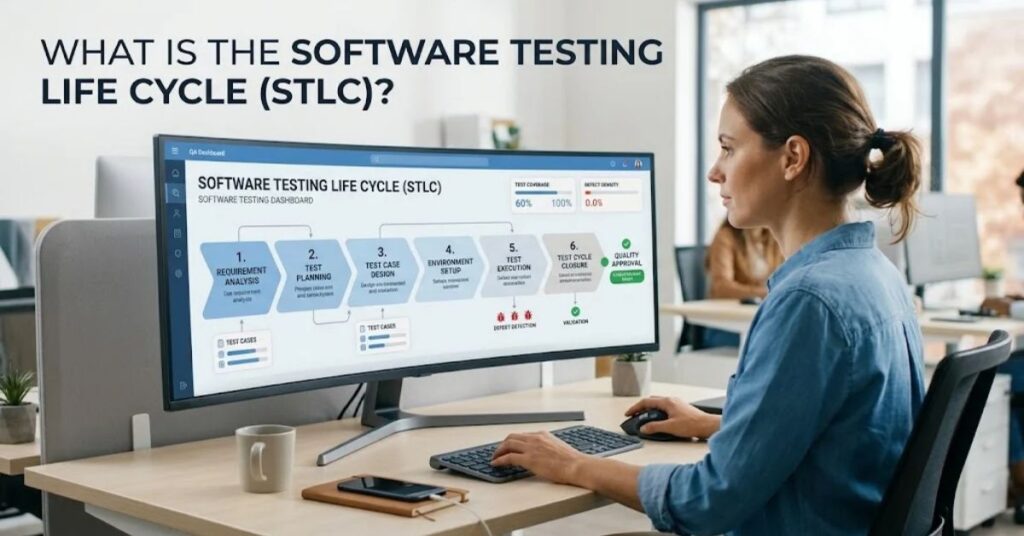
The Software Testing Life Cycle is a sequence of testing activities that QA professionals perform to evaluate software quality and confirm that an application meets its requirements.
Each phase has specific goals, tasks, and deliverables. Teams use these phases to plan testing, design test cases, execute tests, report defects, and assess whether the software meets its quality expectations.
For example, imagine a company developing an online shopping application. The QA team needs to verify user registration, product searches, shopping carts, payment processing, and order confirmation.
STLC gives testers a structured way to check these features instead of testing randomly.
Key Characteristics of STLC
- Structured process: Teams follow defined testing phases.
- Requirement-focused: Testers connect test cases to business and technical requirements.
- Quality-driven: Testing activities aim to identify defects and reduce software risks.
- Measurable progress: Teams track test execution, defect status, and coverage.
- Continuous improvement: Teams review results and improve future testing cycles.
STLC does not guarantee defect-free software. Instead, it helps teams discover important problems systematically and make informed release decisions.
Why Is the Software Testing Life Cycle Important
STLC plays an important role in software development because it provides QA teams with a repeatable method for assessing application quality.
Without a defined testing process, teams may overlook important requirements, repeat unnecessary tests, or discover major defects shortly before release.
A structured STLC helps prevent these problems.
Here are its main benefits:
- Early defect detection: Testers can identify unclear requirements and design problems before they become expensive to fix.
- Better test coverage: Teams can connect test cases to requirements and identify missing scenarios.
- Improved communication: Developers, testers, project managers, and business teams can work toward shared quality goals.
- Efficient resource management: Test planning helps teams assign people, tools, time, and testing environments.
- Reduced release risk: Test results help stakeholders understand known defects and remaining quality risks.
- Clear documentation: Test plans, test cases, defect reports, and closure reports create a useful project record.
For organizations working on complex applications, STLC also supports software quality assurance, which focuses on improving the processes that help teams build reliable software.
The key benefit is consistency. Teams can repeat the testing process, measure results, and improve their approach as the product evolves.
Six Phases of the Software Testing Life Cycle
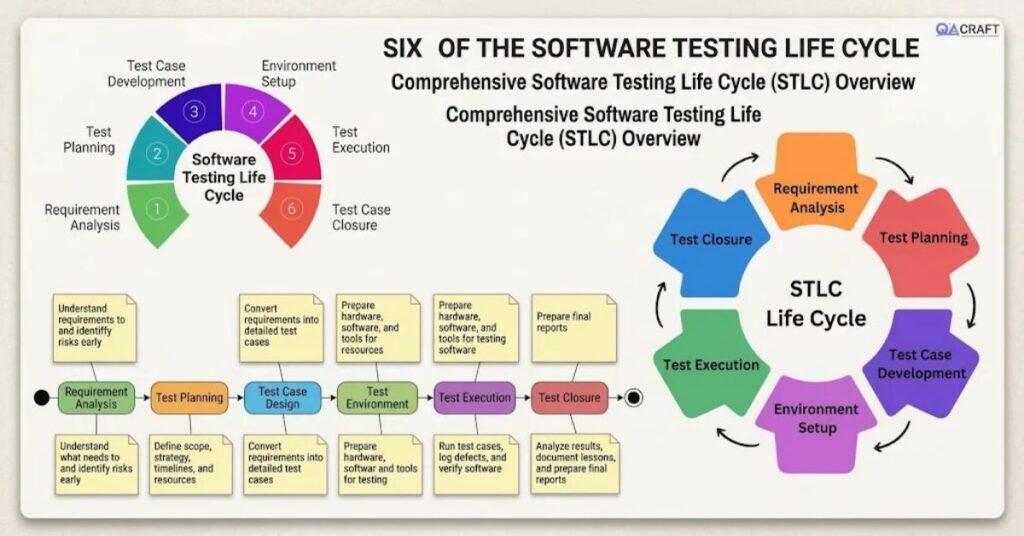
The Software Testing Life Cycle commonly includes six phases. Each phase supports a different testing objective, and its output helps the team move toward the next activity.
Organizations may adjust these phases based on their development methodology, project size, risk level, and testing requirements.
1. Requirement Analysis
Requirement analysis is the first phase of STLC. During this phase, QA teams study the project requirements to understand what the software should do and how they can test it.
Testers review functional requirements, business rules, user stories, acceptance criteria, and technical documents.
They also identify requirements that need clarification.
For example, an online store may require customers to enter a valid email address during registration. The QA team must determine what the system considers a valid email address and how it should respond to invalid input.
Key activities:
- Review functional and non-functional requirements.
- Identify testable requirements.
- Discuss unclear requirements with stakeholders.
- Identify potential risks and testing priorities.
- Determine which testing types the project needs.
- Prepare a Requirement Traceability Matrix (RTM), when appropriate.
Deliverables: Requirement analysis notes, feasibility findings, initial risk assessments, and a draft RTM.
Why it matters: Clear requirements help testers design meaningful test cases and reduce misunderstandings later.
2. Test Planning
During test planning, the QA lead or test manager defines the overall testing approach.
The team decides what to test, how to test it, who will perform the work, and how much time and resources the project needs.
For example, a banking application may require functional, security, performance, and compatibility testing. The test plan identifies these needs and assigns suitable resources.
Key activities:
- Define testing scope and objectives.
- Select testing techniques and tools.
- Estimate testing time and effort.
- Assign team responsibilities.
- Identify testing risks and mitigation plans.
- Define entry and exit criteria.
- Establish test metrics and reporting methods.
Deliverables: Test plan, effort estimates, resource plans, testing schedules, and risk documentation.
A useful test plan also explains what the team will not test. Clear boundaries help stakeholders understand testing limitations.
3. Test Case Development
In this phase, testers create test cases, prepare test data, and review testing scenarios.
A test case describes the conditions, actions, and expected results that a tester uses to verify a feature.
For example, a password reset test case might ask a tester to enter a registered email address and verify whether the application sends the correct reset instructions.
Testers should cover positive scenarios, negative scenarios, boundary conditions, and important edge cases.
Key activities:
- Create test scenarios and detailed test cases.
- Prepare valid and invalid test data.
- Review test cases for accuracy and coverage.
- Map test cases to requirements.
- Identify suitable cases for automation.
- Prepare reusable testing checklists.
Deliverables: Test cases, test data, test scripts, and updated traceability records.
A well-designed test case includes a unique ID, preconditions, test steps, expected results, and execution status.
Teams should also review test cases before execution. This step can identify missing requirements, unclear instructions, and duplicate tests.
4. Test Environment Setup
The test environment setup phase prepares the hardware, software, network, databases, and configurations that testers need.
A test environment should represent the relevant production conditions closely enough to produce meaningful results.
For example, a mobile application may need testing across different operating systems, screen sizes, browsers, and network conditions.
Teams must confirm that the environment supports the required testing activities.
Key activities:
- Configure testing servers and databases.
- Install the required application build.
- Set up testing tools and frameworks.
- Prepare user accounts and test data.
- Verify network and device configurations.
- Check environment readiness.
Deliverables: A configured test environment, environment details, test data, and readiness confirmation.
Before execution begins, testers often perform a smoke test. This quick check confirms that the main application functions work well enough for deeper testing.
If the environment has serious problems, the team should resolve them before continuing. Otherwise, testers may report environment failures as application defects.
5. Test Execution
Test execution is the phase where testers run prepared test cases and compare actual results with expected results.
The team records each test’s status and reports defects when the application does not behave as expected.
For example, a tester may verify whether an online store calculates sales tax correctly. If the application displays an incorrect amount, the tester documents the issue and shares it with the development team.
Key activities:
- Execute manual and automated test cases.
- Compare actual and expected results.
- Record pass, fail, blocked, or other agreed statuses.
- Report defects with clear reproduction steps.
- Retest fixed defects.
- Perform regression testing.
- Update test execution metrics.
Deliverables: Test execution reports, defect reports, updated test results, and regression testing records.
During this phase, developers fix reported defects while testers verify those fixes.
A successful retest confirms that a specific issue no longer occurs under the tested conditions. Regression testing checks whether the changes have affected other features.
Teams may repeat test execution several times as developers release new builds.
6. Test Cycle Closure
Test cycle closure is the final phase of the STLC. The team reviews testing results and evaluates whether it has met the agreed testing objectives.
Closure does not mean that every defect must disappear. Some projects may accept known low-risk defects, while others require stricter release criteria.
The team should document any remaining risks and communicate them to the appropriate stakeholders.
Key activities:
- Review test execution results.
- Evaluate test coverage and exit criteria.
- Summarize defects and unresolved risks.
- Prepare the test summary report.
- Document lessons learned.
- Archive test cases, reports, and relevant test data.
- Identify improvements for future testing cycles.
Deliverables: Test summary report, closure documentation, defect metrics, and lessons learned.
A closure report helps stakeholders understand what the team tested, what it found, and which risks remain.
It also helps future QA teams reuse effective test cases and avoid repeating earlier mistakes.
STLC vs. SDLC: What Is the Difference?
The Software Testing Life Cycle and Software Development Life Cycle (SDLC) are related, but they serve different purposes.
SDLC covers the broader process of planning, designing, developing, testing, deploying, and maintaining software. STLC focuses specifically on testing activities within that broader process.
| Feature | STLC | SDLC |
| Full form | Software Testing Life Cycle | Software Development Life Cycle |
| Main purpose | Verify software quality | Build and maintain software |
| Primary focus | Testing activities | Complete software development |
| Main participants | QA engineers, testers, test leads | Developers, designers, QA, project managers |
| Typical activities | Test planning, test execution, defect reporting | Requirements, design, coding, testing, deployment |
| Main deliverables | Test cases, defect reports, test summaries | Software, documentation, releases |
| Scope | Testing-focused | End-to-end development |
In simple terms: SDLC explains how a team builds software, while STLC explains how the team tests that software.
Both processes work together. Testing often begins during requirement analysis rather than waiting until developers finish coding.
This early involvement helps teams identify problems when changes are easier to manage.
Types of Software Testing Used in STLC
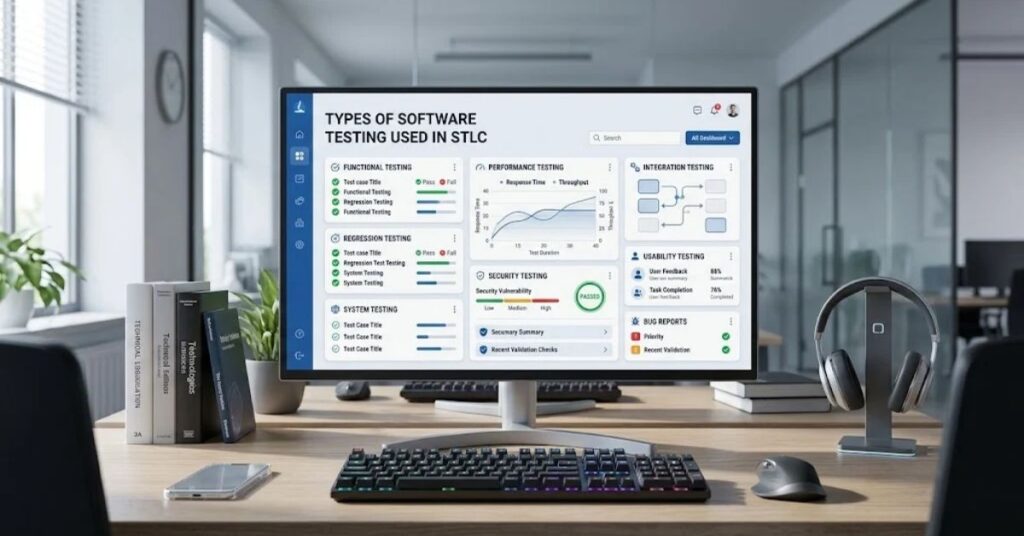
QA teams use different testing types depending on the product, requirements, and potential risks.
Some tests verify individual features, while others evaluate system performance, security, usability, or compatibility.
Common testing types include:
- Functional testing: Checks whether software features behave according to requirements.
- Regression testing: Verifies that recent changes have not broken existing functionality.
- Integration testing: Checks whether connected components or services work together correctly.
- System testing: Evaluates the complete application against its requirements.
- Acceptance testing: Checks whether the product meets agreed business or user needs.
- Performance testing: Evaluates responsiveness, stability, and behavior under different workloads.
- Security testing: Identifies weaknesses that could expose systems or data to unauthorized access.
- Usability testing: Evaluates how easily users can understand and operate the application.
For example, a shopping application may need functional testing for checkout, performance testing during high traffic, and security testing for payment-related workflows.
The QA team selects testing types based on risk and project needs rather than applying every testing method to every feature.
Popular Software Testing Tools
Software testing tools help QA teams manage test cases, execute automated tests, track defects, and report results.
The right tool depends on the project’s technology stack, team size, budget, and testing goals.
Common STLC Tools and Their Uses
| Tool | Primary Use |
| Selenium | Browser-based test automation |
| Playwright | Modern web application testing |
| JUnit | Java unit testing |
| TestNG | Test organization and automation |
| Jira | Defect and task tracking |
| TestRail | Test case management |
| Postman | API testing |
| Apache JMeter | Performance and load testing |
Teams do not need every tool on this list. A small project may need only a test management platform and a browser automation framework.
For example, a QA team testing a web application might use Jira for defect tracking, Playwright for browser automation, and Postman for API testing.
Teams should evaluate tools based on their actual requirements instead of choosing them simply because they are popular.
You can also explore TechCrebia’s guide to productivity software to understand how digital tools support organized workflows.
Real-World Software Testing Life Cycle Example
Consider a company developing a mobile shopping application. The company wants to introduce a new checkout feature that allows customers to pay for their orders.
The QA team can apply STLC as follows:
| STLC Phase | Practical Activity |
| Requirement Analysis | Review payment methods, validation rules, and checkout requirements |
| Test Planning | Define testing scope, resources, risks, and deadlines |
| Test Case Development | Create test cases for successful payments, failed payments, and invalid details |
| Environment Setup | Configure the test application, payment sandbox, devices, and test accounts |
| Test Execution | Run checkout tests, report defects, and retest fixes |
| Test Cycle Closure | Review results, document remaining risks, and prepare the test summary |
Suppose the team discovers that the application charges customers twice when they click the payment button repeatedly.
The tester documents the steps, expected result, actual result, and supporting evidence. The developer investigates and fixes the issue.
The QA team then retests the payment feature and performs regression testing to check whether the fix affects other checkout functions.
Once the team meets its agreed exit criteria, it prepares the final test summary for stakeholders.
This example shows how STLC connects testing activities to practical business risks.
Common STLC Challenges and Mistakes
Even experienced QA teams can face challenges during the testing life cycle. Poor planning, unclear requirements, and weak communication can reduce testing effectiveness.
Common STLC Mistakes
- Starting testing too late: Waiting until development ends can leave little time to fix major defects.
- Ignoring unclear requirements: Testers may create incorrect test cases when they do not clarify expected behavior.
- Writing incomplete test cases: Missing negative scenarios and boundary conditions can leave important defects undetected.
- Using unrealistic test data: Test results may not reflect real-world behavior.
- Skipping regression testing: A new fix can introduce problems in previously working features.
- Automating everything: Some tests require human judgment, visual evaluation, or exploratory testing.
- Ignoring defect severity: Teams may spend too much time on minor issues while serious risks remain unresolved.
- Poor documentation: Missing test evidence and reproduction steps can delay defect resolution.
How to Overcome These Challenges
Teams can improve STLC by involving QA early, reviewing requirements with stakeholders, prioritizing high-risk features, and maintaining clear testing documentation.
They should also establish regular communication between developers and testers.
When a defect appears, the report should explain how to reproduce it, what the tester expected, what actually happened, and which environment the tester used.
A clear defect report saves time and helps developers identify the underlying problem.
Best Practices for an Effective Software Testing Life Cycle
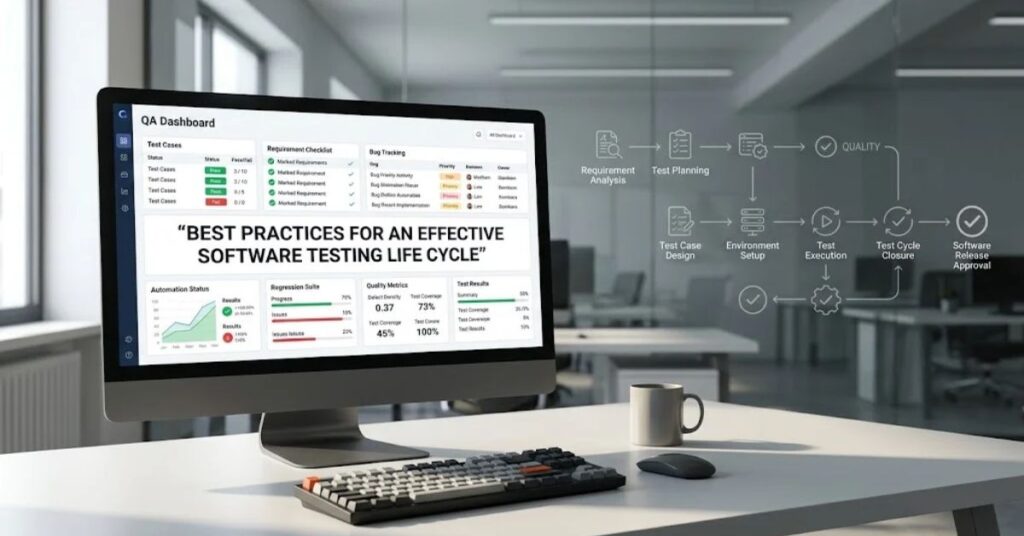
A well-managed STLC focuses on meaningful testing, clear communication, and continuous improvement.
The following practices can help QA teams improve their testing process:
- Start testing early. Review requirements and designs before development finishes.
- Define clear testing objectives. Make sure the team understands what it needs to verify.
- Prioritize high-risk features. Focus first on functions that could cause serious business or user problems.
- Maintain traceability. Connect requirements with relevant test cases and results.
- Use realistic test data. Include normal, invalid, and boundary-value scenarios.
- Automate repetitive tests. Automate stable, repeatable tests when automation provides clear value.
- Track useful metrics. Monitor test execution, defect trends, and requirement coverage.
- Keep test environments reliable. Document configurations and control environment changes.
- Review test cases regularly. Remove outdated tests and update cases when requirements change.
- Learn from every testing cycle. Use retrospectives to identify process improvements.
Teams should avoid treating metrics as proof of quality by themselves. A high test pass rate does not guarantee that the application has no serious defects.
Instead, combine testing metrics with risk analysis, exploratory testing, and an understanding of user needs.
For established testing terminology and certification-related concepts, the ISTQB official website provides a useful reference for software testing professionals.
Software Testing Life Cycle in Agile and DevOps
Traditional projects may organize testing into clearly separated phases. Agile and DevOps teams often perform testing continuously as they develop and release software.
However, STLC remains relevant in both approaches. Teams still analyze requirements, plan tests, prepare test cases, configure environments, execute tests, and review results.
The main difference involves how frequently teams perform these activities.
STLC in Agile Development
Agile teams work in short development cycles called iterations or sprints.
Testers collaborate with developers and product owners throughout each sprint. They review user stories, define acceptance criteria, test completed features, and provide feedback.
For example, a team building a shopping app may test the login feature during one sprint and checkout functionality during the next.
This approach helps teams identify defects earlier and adjust testing as requirements change.
STLC in DevOps
DevOps connects development and operations through collaboration, automation, and continuous delivery practices.
Teams may integrate automated tests into a CI/CD pipeline. When developers submit code, the pipeline can run unit tests, integration tests, security checks, and other automated validations.
If a test fails, the pipeline can alert the team before the change moves to a later stage.
Microsoft’s DevOps documentation explains practices and tools that support continuous integration, delivery, and software quality workflows.
Agile and DevOps Testing Compared With Traditional STLC
| Feature | Traditional Approach | Agile and DevOps |
| Testing schedule | Often organized around project phases | Continuous or repeated throughout development |
| Feedback | May arrive later in the project | Frequent feedback |
| Automation | Depends on project needs | Often integrated into development pipelines |
| Team collaboration | May involve handoffs between teams | Frequent collaboration |
| Test planning | Often defined early | Updated as requirements evolve |
Neither approach removes the need for testing discipline. Both require clear objectives, reliable test cases, defect management, and appropriate quality checks.
Future Trends in the Software Testing Life Cycle

Software testing continues to evolve as applications become more complex and development teams adopt new technologies.
Several trends are shaping modern STLC practices.
- AI-assisted testing: AI tools can help generate test ideas, summarize failures, and identify patterns in test results. Teams still need to validate AI-generated output.
- Continuous testing: Automated tests increasingly run throughout development and delivery instead of only before release.
- Cloud-based testing: Cloud platforms help teams test applications across different browsers, devices, and environments.
- API-focused testing: As applications depend on interconnected services, API testing remains important for verifying data exchange and system behavior.
- Security testing integration: Teams increasingly include security checks earlier in the development process.
- Risk-based testing: Teams prioritize testing based on business impact, technical complexity, and potential failure consequences.
AI does not eliminate the need for skilled testers. Human judgment remains important when evaluating business requirements, unusual user behavior, security risks, and complex failures.
The future of STLC will likely involve more automation and faster feedback, while retaining structured planning, human review, and risk-based decision-making.
Key Takeaways
- The Software Testing Life Cycle (STLC) provides a structured approach to software testing.
- STLC commonly includes six phases, from requirement analysis to test cycle closure.
- Each phase has specific activities, goals, and deliverables.
- STLC focuses on testing, while SDLC covers the complete software development process.
- QA teams use functional, regression, performance, security, and other testing methods based on project needs.
- Test automation can improve speed and consistency, but human judgment remains essential.
- Agile and DevOps teams apply STLC activities continuously throughout development.
- Clear requirements, risk-based planning, reliable environments, and useful documentation improve testing effectiveness.
Conclusion
The Software Testing Life Cycle helps QA teams test applications through a structured and repeatable process. Its six phases guide testers from requirement analysis and planning to test execution and cycle closure.
By following STLC, teams can improve test coverage, identify defects earlier, manage risks, and communicate software quality more clearly.
STLC also works with traditional development, Agile, and DevOps. Teams can adapt its activities to match their project needs while maintaining clear testing goals and reliable results.
Whether you are a beginner learning software testing or an experienced QA professional improving your workflow, understanding STLC gives you a practical foundation for delivering more reliable software.
Frequently Asked Questions
1. What is the Software Testing Life Cycle (STLC)?
STLC is a structured process that QA teams follow to plan, design, execute, and close software testing activities.
2. What are the six phases of STLC?
The six common phases are requirement analysis, test planning, test case development, test environment setup, test execution, and test cycle closure.
3. What is the main goal of STLC?
STLC aims to verify software quality, identify defects, reduce risks, and check whether the application meets its requirements.
4. What is the difference between STLC and SDLC?
SDLC covers the complete software development process, while STLC focuses specifically on software testing activities.
5. Who is responsible for STLC?
QA engineers, testers, test leads, and test managers typically handle STLC activities, often in collaboration with developers and product teams.
6. Is STLC used in Agile?
Yes. Agile teams apply STLC activities throughout sprints and continuously test features as developers build them.
7. Does STLC guarantee defect-free software?
No. STLC helps teams find defects and reduce risks, but testing cannot prove that software contains no defects.
8. Can teams automate the Software Testing Life Cycle?
Teams can automate repetitive testing activities, but requirement analysis, risk assessment, exploratory testing, and other tasks may still need human judgment.
9. What is the final phase of STLC?
Test cycle closure is the final phase. Teams review results, document remaining risks, prepare reports, and record lessons learned.
10. What documents does STLC produce?
Common deliverables include test plans, test cases, test data, defect reports, execution results, traceability records, and test summary reports.
Additional Internal Links for TechCrebia
The following existing TechCrebia articles can support related reading and future content updates:
- Difference Between Software and Hardware — Use when explaining software components and system behavior.
- Windows Driver Update Guide — Use when discussing system testing and driver compatibility.
- Bluetooth Driver Update Guide — Use in device compatibility and troubleshooting content.
- Fan Controller RGB Software Guide — Use in hardware-software compatibility examples.
- Productivity Software Guide — Use when discussing QA workflow and team productivity.
10 SEO Tags
- Software Testing Life Cycle
- STLC Phases
- Software Testing
- Software Quality Assurance
- QA Testing Process
- STLC vs SDLC
- Software Testing Methodology
- Test Case Development
- Software Test Automation
- Agile Software Testing
Internal Linking
- Software Quality Assurance
- Productivity Software
- Difference Between Software and Hardware
- Windows Driver Update Guide
- Bluetooth Driver Update Guide
- Samsung J7 Software Update Guide
Authoritative External References
- ISTQB — International Software Testing Qualifications Board — Software testing terminology, learning resources, and certification information.
- Microsoft DevOps Documentation — Official documentation covering DevOps practices and software delivery workflows.
Social Media Title
Software Testing Life Cycle (STLC): 6 Phases Explained