




Quick Answer
Software Configuration Management (SCM) is a structured process for identifying, tracking, controlling, and documenting changes to software and related development assets.
It helps teams manage versions, baselines, code changes, releases, and configurations throughout the software lifecycle.
SCM reduces configuration errors, improves traceability, supports teamwork, and works closely with version control, CI/CD, testing, and DevOps practices.
Author Information
Author: Gulnaz Malik
Role: Founder, Publisher & Technology Content Specialist
Experience: 5+ Years in Technology, AI, Software & Digital Innovation
Content Review: All content follows Google’s latest EEAT guidelines and includes fact-checked information from official documentation, trusted technology sources, industry reports, and practical research to ensure accuracy, reliability, and up-to-date insights.
Introduction
Modern software projects change constantly.Developers add features. Testers report defects. Security teams request fixes.
Operations teams change deployment settings. Customers request improvements. A single application can contain thousands of files, dependencies, configurations, and infrastructure settings.
Without a controlled process, these changes can quickly become difficult to track.
This is where Software Configuration Management becomes important. SCM gives development teams a structured way to identify software components, control changes, maintain versions, create baselines, and understand what changed over time.
It also helps teams connect source code with requirements, tests, documentation, and releases.
For example, imagine a team developing an online shopping application. One developer changes the payment module while another updates the database configuration.
A third developer prepares a security patch. Without proper configuration management, the team may deploy incompatible changes or lose track of which version reached production.
SCM helps prevent that situation.
This guide explains what Software Configuration Management is, how the SCM process works, which activities it includes, how SCM differs from version control, and how modern teams use it with Agile, DevOps, and CI/CD.
Table of Contents
- What Is Software Configuration Management?
- Why Is Software Configuration Management Important?
- Software Configuration Management Process
- Software Configuration Management Activities
- Software Configuration Management Tools
- SCM vs Version Control
- Software Configuration Management in Agile and DevOps
- Benefits of Software Configuration Management
- Common SCM Mistakes
- Best Practices for Software Configuration Management
- Real-World Software Configuration Management Example
- Troubleshooting Common SCM Problems
- Latest Software Configuration Management Trends
- Future of Software Configuration Management
- Key Takeaways
- Conclusion
- FAQs
- SEO Tags
- Internal Linking Suggestions
- Authoritative External References
- Social Media Title
What Is Software Configuration Management?
Software Configuration Management is the process of systematically identifying, controlling, tracking, and documenting changes to software products and their related assets throughout the software lifecycle.
SCM can cover source code, requirements, design documents, test cases, build files, deployment configurations, scripts, libraries, infrastructure definitions, and release packages.
The main goal is simple:
Keep software changes controlled, traceable, consistent, and recoverable.
IBM describes configuration management as a way to control changes and maintain the integrity of configuration items throughout their lifecycle.
Consider a web application with these components:
| Configuration Item | Example |
| Source code | Java, Python, JavaScript files |
| Requirements | Functional and business requirements |
| Database | Schema and migration scripts |
| Configuration | Environment variables and settings |
| Documentation | API and installation guides |
| Test assets | Automated and manual test cases |
| Build files | Package and build instructions |
| Infrastructure | Cloud and deployment definitions |
| Release package | Versioned production build |
SCM helps the team understand which versions of these components belong together.
That becomes especially important when several releases exist at the same time.
For a beginner-friendly explanation of how software relates to physical computer components, see TechCrebia’s Difference Between Software and Hardware guide.
Why Is Software Configuration Management Important?
Software projects rarely remain unchanged.
Even a small application may receive hundreds of modifications during development and maintenance. Large applications can involve multiple teams working on different features at the same time.
SCM provides structure around those changes.
Without SCM, teams may face problems such as:
- Developers overwriting each other’s work.
- Teams deploying the wrong software version.
- Configuration differences between development and production.
- Missing release files.
- Unclear change history.
- Difficult rollbacks.
- Repeated bugs caused by inconsistent environments.
- Poor traceability during audits.
SCM also improves collaboration.
Suppose a production problem appears immediately after a release. The team needs to know what changed, who made the change, which files belong to the release, and which previous version can restore stable behavior.
A controlled configuration history makes this investigation much easier.
Modern configuration management also works with CI/CD and infrastructure automation. Atlassian explains that configuration management commonly works alongside version control and CI/CD infrastructure to manage software configuration data and automate repeatable environments.
Software Configuration Management Process
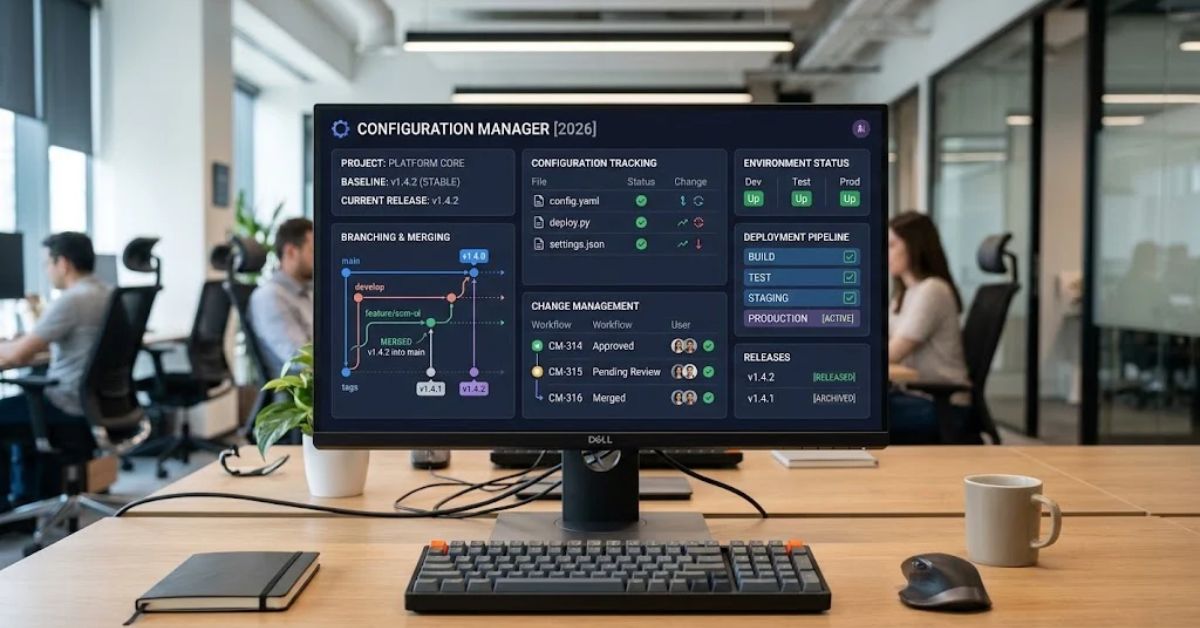
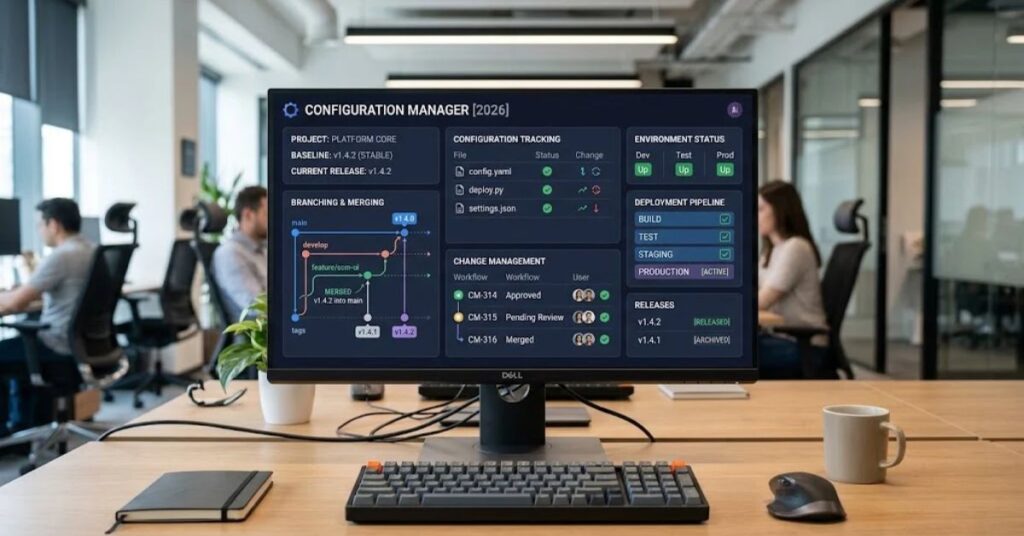
A practical SCM process usually starts by identifying the assets that require control.
The team then establishes a baseline, manages approved changes, tracks versions, verifies configurations, and maintains records.
Configuration Identification
The first step is to identify the items that belong under configuration management.
These items are often called configuration items, or CIs.
Examples include:
- Source-code repositories
- Requirements documents
- Database scripts
- Test cases
- Build configurations
- Deployment files
- API specifications
- Infrastructure definitions
- Release packages
Teams should define naming rules and ownership for important configuration items.
Clear identification prevents confusion later.
Baseline Creation
A baseline represents an approved state of a software system at a particular point in time.
For example, a team might create a baseline for version 2.0 before beginning development on version 2.1.
The baseline provides a reference point.
If later changes introduce problems, developers can compare the current state against the approved baseline.
IBM documentation describes baselines as snapshots that capture a project’s state at a specific point in time.
Change Control
Not every change should go directly into production.
A controlled SCM process records proposed changes and evaluates their impact before implementation.
A basic change workflow might look like this:
- A developer or stakeholder submits a change request.
- The team evaluates the request.
- The responsible team approves or rejects it.
- Developers implement the approved change.
- Testers verify the change.
- The team records the final result.
- The approved configuration becomes part of the appropriate release.
This process creates accountability without necessarily making development slow.
Version Control
Version control records different states of software assets.
Developers can create branches, commit changes, compare versions, merge work, and restore previous states.
Git represents one of the most widely used approaches to source-code version control. However, SCM covers a broader area than source-code versioning alone.
Configuration Verification
Teams need to verify that the actual software configuration matches the approved configuration.
For example, a deployment may claim to use version 3.2 of a library while production actually contains version 3.1.
Configuration verification helps identify these inconsistencies.
Configuration Auditing
Auditing checks whether configuration items and processes match established requirements.
An audit can examine:
- Approved versions
- Build artifacts
- Deployment configurations
- Change records
- Baselines
- Documentation
- Dependencies
- Release contents
IBM identifies configuration auditing as a formal way to assess whether configuration practices conform to established standards and baselines.
Software Configuration Management Activities
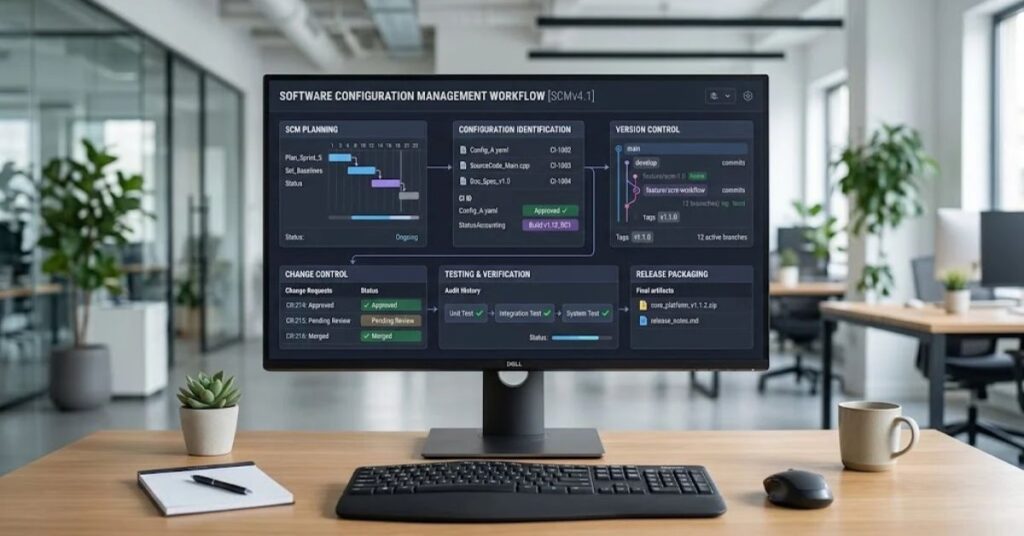
SCM includes several connected activities rather than one single task.
Configuration Management Planning
A configuration management plan explains how a project will control and maintain its software configuration.
It can define:
- Which assets require control.
- Who can approve changes.
- Which tools the team will use.
- How versions will be identified.
- How baselines will work.
- How releases will be recorded.
- How audits will occur.
A small project may need a short plan. A regulated enterprise application may require extensive documentation.
Change Management
Change management focuses on controlling modifications.
The team should know what changed, why the change happened, who approved it, and what version contains it.
This information becomes valuable when a release creates an unexpected problem.
Status Accounting
Status accounting maintains information about the current state of configuration items.
For example, a team might track:
| Item | Version | Status |
| Application | 4.2 | Production |
| API | 4.2 | Production |
| Database schema | 18 | Production |
| Test suite | 4.2 | Approved |
| Documentation | 4.2 | Published |
This creates a clear picture of the software configuration.
Configuration Auditing
Configuration audits compare the actual state of a system with its documented or approved state.
Audits can identify unauthorized changes, missing artifacts, incorrect versions, or inconsistencies between environments.
This becomes particularly important for organizations that need strong traceability.
Software Configuration Management Tools
SCM tools help automate configuration-related activities.
The right tool depends on the project’s size, development model, programming languages, infrastructure, security requirements, and team workflow.
Common categories include:
| Tool Category | Main Purpose |
| Version control | Track source-code changes |
| CI/CD platforms | Automate build, test, and deployment workflows |
| Issue tracking | Manage change requests and defects |
| Artifact repositories | Store versioned build packages |
| Infrastructure-as-code | Define infrastructure through code |
| Configuration platforms | Maintain repeatable system settings |
| CMDB systems | Track configuration items and relationships |
Popular technologies and platforms can include Git-based systems, CI/CD platforms, Ansible, Puppet, Chef, Salt, Jira, and other development-management solutions.
IBM also identifies version-control systems, CI/CD tools, infrastructure-as-code tools, change-management systems, and configuration management databases as important categories within modern configuration management.
The tool should support the process rather than replace it.
A powerful tool cannot fix an unclear configuration strategy.
SCM vs Version Control
People often use SCM and version control as if they mean exactly the same thing.
They overlap, but they are not always identical.
| Feature | Software Configuration Management | Version Control |
| Main purpose | Control software configuration and changes | Track versions of files and code |
| Source code | Yes | Yes |
| Documentation | Often | Possible |
| Build configuration | Yes | Often |
| Release management | Yes | Limited |
| Configuration audits | Yes | Usually limited |
| Baselines | Yes | Supported through tags/releases |
| Change tracking | Yes | Yes |
| CI/CD integration | Common | Common |
| Broader lifecycle control | Yes | Usually narrower |
Version control forms an important part of SCM.
However, SCM can extend beyond source code into requirements, testing, deployment, infrastructure, documentation, and release management.
For example, Git can tell you when a developer changed a source file. A broader SCM process can also connect that change to the requirement, test result, build, release, and deployment configuration.
Software Configuration Management in Agile and DevOps
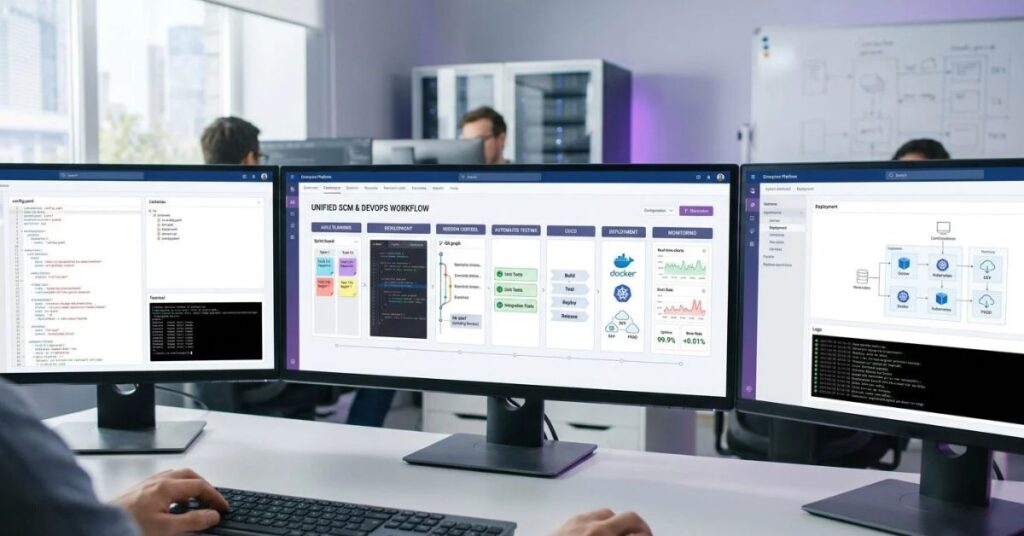
Modern development teams release software much more frequently than traditional development teams.
That makes configuration control even more important.
SCM in Agile
Agile teams work in short iterations and continuously modify software.
SCM supports Agile by providing:
- Branching strategies.
- Version tracking.
- Fast collaboration.
- Traceable changes.
- Repeatable builds.
- Release baselines.
- Easier rollback.
Teams should avoid turning SCM into unnecessary bureaucracy.
A lightweight Agile workflow can combine issue tracking, Git branches, pull requests, automated testing, and release tags.
SCM in DevOps
DevOps brings development and operations closer together.
That means configuration management can cover more than application source code.
Teams may manage:
- Application settings
- Containers
- Cloud resources
- Deployment manifests
- Infrastructure-as-code
- Secrets references
- Monitoring configuration
- CI/CD pipelines
Atlassian notes that modern configuration management commonly supports automated and repeatable environments, including development, staging, and production configurations.
SCM and CI/CD
CI/CD pipelines can automatically build and test software whenever developers submit changes.
A typical workflow looks like this:
- A developer creates a change.
- Version control records the change.
- Automated tests run.
- The application builds.
- Security checks run.
- An artifact receives a version.
- The release moves through an approved environment.
- Deployment records the configuration.
This approach reduces manual configuration work.
It also makes environments more repeatable.
Benefits of Software Configuration Management
A well-designed SCM process provides several practical benefits.
Better traceability: Teams can identify what changed and when.
Safer releases: Controlled configurations reduce accidental deployment errors.
Easier rollback: Teams can restore a known stable version when a release fails.
Better collaboration: Developers can work on parallel changes without losing history.
Improved consistency: Teams can keep development, testing, and production environments closer to the intended configuration.
Faster troubleshooting: Change history helps engineers investigate problems.
Better compliance: Organizations can maintain records of approved changes and configuration states.
Improved release management: Teams can clearly identify what belongs to each release.
Reduced configuration drift: Automation can help keep systems aligned with desired settings.
These benefits become especially valuable as applications grow.
For teams managing many technology tools at once, TechCrebia’s Productivity Software Guide provides useful background on software tools that help organize modern work.
Common SCM Mistakes
SCM can fail when teams treat it as only a source-code problem.
Common mistakes include:
- Tracking code but ignoring deployment configuration.
- Creating too many unnecessary branches.
- Allowing undocumented production changes.
- Storing secrets directly in repositories.
- Failing to tag important releases.
- Using different configurations in different environments.
- Keeping outdated dependencies without ownership.
- Skipping configuration audits.
- Giving too many people unrestricted change permissions.
- Treating documentation as unrelated to configuration.
Another common mistake involves manual configuration.
For example, an engineer may manually change a production server but forget to document the change. The production environment then differs from the documented configuration.
That difference can create a future deployment problem.
Automation and infrastructure-as-code can reduce this type of configuration drift.
Best Practices for Software Configuration Management
A strong SCM strategy does not need to be complicated.
Start with clear rules and automate repetitive work.
- Identify configuration items clearly.
Decide which files, components, environments, and documents require control. - Use consistent naming and versioning.
Make release numbers and artifact versions easy to understand. - Keep one reliable source of truth.
Avoid storing conflicting versions across multiple unmanaged locations. - Automate builds and deployments.
Automation reduces manual configuration errors. - Protect sensitive information.
Never place passwords, private keys, or other secrets directly into public repositories. - Review important changes.
Use pull requests, approvals, testing, and automated checks where appropriate. - Create meaningful baselines.
Mark stable versions before major releases or important milestones. - Document configuration decisions.
Future team members should understand why important settings exist. - Audit production configurations.
Compare the actual environment with the expected configuration. - Test rollback procedures.
A backup or previous version only helps if the team knows how to restore it.
For hardware-related software maintenance, TechCrebia’s Windows Driver Update guide also demonstrates why controlled software versions and official update sources matter when software interacts with hardware.
Real-World Software Configuration Management Example

Consider a company that operates an online banking application.
The application has:
- A web frontend.
- Multiple backend services.
- A database.
- Authentication services.
- Cloud infrastructure.
- Automated tests.
- Monitoring tools.
The development team releases version 8.4.
The SCM process records the source-code version, database migration, dependency versions, configuration files, test results, infrastructure definitions, and release artifact.
The team creates a baseline for version 8.4.A week later, the team discovers a serious payment-processing issue.
Engineers can compare the current production configuration against the 8.4 baseline. They can identify recent changes and determine whether the problem came from application code, a dependency, database configuration, or deployment settings.
If necessary, the team can restore a previously approved configuration.
This example shows why SCM matters.
The value does not come only from storing code history. It comes from understanding the complete configuration of the software system.
Troubleshooting Common SCM Problems
SCM problems often appear as configuration mismatches.
“It Works on My Machine”
This problem usually indicates differences between development and production environments.
Check:
- Runtime versions.
- Dependency versions.
- Environment variables.
- Operating-system differences.
- Database versions.
- Configuration files.
- External services.
Use automated environment configuration where practical.
Wrong Version Deployed
Check the build artifact, release tag, deployment pipeline, and commit associated with the deployment.
A clear release-identification system makes this investigation easier.
Configuration Drift
Compare the actual environment against the approved configuration.
Infrastructure-as-code and automated configuration checks can help detect drift earlier.
Merge Conflicts
Merge conflicts often happen when multiple developers modify the same files.
Reduce unnecessary conflicts by keeping changes focused, communicating major changes, and integrating work regularly.
Missing Release Files
Use a versioned artifact repository and a consistent release process.
Do not depend on individual developer computers as the only location for production artifacts.
Latest Software Configuration Management Trends
Software Configuration Management continues to evolve alongside modern development practices.
Infrastructure as Code: Teams increasingly define infrastructure through version-controlled code. This makes infrastructure changes easier to review, reproduce, and audit.
Git-based workflows: Git-based development supports branching, pull requests, code review, and automated pipelines.
Policy as Code: Organizations can express security and configuration rules in machine-readable policies that automated systems can evaluate.
Automated compliance: Tools can automatically check whether environments follow defined configuration requirements.
Cloud-native configuration: Containers, Kubernetes resources, cloud services, and deployment manifests have expanded the scope of configuration management.
Security-focused SCM: Security teams increasingly care about dependency versions, build provenance, configuration integrity, and controlled release processes.
AI-assisted development: AI coding tools can generate large numbers of code changes quickly. This increases the importance of review, testing, version tracking, and controlled configuration.
Modern SCM therefore focuses increasingly on automation, traceability, security, and reproducibility.
Future of Software Configuration Management
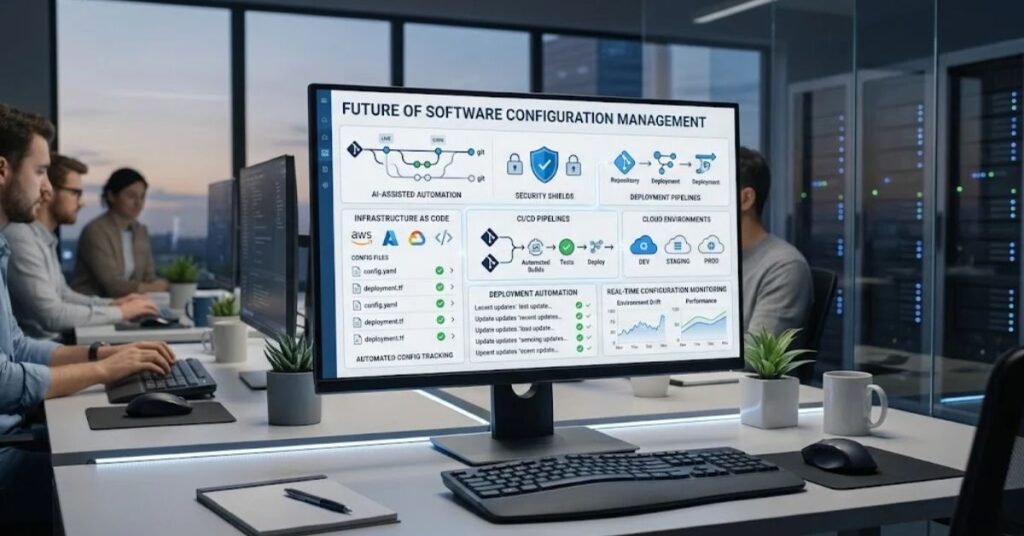
The future of SCM will likely involve more automation and stronger connections between development, security, testing, and operations.
AI can help teams detect unusual configuration changes, summarize change history, identify possible dependency conflicts, and assist with troubleshooting.
However, automated recommendations still need human review.
Organizations also need stronger configuration visibility across complex cloud environments.
A modern application may run across containers, serverless services, managed databases, APIs, and multiple cloud platforms. Tracking those components manually becomes difficult.
SCM will therefore continue moving toward automated discovery, policy enforcement, continuous verification, and infrastructure automation.
The core principle will remain the same:
Teams need to know what their software contains, which version they are running, what changed, and whether the current configuration matches the intended configuration.
Key Takeaways
- Software Configuration Management controls and tracks changes throughout the software lifecycle.
- SCM covers more than source code. It can include requirements, tests, configurations, infrastructure, documentation, and releases.
- Configuration items should have clear ownership and version information.
- Baselines provide stable reference points for software configurations.
- Version control is an important part of SCM but does not represent the entire discipline.
- Agile and DevOps teams use SCM to support frequent, controlled releases.
- CI/CD automation reduces manual configuration mistakes.
- Configuration audits help identify unauthorized or unexpected differences.
- Infrastructure-as-code helps improve repeatability and reduce configuration drift.
- Security, automation, cloud-native systems, and AI-assisted development will continue to shape SCM.
Conclusion
Software Configuration Management provides the structure that modern software teams need to control change.
It helps teams understand which software components belong together, how those components changed, and which configuration supports a particular release. This makes development, testing, deployment, maintenance, and troubleshooting more predictable.
SCM also works best when teams combine clear processes with practical automation. Version control, CI/CD, infrastructure-as-code, automated testing, artifact management, and configuration audits can work together as one controlled workflow.
For beginners, the most important idea is simple: know what you have, control what changes, record those changes, and make every important software version traceable.
As applications become more distributed and development becomes more automated, these principles will remain essential.
FAQs
What is Software Configuration Management?
Software Configuration Management is a process for identifying, controlling, tracking, and documenting changes to software and related assets throughout their lifecycle.
Why is Software Configuration Management important?
SCM improves traceability, consistency, collaboration, release control, troubleshooting, and rollback capabilities.
Is SCM the same as version control?
No. Version control tracks versions of files and code, while SCM can cover the broader software configuration, releases, documentation, infrastructure, and change processes.
What are configuration items in SCM?
Configuration items are controlled software assets such as source code, requirements, test cases, configuration files, documentation, and deployment artifacts.
What is a baseline in Software Configuration Management?
A baseline is an approved snapshot of a software configuration at a specific point in time.
Which tools support SCM?
Git-based version-control systems, CI/CD platforms, artifact repositories, infrastructure-as-code tools, configuration platforms, and change-management systems can support SCM.
How does SCM support DevOps?
SCM helps DevOps teams maintain consistent configurations, automate deployments, track changes, and connect development activity with operational environments.
What is configuration drift?
Configuration drift occurs when an actual system environment gradually differs from its intended or approved configuration.
Can AI improve Software Configuration Management?
AI can assist with change analysis, anomaly detection, documentation, dependency analysis, and troubleshooting, but teams should still review important automated decisions.
SEO Tags
- software configuration management
- software configuration management process
- SCM in software engineering
- software configuration management tools
- configuration management in DevOps
- SCM vs version control
- software configuration management lifecycle
- configuration management best practices
- software engineering configuration management
- Agile configuration management
Internal Linking Suggestions with Anchor Tex
Difference Between Software and Hardware — use when explaining how software components interact with physical systems.
Productivity Software Guide — use when discussing software tools and organized digital workflows.
Windows Driver Update — use when discussing controlled software versions and hardware-related software.
Samsung J7 Software Update Guide — use for an example of software version and update management.
Fan Controller RGB Software — use when explaining software configurations that interact with PC hardware.
PhysX System Software — use when discussing software dependencies and compatibility.
Authoritative External References
Social Media Title
Software Configuration Management: Complete Guide for 2026