

Quick Answer
The Software Testing Life Cycle (STLC) is a structured process that helps testing teams plan, design, execute, and complete software testing.
It usually includes requirement analysis, test planning, test case development, test environment setup, test execution, defect reporting, and test closure. Modern teams also connect STLC with Agile, DevOps, automation, security testing, and continuous testing.
Author Information
Author: Gulnaz Malik
Role: Founder, Publisher & Technology Content Specialist
Experience: 5+ Years in Technology, AI, Software & Digital Innovation
Content Review: All content follows Google’s latest EEAT guidelines and includes fact-checked information from official documentation, trusted technology sources, industry reports, and practical research to ensure accuracy, reliability, and up-to-date insights.
Introduction
Software can look simple from the outside. You open an app, click a button, enter information, and expect the correct result.
Behind that simple experience, testing teams perform many checks.
Testers verify whether each feature works as expected and examine how the application responds to errors. The software also needs testing across different devices, browsers, users, networks, and workloads.
When testers discover a problem, they report the defect, track its progress, and confirm the fix through retesting.
The Software Testing Life Cycle gives this work a clear structure.
Instead of testing randomly, teams follow defined activities from the moment they receive requirements until they complete testing for a release. The process can vary between organizations, projects, and development models, but its main goal remains the same: identify risks and provide useful information about software quality.
Modern testing also goes beyond finding bugs near the end of development. Teams increasingly use shift-left testing, automation, continuous integration, security testing, and AI-assisted testing throughout development. IBM describes modern software testing as an activity that can begin during planning and continue after deployment.
This guide explains the Software Testing Life Cycle from beginner to advanced level.
Table of Contents
- What Is the Software Testing Life Cycle?
- Why Is the Software Testing Life Cycle Important?
- Software Testing Life Cycle Phases
- Software Testing Life Cycle vs SDLC
- Types of Testing Used in STLC
- Software Testing Life Cycle in Agile and DevOps
- Best Practices for Software Testing Life Cycle
- Common STLC Mistakes
- Software Testing Life Cycle Tools
- How to Troubleshoot Testing Problems
- Latest Software Testing Life Cycle Trends
- Key Takeaways
- Conclusion
- FAQs
- SEO Tags
- Internal Linking Suggestions
- Authoritative External References
- Social Media Title
What Is the Software Testing Life Cycle?
The Software Testing Life Cycle (STLC) is a systematic testing process that organizes quality assurance activities throughout a software project.
It defines what testers should analyze, prepare, execute, document, and review during testing.
STLC does not simply mean “run the application and look for bugs.” It includes planning and analysis before test execution and evaluation after testing.
A typical STLC process includes:
- Requirement analysis
- Test planning
- Test case development
- Test environment setup
- Test execution
- Defect reporting and retesting
- Test closure
Different organizations may combine, rename, or expand these phases.
For example, a small startup may combine environment setup with test execution. A large enterprise application may create separate activities for security testing, performance testing, automation, compliance, and release validation.
The International Software Testing Qualifications Board (ISTQB) also treats testing as an activity that occurs throughout the software development lifecycle rather than as one isolated event. Its current foundation-level syllabus covers testing in the SDLC, test levels, test types, maintenance testing, static testing, test design, defect management, and test tools.
STLC vs Simple Software Testing
These terms sound similar, but they describe different things.
Software testing refers to the activities used to evaluate software.
STLC describes the organized lifecycle around those testing activities.
For example, executing a login test is software testing. Deciding what login requirements need testing, creating test cases, preparing test data, executing those tests, recording defects, retesting fixes, and closing the test cycle forms part of the STLC.
Why Is the Software Testing Life Cycle Important?
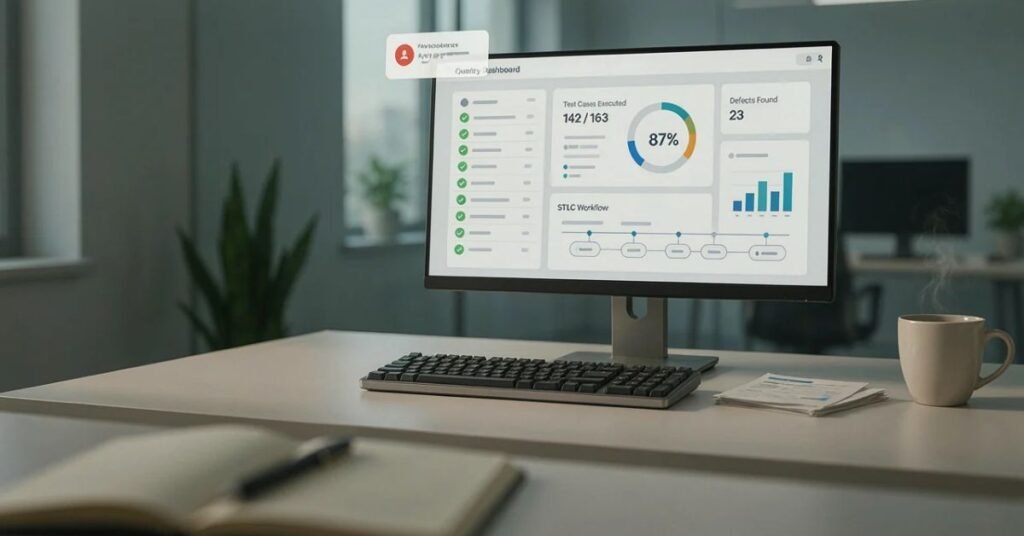
A structured testing process helps teams understand what they need to test and why.
Without a clear process, testers can miss important requirements or repeat the same work.
The Software Testing Life Cycle also improves communication between testers, developers, business analysts, product owners, and project managers.
Main Benefits of STLC
- Better test coverage: Teams can map tests to requirements.
- Early defect discovery: Problems can appear before release.
- Clear responsibilities: Each testing activity has an owner.
- Better documentation: Teams record requirements, test cases, results, and defects.
- Improved risk management: High-risk features receive appropriate testing.
- More predictable releases: Teams can track testing progress.
- Better collaboration: Developers and testers share clearer information.
Testing also reduces the chance that obvious defects will reach users.
However, testing cannot prove that software contains zero defects. Instead, it provides evidence about quality, risk, and whether the software meets defined requirements.
For example, an online shopping application might pass 1,000 functional tests but still experience problems under an unexpected traffic pattern. Good testing therefore combines different approaches rather than relying on one test type.
Software Testing Life Cycle Phases
The phases of the Software Testing Life Cycle create a practical workflow for testing teams.
Each phase has a purpose, inputs, activities, and expected outputs.
Requirement Analysis in Software Testing Life Cycle
Testers begin by studying the requirements.
They identify what the application should do and determine which requirements can be tested.
For a banking application, requirements might include:
- Users can log in securely.
- Users can transfer money.
- The system rejects invalid account numbers.
- Users receive transaction confirmations.
- Unauthorized users cannot access account information.
Testers also identify unclear or incomplete requirements.
This step can prevent problems later because unclear requirements often lead to incomplete test cases.
Typical outputs include:
- Requirement understanding
- Testable requirements
- Requirement traceability information
- Initial testing risks
- Questions for stakeholders
Test Planning in Software Testing Life Cycle
Test planning defines how the team will perform testing.
The test lead or test manager may decide:
- What needs testing
- Which testing types are required
- Who will perform testing
- Which tools the team will use
- How much automation makes sense
- What environments are required
- What risks could affect testing
- When testing should start and finish
The team may also define entry and exit criteria.
Entry criteria explain when testing can begin. Exit criteria explain what conditions should exist before the team considers testing complete.
For example, a team might require a stable build before starting system testing.
Test Case Development in Software Testing Life Cycle
After planning, testers create test scenarios and test cases.
A test case describes a specific condition and the expected result.
For a login page, a test case might check:
Input: Valid username and password
Expected result: The user reaches the account dashboard.
Another test could use an incorrect password.
Input: Valid username and incorrect password
Expected result: The application rejects the login and displays an appropriate message.
Testers should also consider boundary values, invalid inputs, permissions, error handling, and unusual user behavior.
Teams may create automated tests for repetitive scenarios while keeping manual testing for exploratory and usability-focused work.
Test Environment Setup
The test environment should resemble the intended production environment closely enough to produce useful results.
A web application might require:
- Web servers
- Databases
- Test accounts
- Supported browsers
- Mobile devices
- APIs
- Network configurations
- Test data
- Monitoring tools
Environment problems can create false results.
For example, if a database connection fails because of a test-environment configuration problem, testers should not immediately classify the issue as an application defect.
Test Execution in Software Testing Life Cycle
Testers execute planned tests and compare actual results with expected results.
They record:
- Passed tests
- Failed tests
- Blocked tests
- Unexpected behavior
- Defects
- Evidence such as screenshots or logs
Test execution can involve manual and automated testing.
Automated tests can quickly repeat large numbers of regression checks. Manual testing remains useful for exploratory testing, usability evaluation, and scenarios that require human judgment. IBM identifies both manual and automated testing as important approaches in modern software development.
Defect Reporting and Retesting
When testers find unexpected behavior, they create defect reports.
A useful defect report normally includes:
- Clear title
- Steps to reproduce
- Expected result
- Actual result
- Environment
- Severity
- Priority
- Supporting evidence
- Build or version information
After developers fix the problem, testers perform retesting.
They also perform regression testing when appropriate to check whether the fix affected existing functionality.
For example, changing a payment calculation could fix one defect but accidentally affect refunds. Regression testing helps detect that type of side effect.
Test Closure
The final STLC phase involves evaluating the completed testing cycle.
The team may review:
- Test execution results
- Defect status
- Requirement coverage
- Unresolved risks
- Automation results
- Lessons learned
- Testing metrics
The team then prepares test closure information for stakeholders.
Test closure does not necessarily mean that every possible defect disappeared. A release may proceed with known low-risk issues if stakeholders understand and accept those risks.
Software Testing Life Cycle vs SDLC

STLC and SDLC work together, but they are not the same.
The Software Development Life Cycle (SDLC) covers the broader process of creating and maintaining software.
The Software Testing Life Cycle focuses specifically on testing and quality activities.
| Area | SDLC | STLC |
| Main purpose | Build and maintain software | Evaluate software quality |
| Scope | Entire development lifecycle | Testing lifecycle |
| Main activities | Planning, design, coding, testing, deployment, maintenance | Analysis, planning, test design, execution, defect management, closure |
| Main participants | Developers, product teams, analysts, operations, testers | Testers, QA engineers, test leads, developers, and stakeholders |
| Primary output | Working software | Testing results and quality information |
IBM describes SDLC as a structured process with phases such as planning, analysis, design, coding, testing, deployment, and maintenance.
A simple way to remember the difference is:
SDLC builds the product. STLC evaluates the product.
In modern Agile and DevOps environments, however, these processes overlap heavily. Testing does not wait until coding completely ends.
Types of Testing Used in STLC
A strong Software Testing Life Cycle uses different testing techniques based on project risks.
Common testing levels include unit, integration, system, and acceptance testing.
| Testing type | Main purpose | Example |
| Unit testing | Test individual components | Test a password-validation function |
| Integration testing | Test connected components | Test application-to-database communication |
| System testing | Test the complete system | Test an entire shopping workflow |
| Acceptance testing | Check business or user needs | Confirm a checkout process meets requirements |
| Regression testing | Check existing functionality after changes | Retest checkout after payment changes |
| Performance testing | Evaluate speed and stability | Test response under heavy traffic |
| Security testing | Identify security weaknesses | Test authentication and access controls |
| Usability testing | Evaluate user experience | Observe whether users understand navigation |
No single testing type can cover every risk.
A financial application may need stronger security and compliance testing than a simple personal blog.
Likewise, a mobile game may need extensive performance, compatibility, graphics, and device testing.
Software Testing Life Cycle in Agile and DevOps
Traditional testing models often separated development and testing into distinct stages.
Agile and DevOps changed that approach.
Teams now test smaller changes more frequently.
In an Agile sprint, testers may analyze requirements, design tests, execute automated checks, perform exploratory testing, and report defects during the same sprint.
DevOps adds continuous integration and continuous delivery practices.
A code change can trigger automated builds and tests before the change moves further through the delivery pipeline.
Continuous testing uses automated feedback at different points in the SDLC and supports faster development and delivery.
How Does STLC Work in Agile?
- Testers participate early in story discussions.
- Acceptance criteria guide test design.
- Test cases can evolve with requirements.
- Automation supports frequent regression testing.
- Exploratory testing helps uncover unexpected problems.
- Teams discuss quality during sprint reviews and retrospectives.
Does STLC Work in DevOps?
- Automated tests can run in CI pipelines.
- Developers receive faster feedback.
- Security checks can run alongside other tests.
- Regression suites can run after code changes.
- Monitoring can provide information after deployment.
- Teams can use production feedback to improve future testing.
How Does STLC Support Shift-Left Testing?
Shift-left testing means moving testing activities earlier in development.
Instead of waiting for a completed application, teams review requirements and designs before implementation.
This approach can reveal unclear requirements before developers spend significant time building the feature.
Best Practices for Software Testing Life Cycle

A good STLC process should focus on risk, coverage, speed, and useful feedback.
Start Testing Early
Do not wait until the final build.
Review requirements and designs early. Ask whether each requirement can be tested.
Connect Tests to Requirements
Use traceability to understand which requirements have corresponding tests.
This helps identify missing coverage.
Automate Repetitive Tests
Automation works well for repetitive regression checks.
However, automation should support testing rather than replace human judgment.
Prioritize High-Risk Features
Not every feature carries the same risk.
Payment processing, authentication, personal data, permissions, and security-sensitive functions may require deeper testing.
Keep Test Data Realistic
Poor test data can produce misleading results.
Use realistic data patterns while protecting sensitive information.
Record Defects Clearly
A developer should be able to reproduce a defect without guessing what the tester did.
Review Test Results
Do not focus only on the number of passed tests.
Look at failed tests, blocked tests, defect severity, coverage, risk, and recurring failure patterns.
Common STLC Mistakes
Even a formal testing process can fail when teams apply it poorly.
Common mistakes include:
- Starting testing too late
- Testing without clear requirements
- Writing duplicate test cases
- Ignoring negative scenarios
- Relying only on happy-path testing
- Automating unstable tests
- Using unrealistic test data
- Reporting vague defects
- Ignoring regression testing
- Treating every defect as equally important
- Testing only on one browser or device
- Ignoring security and performance requirements
One especially common mistake involves confusing test quantity with test quality.
A team may execute thousands of automated checks but still miss an important business scenario.
Good testing asks whether the right risks received enough attention.
Software Testing Life Cycle Tools
Testing teams use many types of tools.
The exact toolset depends on the application and organization.
Common categories include:
| Tool category | Purpose |
| Test management | Organize test cases and results |
| Bug tracking | Record and monitor defects |
| UI automation | Automate browser or application tests |
| API testing | Validate API behavior |
| Performance testing | Measure load and response behavior |
| Security testing | Identify security weaknesses |
| CI/CD tools | Run tests during software delivery |
| Code analysis | Identify code quality or security issues |
Tools such as Selenium and Playwright can support browser automation, while API and performance tools address different testing needs.
The tool should match the problem.
Buying a complex automation platform does not automatically create a strong testing strategy.
The team still needs clear requirements, good test design, useful test data, and skilled analysis.
For a broader understanding of how software works with computer components, TechCrebia’s Difference Between Software and Hardware guide provides useful background.
If your testing involves desktop applications and device compatibility, TechCrebia’s Windows Driver Update guide also provides an example of how software interacts with hardware components.
How to Troubleshoot Testing Problems
Testing problems can originate from the application, environment, test data, automation code, or infrastructure.
Start with the evidence.
Problem: Test Fails Intermittently
Check:
- Network stability
- Test data
- Application timing
- Browser state
- External services
- Database availability
- Automation synchronization
Do not immediately label an intermittent failure as an application defect.
Problem: Automated Test Fails but Manual Test Passes
Review the automation script first.
Check selectors, timing, authentication state, test data, and environment differences.
Problem: Large Number of Tests Fail Together
Look for a shared dependency.
A database outage, authentication failure, broken API, or environment problem can cause many unrelated tests to fail at once.
Problem: Defect Cannot Be Reproduced
Collect more information.
Record the application version, browser, operating system, test data, user role, timestamps, logs, and exact reproduction steps.
Problem: Testing Becomes Too Slow
Review the test suite.
Remove duplicate tests, improve unstable automation, parallelize appropriate tests, and prioritize high-value regression checks.
TechCrebia also covers practical software troubleshooting in its PhysX System Software guide, which demonstrates how structured diagnosis can separate software, driver, and configuration problems.
Latest Software Testing Life Cycle Trends

The Software Testing Life Cycle continues to evolve with modern development practices.
AI-Assisted Testing
AI tools can help teams generate test cases, analyze failures, identify patterns, and prioritize testing.
They can reduce repetitive work, but teams still need human review.
AI-generated tests can contain incorrect assumptions if the underlying requirements are unclear.
Continuous Testing
Continuous testing connects automated testing with modern CI/CD workflows.
Teams receive feedback more frequently instead of waiting for a large final testing phase.
Security Testing Earlier in Development
Security is increasingly becoming part of the development process rather than a final checkpoint.
IBM’s secure software development lifecycle guidance describes integrating security activities throughout development instead of waiting until the end.
More Test Automation
Automation continues to expand because modern applications release changes frequently.
However, the goal should not be “automate everything.”
Teams should automate stable, repetitive, high-value tests and use manual testing where human exploration provides more value.
Cloud and Device Diversity
Applications now operate across cloud environments, browsers, mobile devices, APIs, third-party services, and distributed infrastructure.
Testing strategies therefore need broader compatibility and environment coverage.
Shift Toward Risk-Based Testing
Testing teams increasingly prioritize areas that could cause the greatest business or user impact.
For example, an authentication failure may deserve more attention than a minor visual spacing issue.
Key Takeaways
- The Software Testing Life Cycle provides a structured approach to software quality.
- STLC commonly includes requirement analysis, planning, test development, environment setup, execution, defect management, and closure.
- STLC and SDLC are related but have different purposes.
- Modern testing begins earlier and continues throughout development.
- Manual and automated testing work best together.
- Agile and DevOps encourage continuous testing and rapid feedback.
- Risk-based testing helps teams focus effort where it matters most.
- Clear defect reports improve communication between testers and developers.
- AI can support testing but does not remove the need for human review.
- Security, performance, compatibility, and usability deserve attention alongside functional testing.
For teams that manage software-related workflows, TechCrebia’s Productivity Software guide also explains how digital tools can support organized work and collaboration.
Conclusion
The Software Testing Life Cycle gives software teams a repeatable framework for managing testing from requirements through test closure.
It helps testers move beyond random bug hunting.
A strong STLC process starts with understanding requirements. It continues with thoughtful planning, test design, environment preparation, execution, defect management, retesting, regression testing, and final evaluation.
Modern development has also changed how teams use STLC. Agile, DevOps, CI/CD, automation, security testing, and AI-assisted tools have moved testing closer to everyday development.
The most effective approach does not simply run more tests. It runs the right tests at the right time and uses the results to manage software risk.
As applications become more distributed and releases become faster, structured testing will remain an important part of software engineering and quality assurance.
FAQs
What is the Software Testing Life Cycle?
The Software Testing Life Cycle is a structured process used to plan, design, execute, manage, and complete software testing activities.
What are the main phases of STLC?
The common phases include requirement analysis, test planning, test case development, environment setup, test execution, defect management, and test closure.
What is the difference between SDLC and STLC?
SDLC covers the broader software development process, while STLC focuses specifically on testing and quality-related activities.
Is STLC used in Agile?
Yes. Agile teams use STLC activities throughout sprints, often combining testing with development, automation, and continuous feedback.
Is automation required in STLC?
No. Automation is useful for repetitive and stable tests, while manual testing remains valuable for exploratory and usability testing.
What is defect management in STLC?
Defect management involves recording, prioritizing, tracking, fixing, retesting, and closing software defects.
Why is test planning important?
Test planning defines testing scope, resources, responsibilities, tools, risks, environments, and completion criteria before major test execution begins.
What is shift-left testing?
Shift-left testing moves testing activities earlier in the development process so teams can identify defects and unclear requirements sooner.
SEO Tags
- Software Testing Life Cycle
- STLC
- STLC Phases
- Software Testing
- Software Testing Process
- Software Quality Assurance
- Test Life Cycle
- Software Testing Methodology
- QA Testing
- Software Testing Guide
Internal Linking Suggestions
- Difference Between Software and Hardware — useful for explaining how software interacts with physical computing components.
- Windows Driver Update — useful for software and hardware compatibility examples.
- Bluetooth Driver Update — useful for device compatibility and troubleshooting examples.
- PhysX System Software — useful for software troubleshooting and dependency examples.
- Productivity Software — useful for discussing software tools and organized digital workflows.
Authoritative External References
- International Software Testing Qualifications Board (ISTQB) — official testing standards, certifications, and testing lifecycle guidance. ISTQB Official Website
- IBM Software Testing Guide — authoritative overview of modern software testing, testing levels, automation, Agile, and DevOps practices. IBM Software Testing Guide
Social Media Title
Software Testing Life Cycle: Complete STLC Guide for 2026