






Introduction
A Tesla software update keeps your car smart, fast, and secure. Tesla sends updates through the internet. These updates improve car features, fix bugs, increase battery performance, and add new tools. Tesla changed the automobile industry by turning cars into smart machines that improve over time.
Traditional cars need service center visits for most system changes. Tesla cars work differently. Tesla pushes updates directly to vehicles through over-the-air technology. Drivers can install updates at home without visiting a workshop.
Many Tesla owners wait excitedly for every Tesla software update because updates often bring exciting features. Some updates improve safety systems. Others improve entertainment options, navigation, charging, or self-driving tools.
A Tesla software update also protects the car from security risks. Tesla engineers constantly improve software systems. They fix errors and improve performance regularly. This process helps Tesla cars stay modern for many years.
Tesla uses advanced software to control almost every function in the vehicle. The software manages battery systems, touchscreen controls, navigation, cameras, sensors, and autopilot features. Because of this system, software updates play a huge role in Tesla ownership.
In this guide, you will learn everything about Tesla’s software update systems. You will understand how updates work, how to install them, common problems, benefits, safety tips, and future improvements. This guide uses simple language so every Tesla owner can understand the process easily.
Tesla Software Update and Its Importance
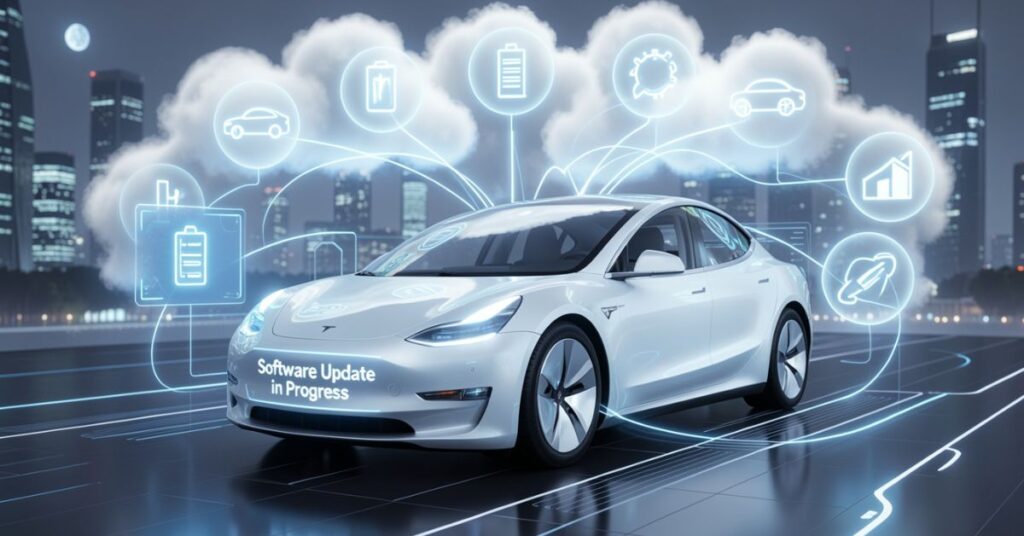
A Tesla software update improves the overall driving experience. Tesla designed its vehicles like smart devices. The company regularly sends updates that improve the car after purchase. Most traditional cars stay the same after production. Tesla cars continue improving every year.
Tesla software updates help improve many important areas of the vehicle. These updates can increase battery efficiency, improve driving range, fix software bugs, and add security protections. Some updates also improve autopilot systems and driver assistance tools.
Tesla owners often receive new entertainment features. Tesla has added games, streaming apps, voice controls, and navigation upgrades through software updates. This system keeps the car modern without replacing hardware.
Software updates also improve safety. Tesla continuously studies driving data from millions of miles. Engineers use this information to improve braking systems, autopilot behavior, and collision warnings. These improvements help drivers stay safer on the road.
Another important benefit involves performance upgrades. Some Tesla software updates improve acceleration speed and battery management. Tesla can increase vehicle capabilities remotely without physical repairs.
Tesla also uses updates to fix known issues. If users report problems, Tesla engineers create software patches. Tesla then delivers fixes directly through the internet. This process saves time and reduces service visits.
The update system also supports environmental goals. Better battery management improves energy efficiency. Efficient systems reduce power waste and increase driving range. Tesla continues improving green transportation through software optimization.
Key Benefits of Tesla Software
Improved Vehicle Performance
- Better acceleration
- Faster system response
- Improved battery efficiency
- Smoother driving experience
Enhanced Safety Features
- Better autopilot performance
- Improved braking systems
- Enhanced collision warnings
- Updated camera systems
Entertainment Improvements
- New games
- Streaming services
- Music app updates
- Better touchscreen functions
Security Enhancements
- Bug fixes
- System protection
- Improved cybersecurity
- Safer network connections
| Tesla Software Update Benefit | Main Advantage |
| Performance Improvement | Faster and smoother driving |
| Safety Upgrade | Better driver protection |
| Battery Optimization | Longer driving range |
| Entertainment Features | Better user experience |
| Security Fixes | Stronger protection |
Tesla Software Update Process Explained

The Tesla software update process works through over-the-air technology. Tesla cars connect to Wi-Fi or mobile networks. The car downloads updates automatically when available.
Tesla sends notifications through the vehicle touchscreen and the Tesla mobile app. Drivers can choose immediate installation or schedule installation later. The process usually takes between 15 and 45 minutes, depending on the update size.
Before installing an update, drivers should park the vehicle safely. The car cannot drive during installation. Tesla recommends connecting to Wi-Fi because large updates download faster through stable internet connections.
Tesla software updates follow several important stages. First, Tesla releases updates gradually. Not every vehicle receives updates at the same time. Tesla monitors performance and checks for problems before expanding the release.
The car first downloads the update package. After the download is complete, the system prepares installation files. Drivers then receive an installation notification.
During installation, several vehicle systems temporarily shut down. The touchscreen may restart multiple times. Lights and fans may also operate briefly. This behavior remains normal during updates.
After installation, Tesla activates the new software version. Drivers can review release notes directly from the touchscreen. These notes explain new features and improvements.
Tesla uses cloud technology to manage updates worldwide. This system allows quick software deployment across millions of vehicles. The company can improve vehicle systems faster than traditional manufacturers.
Steps in Installation
Download the Update
- Connect the car to Wi-Fi
- Wait for the update notification
- Start the download process
Prepare the Vehicle
- Park safely
- Close doors
- Keep the battery charged
Install the Update
- Press install now
- Wait for completion
- Avoid driving during installation
Review New Features
- Read release notes
- Test new functions
- Check system settings
| Tesla Software Update Step | Estimated Time |
| Download Process | 10–60 minutes |
| Preparation Stage | 5 minutes |
| Installation | 15–45 minutes |
| System Restart | 5–10 minutes |
Tesla Software Update Features and Functions

A Tesla software update can completely change the driving experience. Tesla adds many features through software alone. This approach makes Tesla vehicles feel newer over time.
Tesla frequently improves autopilot systems. Updates improve lane keeping, traffic detection, parking assistance, and navigation behavior. Some updates also improve Full Self-Driving functions in supported areas.
Tesla software updates often improve battery management systems. These improvements help optimize charging speed, energy usage, and battery protection. Better battery management can increase vehicle lifespan.
Tesla also upgrades climate control systems through updates. Drivers may notice faster cabin cooling, better heating control, or energy-saving improvements.
Entertainment remains another major focus. Tesla adds games, streaming platforms, karaoke functions, and improved browser tools regularly. Drivers and passengers enjoy more features during charging stops or parked sessions.
Tesla also improves voice commands frequently. Drivers can control navigation, music, temperature, and settings through voice interactions. Better software improves voice recognition accuracy.
Tesla navigation systems receive map improvements and traffic management updates. Navigation updates improve route planning and charging stop recommendations.
Tesla software updates also improve touchscreen responsiveness. Smooth menus and faster loading create a better user experience.
Popular Tesla Features
Autopilot Improvements
- Better lane detection
- Improved parking systems
- Enhanced traffic awareness
- Safer highway driving
Battery Management Features
- Faster charging support
- Better energy usage
- Battery health protection
- Improved range estimation
Entertainment Features
- Video streaming apps
- Gaming improvements
- Music service updates
- Karaoke options
Driver Convenience Features
- Smart summon improvements
- Better navigation
- Voice assistant upgrades
- Faster touchscreen controls
| Feature Category | Tesla Software Update Improvements |
| Autopilot | Safer automated driving |
| Battery | Improved efficiency |
| Entertainment | More apps and games |
| Navigation | Better route planning |
| Security | Safer software systems |
Tesla Software Update and Autopilot Technology

A Tesla software update plays a major role in Autopilot development. Tesla continuously improves its autonomous driving systems through software improvements.
Tesla Autopilot uses cameras, sensors, artificial intelligence, and software algorithms. Updates improve how the car understands roads, vehicles, and traffic situations.
Tesla collects driving data from many vehicles worldwide. Engineers study this data to improve autopilot decisions. Software updates then deliver these improvements directly to vehicles.
Autopilot updates often improve lane changing, traffic light recognition, parking systems, and highway driving behavior. These updates also enhance emergency braking and collision prevention systems.
Tesla software updates improve camera processing systems. Better image recognition helps the car detect pedestrians, road signs, and obstacles more accurately.
Some Tesla software updates also improve Full Self-Driving beta systems. These updates can change how the vehicle handles intersections, turns, and traffic conditions.
Tesla continues testing artificial intelligence models. The company uses neural networks to improve driving decisions. Software updates help Tesla vehicles learn from global driving patterns.
Safety remains Tesla’s main focus. Tesla frequently improves autopilot warnings and driver monitoring systems. Drivers still need to remain attentive while using Autopilot.
Autopilot Enhancements
Driving Assistance Improvements
- Better steering control
- Improved lane centering
- Enhanced adaptive cruise control
- Smarter traffic handling
Safety System Updates
- Faster emergency braking
- Better obstacle detection
- Improved blind spot monitoring
- Stronger collision alerts
Navigation Enhancements
- Smarter route guidance
- Better traffic handling
- Improved lane recommendations
- Faster map calculations
| Autopilot Area | Update Benefit |
| Lane Assistance | More accurate driving |
| Traffic Detection | Better road awareness |
| Emergency Systems | Improved safety |
| Navigation | Smarter routing |
Tesla Software Update Common Problems and Solutions

Sometimes, a Tesla software update may face technical problems. Most issues remain simple and easy to fix. Tesla provides troubleshooting tools inside the vehicle and mobile app.
One common issue involves slow downloads. Weak Wi-Fi signals can interrupt update downloads. Tesla recommends strong home internet connections for faster updates.
Some users experience installation failures. Low battery levels or unstable connections may cause these problems. Restarting the car usually fixes minor software errors.
Tesla owners may also notice touchscreen freezing after updates. A soft reset often solves this issue. Drivers can restart the touchscreen by pressing both steering wheel scroll buttons.
Another issue involves delayed update availability. Tesla releases updates gradually. Some vehicles receive updates earlier than others. Vehicle model, region, and hardware version can affect release timing.
Occasionally, new updates may introduce temporary bugs. Tesla engineers usually fix these issues quickly through follow-up updates.
Drivers should also avoid interrupting installations. Turning off the vehicle during updates may create software errors.
Tesla service centers can help with serious problems. Remote diagnostics also allow Tesla support teams to detect many software issues online.
Common Software Problems
Download Problems
- Weak Wi-Fi signal
- Slow internet speed
- Interrupted connection
- Incomplete download
Installation Issues
- Low battery
- System restart failure
- Frozen screen
- Software conflict
Post-Update Problems
- Missing features
- Camera calibration delays
- Touchscreen lag
- Bluetooth issues
Solutions for Tesla Update Issues
Basic Fixes
- Restart the touchscreen
- Reconnect Wi-Fi
- Charge the battery
- Retry installation
Advanced Fixes
- Perform a system reset
- Contact Tesla support
- Visit the service center
- Install the latest patch
| Problem | Solution |
| Slow Download | Use strong Wi-Fi |
| Frozen Screen | Restart touchscreen |
| Installation Failure | Recharge battery |
| Missing Features | Wait for calibration |
Tesla Software Update and Battery Performance
A Tesla software update can improve battery performance significantly. Tesla continuously works on battery management systems. These systems control charging, cooling, and energy distribution.
Battery optimization updates help improve driving efficiency. Tesla software manages power flow carefully to reduce energy waste. Efficient systems increase overall driving range.
Tesla software updates also improve charging behavior. Some updates increase charging speed at Superchargers. Others improve battery protection during fast charging sessions.
Battery health remains important for electric vehicles. Tesla software monitors battery temperature and charging patterns. Updates help protect long-term battery lifespan.
Tesla also improves range calculations through updates. Better software creates more accurate driving predictions based on weather, speed, and terrain.
Cold weather can reduce battery performance. Tesla software updates improve thermal management systems. These improvements help batteries perform better in winter conditions.
Tesla occasionally changes charging recommendations through updates. Drivers may notice new battery care suggestions after installation.
Energy-saving improvements also help reduce power usage during parked conditions. Tesla continues improving idle battery management to reduce energy loss.
Battery Improvements
Charging Enhancements
- Faster charging speed
- Better charging stability
- Improved Supercharger compatibility
- Reduced charging heat
Battery Protection Features
- Thermal management improvements
- Better cooling systems
- Safer charging behavior
- Long-term battery care
Efficiency Improvements
- Better range estimation
- Reduced energy waste
- Smarter power usage
- Improved regenerative braking
| Battery Feature | Tesla Software Update Benefit |
| Charging Speed | Faster charging |
| Thermal Control | Better battery safety |
| Energy Efficiency | Longer driving range |
| Range Accuracy | Better trip planning |
Tesla Software Update: Security and Privacy Features
A Tesla software update helps protect vehicles from digital threats. Modern Tesla vehicles rely heavily on internet-connected systems. Strong cybersecurity remains extremely important.
Tesla engineers regularly patch software vulnerabilities. Updates close security gaps before hackers can exploit them.
Autopilot updates often improve lane changing, traffic light recognition, parking systems, and highway driving behavior. These updates also enhance emergency braking and collision prevention systems.
Tesla also improves authentication systems through updates. Stronger account security helps prevent unauthorized access.
Tesla uses secure communication channels between vehicles and cloud servers. Updates strengthen these communication systems regularly.
Privacy controls also improve through Tesla software updates. Drivers may receive better control over data sharing and vehicle permissions.
Tesla actively studies cybersecurity threats. The company works with security researchers worldwide to identify risks early.
Software updates also improve camera system security. Tesla cameras support many driving functions, so secure data handling remains essential.
Software Update Security Benefits
Cybersecurity Improvements
- Bug patches
- Stronger encryption
- Safer cloud communication
- Better account protection
Privacy Features
- Improved user controls
- Better data management
- Safer mobile app access
- Enhanced authentication
System Monitoring
- Threat detection
- Security alerts
- Safer remote access
- Improved software integrity
| Security Area | Improvement |
| Encryption | Better data safety |
| Cloud Systems | Safer connections |
| User Accounts | Stronger protection |
| Vehicle Systems | Improved cybersecurity |
Tesla Software Update: Future Technology and Innovations
The future of Tesla’s software update systems looks very exciting. Tesla continues investing heavily in artificial intelligence, automation, and cloud technology.
Future updates may improve fully autonomous driving systems further. Tesla aims to create safer self-driving capabilities through constant software learning.
Tesla software updates may also improve energy management systems. Smarter battery software could increase range and charging efficiency even more.
Tesla plans to improve communication between vehicles. Future updates may allow Tesla cars to share traffic and road condition data instantly.
Artificial intelligence will likely become even more advanced. Tesla vehicles may better predict driver preferences and automate more driving tasks.
Tesla also continues to improve entertainment systems. Future updates may bring advanced gaming, productivity tools, and communication apps.
Smart home integration may expand further. Tesla vehicles could connect more deeply with home devices and energy systems.
Tesla software updates may also support advanced robotaxi services in the future. Autonomous transportation systems rely heavily on powerful software.
Tesla continues to improve its sustainability goals as well. Better software efficiency helps reduce energy waste globally.
Future Tesla Software Innovations
Artificial Intelligence Improvements
- Smarter self-driving systems
- Better object recognition
- Improved route prediction
- Advanced automation
Connectivity Enhancements
- Vehicle-to-vehicle communication
- Better cloud integration
- Smarter traffic coordination
- Faster software delivery
User Experience Improvements
- Better voice control
- Advanced entertainment
- Smarter touchscreen systems
- Personalized driving settings
| Future Technology | Expected Benefit |
| AI Driving Systems | Safer automation |
| Smart Connectivity | Better traffic flow |
| Energy Optimization | Improved efficiency |
| Entertainment Expansion | Better user experience |
Tesla Software Update Tips for Best Performance
A Tesla software update works best when drivers follow good maintenance practices. Proper preparation helps avoid installation issues.
Drivers should connect vehicles to strong Wi-Fi networks regularly. Stable internet speeds improve download reliability.
Keeping battery levels above 20% helps support safe installation. Tesla may delay some updates if battery levels remain too low.
Drivers should also install updates as soon as they are available. Delaying updates may postpone important security fixes and performance improvements.
Tesla owners should read the release notes carefully. Release notes explain new features, changes, and known issues.
Regular touchscreen cleaning also improves user experience. Dust and fingerprints can reduce touchscreen visibility.
Tesla owners should restart the vehicle occasionally. System restarts can clear temporary software glitches.
Monitoring Tesla mobile app notifications helps drivers stay informed about updates and maintenance alerts.
Best Practices for Tesla
Before Installation
- Connect to a strong Wi-Fi
- Charge battery properly
- Park safely
- Close all doors
During Installation
- Avoid driving
- Do not interrupt the update
- Wait for completion
- Monitor progress
After Installation
- Read release notes
- Test new features
- Check settings
- Report problems if needed
| Best Practice | Benefit |
| Strong Wi-Fi | Faster downloads |
| Charged Battery | Safe installation |
| Quick Installation | Better security |
| System Monitoring | Early problem detection |
Conclusion
A Tesla software update plays a major role in modern vehicle technology. Tesla changed the automotive industry by turning cars into software-driven machines. These updates improve safety, performance, battery systems, entertainment, and security.
Tesla owners benefit from continuous improvements without buying a new vehicle. Over-the-air technology allows Tesla to deliver upgrades directly through the internet. This system saves time and improves convenience.
Tesla software updates also help improve autonomous driving systems. Tesla continues training artificial intelligence models using real-world driving data. These improvements create safer and smarter vehicles.
Battery optimization remains another major advantage. Tesla software helps improve charging efficiency, energy management, and driving range. Better software also supports long-term battery health.
Security updates protect vehicles from digital threats. Tesla continuously patches vulnerabilities and improves privacy protections.
The future of Tesla software updates looks even more advanced. Artificial intelligence, smart connectivity, and autonomous driving systems will continue improving rapidly.
Tesla vehicles continue evolving after purchase. This ability makes Tesla different from traditional car manufacturers. A Tesla software update keeps vehicles modern, efficient, and exciting for many years.
FAQs
What is a Tesla software update?
A Tesla software update improves vehicle systems through internet-based downloads. These updates add features, fix bugs, and improve safety.
How long does a Tesla software update take?
Most Tesla software updates take between 15 and 45 minutes, depending on the update size.
Can I drive during a Tesla software update?
No. Tesla disables driving during installation for safety reasons.
Does Tesla charge money for software updates?
Most Tesla software updates remain free. Some premium features may require payment.
Why did my Tesla not receive the latest update?
Tesla releases updates gradually. Vehicle model, region, and hardware version can affect availability.
Do Tesla software updates improve battery range?
Yes. Many Tesla software updates improve battery efficiency and driving range.
How can I speed up Tesla software update downloads?
Use a strong Wi-Fi connection and keep the vehicle connected regularly.