


Quick Answer
Software prototyping is a software development technique in which developers create an early working model of an application before building the complete product.
This model helps teams understand user requirements, test design ideas, collect feedback, and identify problems early.
Developers improve or replace the prototype based on feedback before moving toward the final software.
Author Information
- Author: Gulnaz Malik
- Role: Founder, Publisher & Technology Content Specialist
- Experience: 5+ Years in Technology, AI, Software & Digital Innovation.
- Content Review: Technical information is researched using official documentation, trusted sources, and established software engineering practices.
Introduction
Software development involves more than coding. Teams need to identify user needs, organize features, plan designs, and define the purpose of an application. Software Prototyping helps developers create an early model of a product so they can review ideas, collect feedback, and make improvements before full development begins.
Software prototyping helps development teams deal with this uncertainty. Instead of building a complete application immediately, developers create an early version that demonstrates important features, screen layouts, or workflows.
Users can interact with this model and explain what they like, what needs improvement, and which features are missing.
For example, a company planning an online shopping application can create a prototype showing the homepage, product listings, shopping cart, and checkout process. Customers can review the design before developers spend time building the complete application.
This approach makes communication easier and helps teams discover potential problems earlier. In this guide, you will learn about software prototyping models, development steps, advantages, limitations, practical examples, and best practices.
Table of Contents
- What Is Software Prototyping?
- Why Is Software Prototyping Important?
- Types of Software Prototyping Models
- How Does the Prototyping Process Work?
- Practical Examples of Software Prototyping
- Benefits of Software Prototyping
- Limitations of Software Prototyping
- Software Prototyping vs Traditional Development
- Tools Used for Software Prototyping
- Best Practices for Effective Prototyping
- Key Takeaways
- Conclusion
- Frequently Asked Questions
What Is Software Prototyping?
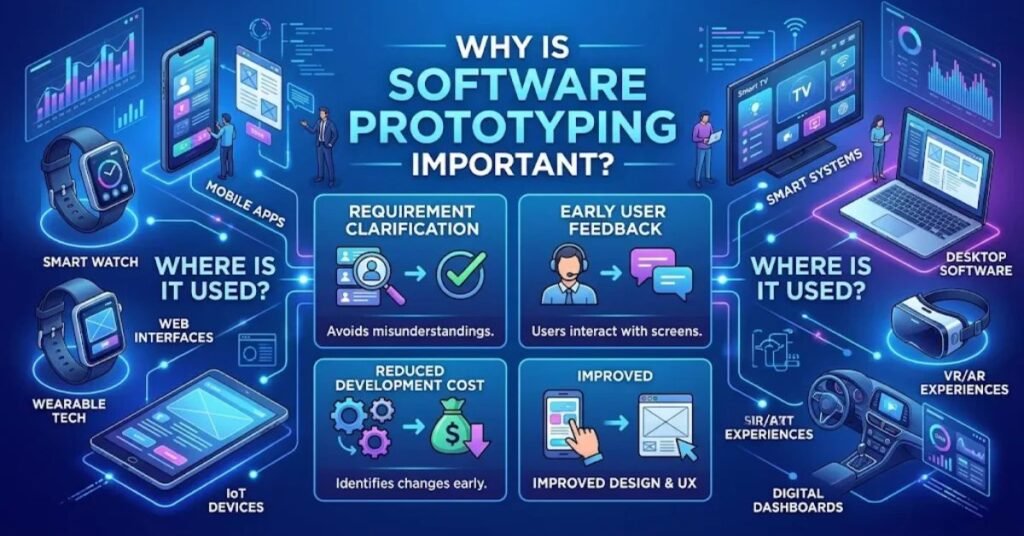
Software prototyping is a development approach in which developers build an early representation of a proposed software application. This representation allows users, designers, and developers to examine important features before the team completes the actual product.
A prototype may contain simple sketches, interactive screens, sample workflows, or partially working functionality. It does not always need a complete database, finished backend, or production-ready code. Its main purpose is to help teams explore ideas and understand what the final application should do.
For instance, imagine a business wants to develop an appointment-booking system. The development team can first create a prototype showing a login screen, appointment calendar, available time slots, and confirmation page. Users can review these screens and suggest improvements.
Developers then use the feedback to refine the requirements and plan the actual implementation.
The prototype can be temporary or gradually developed into the final product. The choice depends on project requirements, technical complexity, budget, and development strategy.
Software prototyping is particularly useful when project requirements are unclear, users need to evaluate an interface, or developers want to test an important technical idea before committing to full development.
Why Is Software Prototyping Important?
Software prototyping is important because it helps development teams understand problems before they become expensive development mistakes. Written requirements can sometimes be difficult for users to understand. A visual or interactive model makes those requirements easier to discuss.
It also improves communication between developers, designers, project managers, and customers. Everyone can examine the same model instead of relying entirely on written descriptions.
Another important benefit is early feedback. Users may discover missing features, confusing navigation, or unnecessary steps while reviewing the prototype. Developers can address these concerns before the complete application is built.
Prototyping also supports better planning. Teams can investigate technical challenges, compare design options, and identify areas that require additional development work.
For example, a healthcare company developing patient-management software might use a prototype to evaluate appointment scheduling, patient registration, and record navigation. This process can reveal usability concerns before the team builds the complete system.
Prototyping does not remove every development risk. However, it allows teams to learn, evaluate assumptions, and improve decisions earlier in the project.
Types of Software Prototyping Models
Different prototyping models support different development goals. Some focus on collecting feedback before implementation, while others gradually evolve into the final application.
1. Throwaway Prototyping Model
Throwaway prototyping creates a temporary model to understand requirements or test design ideas. Developers build it quickly, collect user feedback, and discard it after learning what they need.
The final application is then developed separately using the improved requirements.
This approach is useful when customers are unsure about application features or when the development team needs to compare different design ideas.
For example, a company developing a banking application may create temporary login and transaction screens. Customers review the interface and suggest improvements. Developers use those suggestions to create the actual application rather than continuing with the temporary model.
Its main advantage is that developers can experiment without making the temporary code part of the production system. However, teams must clearly explain that the prototype is not the finished product.
2. Evolutionary Prototyping Model
Evolutionary prototyping starts with a basic working version of an application. Developers gradually improve it by adding features, correcting problems, and responding to user feedback.
Unlike throwaway prototyping, the initial model is not discarded. It evolves into the final software through repeated improvements.
For example, a startup may begin with a basic task-management application containing task creation and editing. Later versions may introduce notifications, team collaboration, file attachments, and reporting features.
This model works well when requirements change frequently or when users need to see a working product early.
However, developers must maintain good coding standards throughout development. Otherwise, quick changes can create technical debt, weak architecture, and maintenance problems.
3. Incremental Prototyping Model
Incremental prototyping divides a large application into smaller components. Developers create separate prototypes for individual features and gradually combine them into a complete system.
Each component can be reviewed and improved before integration.
For example, an online shopping platform may have separate prototypes for product management, customer accounts, payment processing, and order tracking.
The development team works on these components individually and then connects them through a shared application structure.
This approach makes large projects easier to manage because teams can focus on specific functions. However, integration requires careful planning to ensure that all components communicate correctly.
4. Extreme Prototyping Model
Extreme prototyping is commonly associated with web application development. It follows a series of steps to design, test, and improve the user interface and software features.
The process generally begins with static screens, moves toward simulated functionality, and then connects the interface to actual backend services.
For example, developers creating a web-based customer portal might first design static pages. They then add interactive navigation and forms before connecting the application to databases and server-side services.
This approach helps teams review the appearance and behavior of web applications before completing backend integration.
It is particularly useful when interface design and user interaction are important parts of the project.
How Does the Prototyping Process Work?
Software prototyping follows an iterative process. Developers create an initial model, present it to users, collect feedback, and improve it until the important requirements become clear.
1. Gather and Analyze Requirements
The first step is to understand the problem and identify what users expect from the application.
Developers communicate with customers, project managers, and other stakeholders to identify important requirements. They determine the application’s main purpose, expected features, user groups, and technical limitations.
For example, a school-management system may require student registration, attendance tracking, examination records, and fee management.
Clear requirements help developers decide which features should appear in the prototype.
2. Create a Quick Design
After collecting requirements, designers prepare a basic representation of the proposed application.
This design may include paper sketches, screen layouts, navigation structures, or simple wireframes. The goal is to show how users will interact with the system.
Developers focus on important functions rather than unnecessary visual details at this stage.
3. Build the Initial Prototype
The development team creates the prototype using suitable design tools or programming technologies.
Depending on project requirements, the model may contain clickable screens, sample data, working buttons, or limited application functionality.
The prototype should demonstrate the features that users need to evaluate. It does not need to include every function of the final product.
4. Evaluate the Prototype
Developers present the model to users and stakeholders for review.
Users examine the interface, test available interactions, and explain whether the application meets their expectations.
The team collects feedback on navigation, missing features, confusing screens, and potential improvements.
5. Refine and Improve the Prototype
Developers analyze the feedback and update the prototype accordingly.
They may redesign screens, improve navigation, change workflows, or introduce additional features.
The evaluation and improvement process can repeat several times. Each iteration should address specific problems rather than making random design changes.
6. Develop and Test the Final Software
Once the important requirements are sufficiently clear, developers move toward the complete application.
They build the production system using suitable architecture, programming standards, security controls, and testing procedures.
The final product must undergo appropriate testing before deployment. A prototype’s approval does not mean the finished software is automatically secure, reliable, or ready for release.
For additional context about development stages, read our guide to the Software Development Life Cycle.
Practical Examples of Software Prototyping
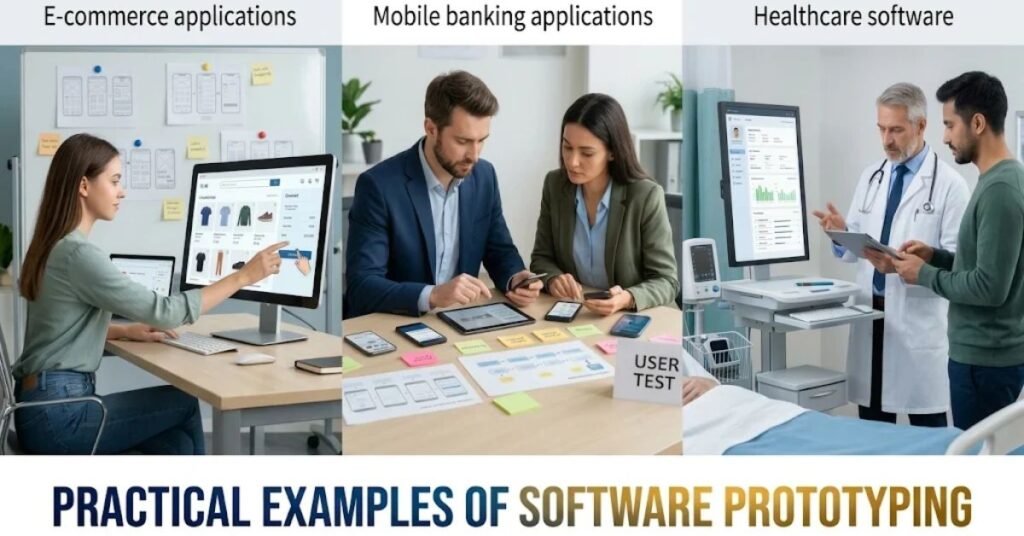
Software prototyping is useful in different industries because it allows teams to examine application ideas before completing development.
E-commerce applications: Developers can create a shopping website prototype with product listings, search filters, shopping carts, and checkout screens. Customers can review the purchasing process and suggest improvements.
Mobile banking applications: A banking prototype can demonstrate account balances, transaction history, fund transfers, and login screens. The team can evaluate navigation and user experience before implementing sensitive financial operations.
Healthcare software: Developers can prototype patient registration, appointment scheduling, and medical record interfaces. Healthcare professionals can review workflows and identify missing requirements.
Educational platforms: A learning management system prototype can demonstrate student registration, course selection, online lessons, and progress tracking.
These examples show how prototypes help teams understand user expectations and improve application designs before full implementation.
Benefits of Software Prototyping
Software prototyping offers several advantages throughout the development process.
Better requirement understanding: Users can interact with a model instead of relying only on written specifications. This allows developers to gain a clearer picture of users’ real expectations.
Early problem identification: Teams can discover confusing interfaces, missing functions, and design problems before building the complete application.
Improved user involvement: Customers and stakeholders can participate in development decisions by reviewing prototypes and providing feedback.
Reduced development rework: Finding requirement problems early can reduce the amount of redesign and redevelopment needed later.
Better usability: Developers can examine navigation, screen layouts, and user interactions before finalizing the application.
Support for innovation: Teams can experiment with different solutions and compare design ideas without immediately committing to one approach.
Improved communication: A visual model gives developers, designers, and customers a shared understanding of the proposed system.
However, these benefits depend on how well teams manage the process. Prototyping does not automatically guarantee lower costs or successful software.
Limitations of Software Prototyping
Although prototyping improves early design decisions, it also introduces challenges that development teams must manage.
Scope expansion: Users may continue requesting new features after every review. Without clear boundaries, the project can become larger than originally planned.
Unrealistic expectations: Customers may assume that a prototype is nearly finished software, even when important backend functions, security controls, and testing are missing.
Poor technical design: Developers who focus only on producing a quick demonstration may create code that is difficult to maintain or expand.
Additional time requirements: Multiple prototype versions, meetings, and feedback sessions can increase project time if the process is not controlled.
Incomplete documentation: Teams may concentrate on visual improvements and forget to document important technical requirements and design decisions.
Integration difficulties: Separate prototypes may not work together easily when developers combine them into a complete application.
To manage these limitations, teams should define the prototype’s purpose, establish review deadlines, document decisions, and maintain a clear distinction between experimental models and production software.
Software Prototyping vs Traditional Development
Software prototyping and traditional development both help teams create applications, but they approach requirements and design differently.
| Comparison | Software Prototyping | Traditional Development |
| Main approach | Builds an early model | Follows a planned development process |
| Requirements | Refined through feedback | Usually defined more formally before implementation |
| User involvement | Frequent prototype reviews | Depends on the development methodology |
| Design changes | Easier to explore early | May require formal change management |
| Early demonstration | Available through prototypes | Usually follows initial development work |
| Main purpose | Explore and validate ideas | Build the complete software system |
Traditional development does not always mean the Waterfall model. Agile and other modern approaches also use feedback and iterative development.
Prototyping can also be used within an established development lifecycle. The two approaches are not necessarily competitors.
Tools Used for Software Prototyping
Developers and designers use different tools depending on whether they need simple wireframes, interactive interfaces, or working technical models.
| Tool | Common use |
| Figma | Interactive interface design and collaboration |
| Adobe XD | User experience and interface prototyping |
| Balsamiq | Low-fidelity wireframes |
| Axure RP | Detailed interactive prototypes |
| HTML, CSS, and JavaScript | Browser-based functional prototypes |
The best tool depends on the project’s complexity, team skills, budget, and prototype goals.
A simple website concept may only need wireframes, while a complex application may require interactive models or a limited working implementation.
Best Practices for Effective Prototyping
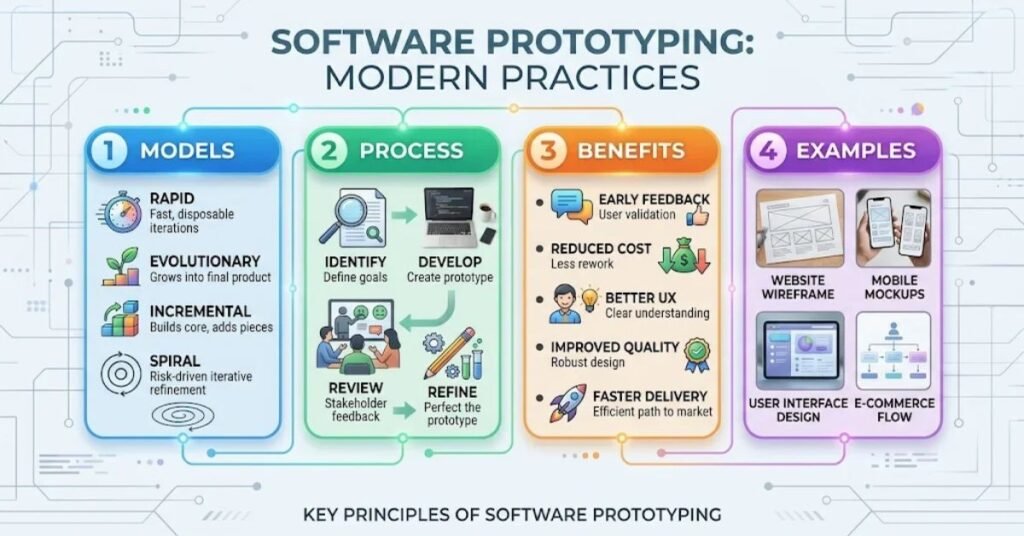
A successful prototyping process requires clear objectives and regular communication. Teams should choose the right level of detail instead of trying to build a complete application during the initial design stage.
Important practices include:
- Define the problem and prototype objectives before development.
- Identify the most important features that users need to evaluate.
- Choose low-fidelity or high-fidelity prototypes according to project needs.
- Involve actual users and relevant stakeholders in reviews.
- Collect specific feedback instead of relying on general opinions.
- Document changes and explain why important decisions were made.
- Set deadlines and control unnecessary feature requests.
- Keep temporary prototype code separate from production code when appropriate.
- Consider accessibility, privacy, and security requirements early.
- Test the final application independently before release.
The IRS guidance on prototype design best practices also describes a structured process involving requirements gathering, quick design, prototype development, user evaluation, refinement, and final implementation.
Good prototyping is not simply about making an attractive interface. It is about learning whether a proposed solution meets real user and technical needs.
How Does Software Prototyping Support Software Quality?
Prototyping contributes to software quality by allowing teams to evaluate important requirements before completing the product.
For example, a prototype can reveal whether users understand the navigation, whether a workflow contains unnecessary steps, or whether a proposed feature is practical.
However, interface feedback alone cannot establish that an application is technically correct. Developers still need code reviews, functional testing, performance checks, security assessments, and other quality activities.
Teams should also use appropriate software verification and validation methods to check whether the finished system follows its specifications and meets user needs.
Research published in Empirical Software Engineering by Springer Nature examines prototyping practices across software studies and companies. It highlights the importance of purpose, scope, prototype media, use, and exploration strategy when planning effective prototypes.
Key Takeaways
- Software prototyping creates an early model of a proposed application.
- It helps developers understand requirements and user expectations.
- Throwaway, evolutionary, incremental, and extreme are common prototyping approaches.
- The process includes requirements gathering, design, building, evaluation, and refinement.
- User feedback helps teams identify problems before full development.
- Poor planning can cause scope expansion, technical debt, and delays.
- Final software still requires proper testing, security reviews, and maintenance.
Conclusion
Software prototyping is a useful technique for exploring application ideas and understanding user requirements before completing development. It allows teams to examine designs, test workflows, collect feedback, and improve proposed solutions.
Different prototyping models support different project needs. Throwaway prototyping helps clarify uncertain requirements, while evolutionary prototyping gradually develops an initial working model into a complete application. Incremental and extreme approaches offer additional ways to explore larger systems and web interfaces.
The most effective approach depends on project goals, technical requirements, available resources, and user expectations. By setting clear objectives and managing feedback carefully, development teams can use prototyping to make better decisions and build software that addresses real problems.
Frequently Asked Questions
1. What is software prototyping?
Software prototyping is the process of creating an early model of an application to evaluate its design, features, and requirements.
2. What are the four types of software prototyping?
Common approaches include throwaway, evolutionary, incremental, and extreme prototyping.
3. Why is software prototyping important?
It helps developers understand user requirements, collect feedback, and identify design problems early.
4. What is evolutionary prototyping?
It is an approach in which developers continuously improve an initial working model until it becomes the final application.
5. What is throwaway prototyping?
It creates a temporary model to explore requirements and collect feedback before building the actual software.
6. Which tools are used for software prototyping?
Popular tools include Figma, Balsamiq, Axure RP, Adobe XD, and web development technologies.
7. Is software prototyping part of the SDLC?
Yes. Prototyping can be used during requirements analysis and design within different software development lifecycle approaches.
8. What is the main disadvantage of software prototyping?
Poorly managed prototyping can increase project scope, create technical debt, and delay development