


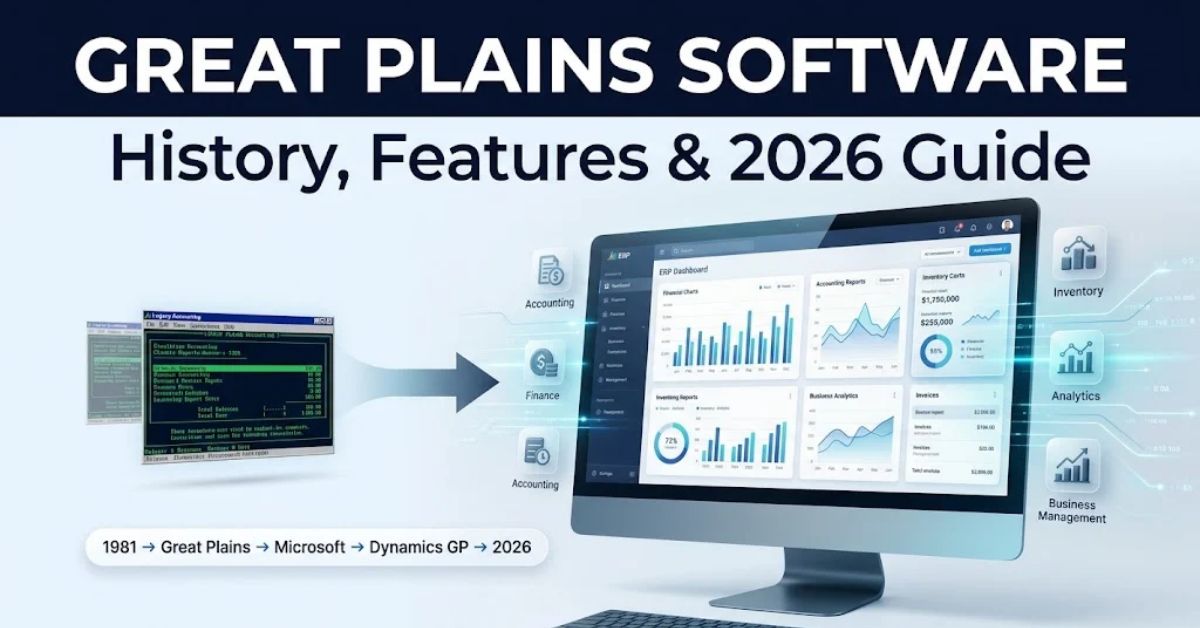
Great Plains Software built one of the first multi-user accounting systems in the world. Later, Microsoft bought the company and turned it into Dynamics GP, a name many finance teams still use today.
If you run a business, work in finance, or manage IT systems, you have likely heard the name “Great Plains” at some point. Maybe your company still runs it.
Or maybe you’re planning a migration. Either way, you probably just want to understand where Microsoft Dynamics GP came from.
This guide explains everything in simple language. First, you’ll learn the real history of Great Plains Software.
Then, you’ll see how it became Dynamics GP, what it does, and what happens next. Finally, we’ll cover the official end-of-life timeline so you can plan ahead with confidence.
Quick Answer
Great Plains Software was a U.S. accounting software company founded in 1981 in Fargo, North Dakota, by Doug Burgum.
It created one of the first multi-user, Windows-based accounting systems. In 2001, Microsoft acquired the company for $1.1 billion and rebranded its flagship product as Microsoft Dynamics GP.
As a result, Dynamics GP is still used by thousands of mid-sized businesses today. However, Microsoft has now confirmed an official end-of-life roadmap running through April 2031.
Author Information
Written by Gulnaz Malik | Technology & ERP Content Specialist, 5+ years of experience covering enterprise software, business applications, and digital transformation for mid-market companies.
Table of Contents
- What Is Great Plains Software?
- The History of Great Plains Software
- How Microsoft Acquired Great Plains
- From Great Plains to Microsoft Dynamics GP
- Core Features of Great Plains Software (Dynamics GP)
- Who Uses Great Plains Software Today?
- Great Plains Software vs Modern ERP Systems
- Benefits of Great Plains Software
- Drawbacks and Limitations
- Great Plains Software End-of-Life Timeline (2025–2031)
- Migration Options: What Comes After Dynamics GP
- Best Practices for Businesses Still Using GP
- Common Mistakes Businesses Make with Legacy ERP
- Expert Tips for a Smooth Transition
- Latest Trends and Future Outlook
- Key Takeaways
- FAQs
What Is Great Plains Software?
Great Plains Software was an American software company. Specifically, it built accounting and business management tools for small and mid-sized companies.
The company’s main product was also called “Great Plains.” Over time, people started to shorten it to “GP.” This product handled core accounting tasks.
For instance, it managed the general ledger, accounts payable, accounts receivable, and financial reporting.
Great Plains stood out because it supported many users simultaneously. In contrast, most early accounting software only supported one user at a time.
However, Great Plains changed that completely. As a result, it lets entire finance teams work inside the same system together.
In 2001, Microsoft bought the company. Later on, the product became Microsoft Dynamics GP. Even so, many people still call it “Great Plains” out of habit, even though Microsoft owns and develops it now.
The History of Great Plains Software
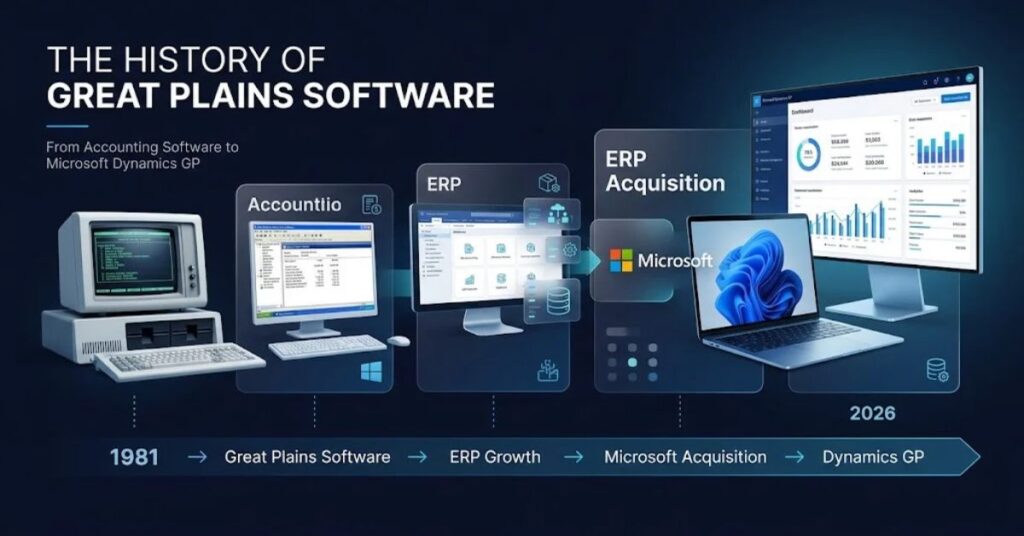
Doug Burgum founded Great Plains in 1981 in Fargo, North Dakota. Interestingly, he later became the Governor of North Dakota, which added extra name recognition to the company’s story.
Here’s a simple timeline of the early years.
- 1981: Doug Burgum founds Great Plains in Fargo, North Dakota. Initially, the first version targets Mac computers.
- 1986: Next, a DOS version launches. Consequently, it gains steady popularity among small businesses.
- 1988: Great Plains then adopts Microsoft SQL Server for data storage. This partnership, in turn, sets the stage for its future with Microsoft.
- 1993: After that, Great Plains teams up with Microsoft to compete against rivals like Peachtree Accounting.
- 1995–1996: Subsequently, the company released Dynamics for Windows. As a result, it becomes one of the first 32-bit, multi-user accounting systems built for Windows 95.
- 1997: Great Plains then goes public on NASDAQ under the ticker GPSI. In doing so, the IPO raises capital for faster growth.
- 2000: By this point, the company’s market value crosses $500 million. Meanwhile, it builds a network of more than 1,000 Value-Added Resellers (VARs) across the country.
This VAR network became one of Great Plains’ biggest strengths. Specifically, local partners installed, customized, and supported the software for thousands of small businesses. In fact, that model is still common in the ERP industry today.
By the end of the 1990s, Great Plains had around 140,000 customers. Additionally, it offered modules for manufacturing, distribution, project accounting, HR, and field service. In short, it had grown far beyond simple bookkeeping software.
How Microsoft Acquired Great Plains
Microsoft announced its plan to buy Great Plains Software on December 21, 2000. Then, the deal closed on April 5, 2001. In total, Microsoft paid $1.1 billion for the company.
So, why did Microsoft want Great Plains? At the time, Microsoft dominated desktop software with Windows and Office. Yet, it had almost no presence in business applications like accounting and ERP.
Great Plains, therefore, gave Microsoft instant credibility. Specifically, it came with a large customer base, a proven partner network, and a working product built on Microsoft’s own database technology, SQL Server.
After the deal, Doug Burgum joined Microsoft. Subsequently, he became a Senior Vice President and led Microsoft’s new Business Solutions division. Ultimately, that division became the foundation for what we now call Microsoft Dynamics.
From Great Plains to Microsoft Dynamics GP
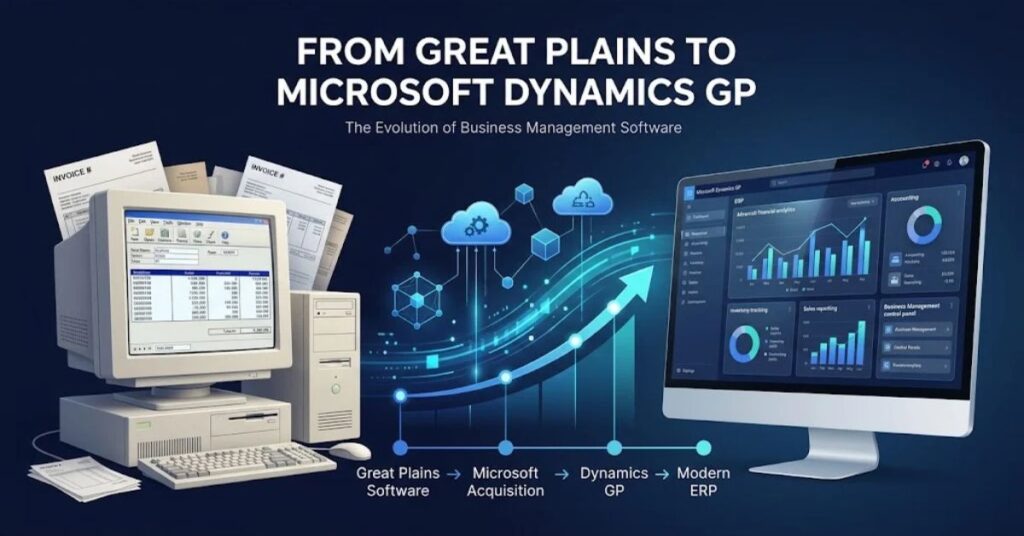
Microsoft didn’t change the product overnight. Instead, it first renamed the software “Microsoft Great Plains.” Then, in 2005, Microsoft rebranded it again as part of a bigger family of products called Microsoft Dynamics.
From that point on, the product was known as Microsoft Dynamics GP. Notably, the “GP” stands for Great Plains, keeping a nod to its origins.
Over the next two decades, Microsoft kept investing in the product. For example, it added modules for manufacturing, supply chain management, human resources, payroll, and business intelligence. In addition, it added cloud hosting options and a mobile app.
In 2016, Microsoft folded Dynamics GP into the broader Dynamics 365 platform. As a result, this gave GP users access to some Microsoft 365 and Azure integrations, even though GP itself stayed close to its original on-premises design.
Dynamics GP is built using a programming language called Dexterity. Typically, it runs on Microsoft SQL Server for data storage.
Overall, this technical foundation has stayed remarkably consistent since the 1990s, which is part of why so many long-time users trust it.
Core Features of Great Plains Software (Dynamics GP)
Great Plains Software, now Dynamics GP, is a modular ERP system. In other words, businesses pick the modules they need instead of buying one giant package.
Financial Management
This is the heart of the system. Specifically, it includes:
- General ledger
- Accounts payable and receivable
- Cash flow management
- Fixed asset management
- Bank reconciliation
- Multi-currency support
Inventory and Supply Chain
Businesses use GP to track stock levels, manage purchase orders, and control supply chain operations across multiple locations.
Manufacturing
Similarly, GP supports production scheduling, bill of materials, and manufacturing order tracking for mid-sized manufacturers.
Human Resources and Payroll
In addition, GP includes tools for employee records, payroll processing, and benefits administration.
Project Accounting
Meanwhile, service-based companies use this module to track project costs, budgets, and billing.
Business Intelligence and Reporting
Furthermore, GP connects with Microsoft Excel, Power BI, and SQL Server Reporting Services. As a result, this lets finance teams build custom dashboards and reports without needing a developer.
Deployment Options
Dynamics GP is available in several ways:
- On-premises (installed on a company’s own servers)
- Hosted in Microsoft Azure (private cloud, not true SaaS)
- Hybrid combinations of both
Who Uses Great Plains Software Today?
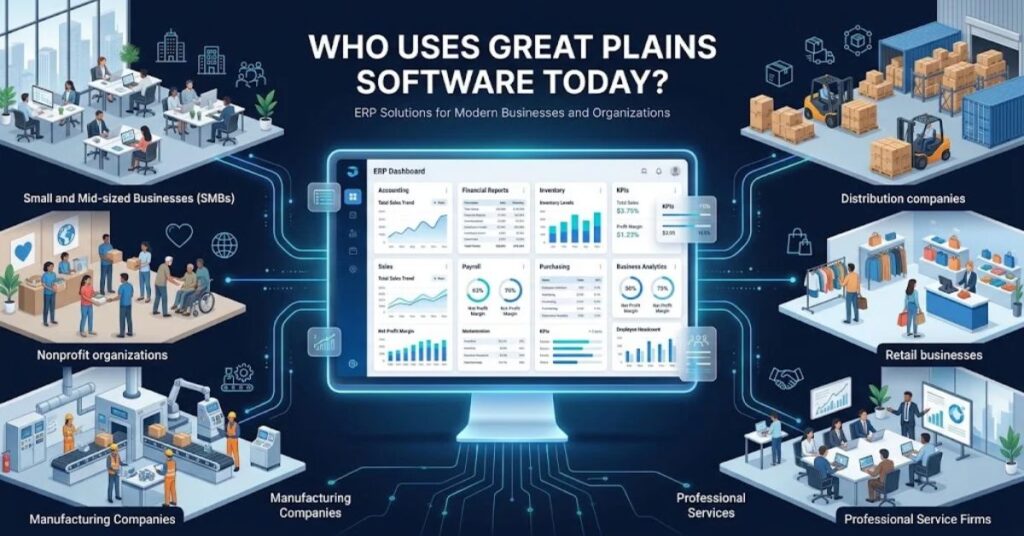
Dynamics GP mainly serves small and mid-market businesses. Typically, its users include:
- Manufacturing companies with 50 to 1,000 employees
- Distribution and wholesale businesses
- Nonprofits and government agencies
- Professional services firms
- Retailers with multi-location inventory needs
Many of these organizations have used GP for 10, 15, or even 20+ years. Consequently, they rely on deep customizations built by their local reseller partner. This is one reason, therefore, why migration away from GP takes real planning, not a quick switch.
Great Plains Software vs Modern ERP Systems
Here’s how Dynamics GP compares to popular modern ERP platforms.
| Feature | Dynamics GP (Great Plains) | Dynamics 365 Business Central | NetSuite | Sage Intacct |
| Deployment | On-premises or Azure-hosted | True cloud SaaS | True cloud SaaS | True cloud SaaS |
| Release year | 1993 (as Great Plains) | 2018 | 1998 | 1999 |
| Programming base | Dexterity | AL / .NET | SuiteScript | Sage Intacct API |
| Mobile access | Limited app | Full mobile support | Full mobile support | Full mobile support |
| AI and automation | Minimal | Growing (Copilot integration) | Strong | Moderate |
| Ongoing development | Maintenance mode | Actively developed | Actively developed | Actively developed |
| Best for | Existing GP users | SMBs moving to Microsoft cloud | Fast-growing mid-market firms | Finance-first organizations |
| Future support | Ends 2029–2031 | Long-term roadmap | Long-term roadmap | Long-term roadmap |
Overall, the table makes the situation clear. On one hand, Dynamics GP still works well for existing users. On the other hand, Microsoft is not building new features into it. Meanwhile, newer platforms are cloud-native and receive constant updates.
Benefits of Great Plains Software
Great Plains Software earned its long life for good reasons.
- Deep financial controls. Its accounting engine handles complex general ledger needs well.
- Strong partner network. Thousands of certified consultants understand the system deeply.
- Customization flexibility. Businesses can tailor workflows using Dexterity and third-party add-ons.
- Reliable performance. GP runs on mature, well-tested SQL Server technology.
- Lower short-term switching cost. Existing users, therefore, avoid the disruption of migrating right away.
- Familiarity. Finance teams who have used GP for years work efficiently inside it.
Drawbacks and Limitations
That said, every legacy system carries trade-offs.
- Limited innovation. Microsoft has confirmed no new features are coming.
- Dated user interface. GP’s interface feels older compared to modern cloud ERP tools.
- Weaker mobile experience. Mobile access exists, but it lags behind cloud-native competitors.
- Rising maintenance costs. As support windows shrink, specialized GP talent becomes harder to find.
- Security risk over time. Once security updates stop, unpatched systems become a real compliance risk.
- Not true SaaS. Even Azure-hosted GP still requires more manual maintenance than modern SaaS ERP.
Great Plains Software End-of-Life Timeline (2025–2031)
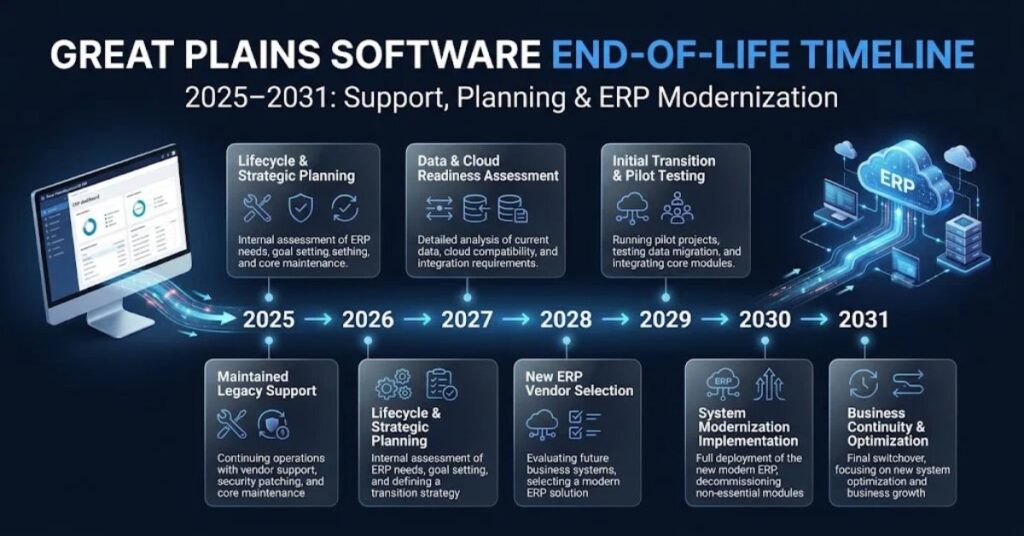
Microsoft has published an official sunset roadmap for Dynamics GP. This is, in fact, one of the most important things to understand if your business still runs the software.
| Date | Milestone |
| April 1, 2025 | New perpetual license sales end |
| April 1, 2026 | New subscription license sales end |
| December 31, 2029 / September 30, 2029* | End of product enhancements, tax and regulatory updates, and standard technical support |
| April 30, 2031 | End of all security updates; official end of life |
*Microsoft and its partners have referenced both dates in official communications; therefore, treat late 2029 as the effective cutoff for feature and regulatory support.
Existing GP customers can still add user licenses and upgrade versions during this window. New customers, however, can no longer purchase net-new Dynamics GP instances after April 2026.
Importantly, “end of life” does not mean GP stops running on that exact date. Instead, it means Microsoft stops fixing bugs, releasing tax updates, and patching security holes. As a result, running unsupported software after that point increases exposure to cyberattacks, data breaches, and compliance failures under frameworks like GDPR, HIPAA, and SOX.
Migration Options: What Comes After Dynamics GP
Generally, businesses currently on Great Plains choose one of these paths.
Stay on GP for now
Some businesses will keep running GP through the support window while they plan carefully. However, this works as a short-term strategy, not a permanent one.
Migrate to Dynamics 365 Business Central
This is Microsoft’s recommended replacement for most GP customers. Not only is it cloud-native, but it also shares some conceptual DNA with GP, which eases the transition.
Migrate to Dynamics 365 Finance and Supply Chain Management
Alternatively, larger, more complex organizations often choose this path instead. Specifically, it suits enterprises with heavier operational and financial complexity.
Consider third-party ERP platforms
In some cases, businesses use this transition as a chance to evaluate NetSuite, Sage Intacct, Acumatica, or other cloud ERP systems outside the Microsoft ecosystem.
Work with a certified partner
Ultimately, most successful GP migrations involve a Microsoft-certified partner who understands both the old GP data structure and the new target platform.
Best Practices for Businesses Still Using GP
- Start planning early. ERP migrations often take 6 to 18 months once data cleanup and testing are included.
- Audit your customizations. Before you migrate anything, document every custom report, workflow, and integration.
- Clean your data first. Don’t migrate years of messy data into a new system; instead, fix it before the move.
- Test on a sandbox. Run a parallel test environment before switching production systems.
- Train your team early. Give finance staff hands-on time with the new platform before go-live day.
- Budget for the full project. Be sure to include software costs, consulting fees, and internal staff time in your budget.
Common Mistakes Businesses Make with Legacy ERP
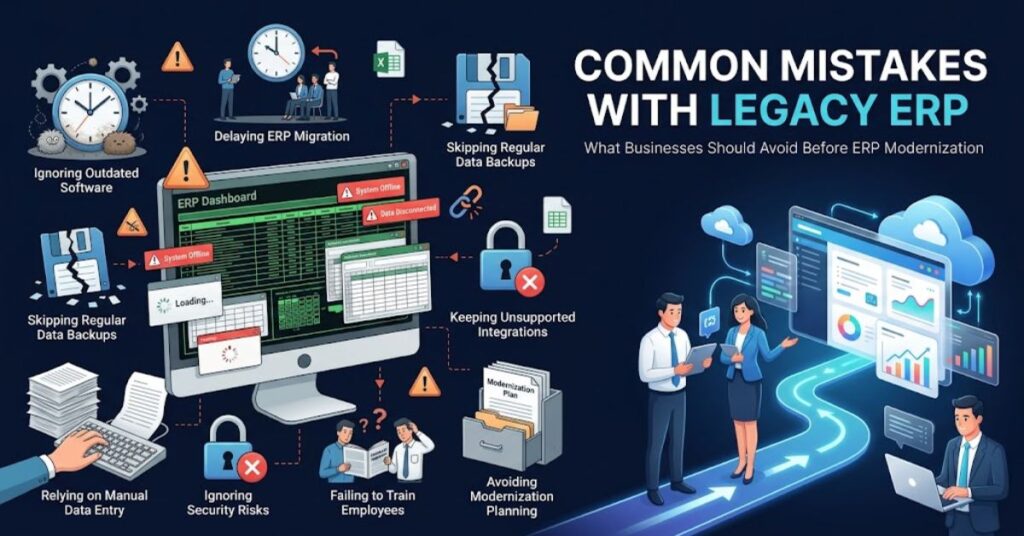
- Waiting until the last minute. Teams that wait until 2030 to start planning will face rushed, costly migrations.
- Underestimating customizations. Heavily customized GP systems, unsurprisingly, take longer to migrate than out-of-the-box setups.
- Skipping data cleanup. Moving bad data into a new system, after all, just creates new problems.
- Ignoring staff training. Even a great new system fails if the team doesn’t know how to use it.
- Choosing a platform based on price alone. The cheapest option isn’t always the best long-term fit for your operations.
- Forgetting third-party integrations. Payroll tools, CRM systems, and e-commerce platforms often connect to GP. Therefore, map these out before migrating.
Expert Tips for a Smooth Transition
- First, run a full system audit before you request migration quotes from any partner.
- Next, ask potential partners for references from businesses similar to yours in size and industry.
- Also, keep a copy of your historical GP data for audit and compliance purposes, even after migration.
- In addition, set a realistic go-live date and build in buffer time for testing.
- Above all, treat the migration as a business process improvement project, not just a technical swap.
- Finally, involve finance, IT, and operations leaders from day one, not just at launch.
Latest Trends and Future Outlook
Overall, the ERP world is shifting fast, and Great Plains’ story reflects that shift.
- Cloud-first ERP is now the standard. Increasingly, businesses expect true SaaS delivery, not hosted on-premises software.
- AI-powered finance tools are growing. For example, Microsoft’s Copilot features are appearing across Dynamics 365 products, something GP was never designed for.
- Mobile-first expectations. Nowadays, finance teams want full functionality from phones and tablets, not just basic dashboards.
- Automation of routine accounting tasks. In comparison, modern ERP platforms automate reconciliation, invoice matching, and reporting far more than GP ever could.
- Consolidation of legacy systems. As a result, many mid-market companies are using 2026 as the year to finally modernize decades-old finance software stacks.
Ultimately, Great Plains Software’s legacy will live on through Dynamics 365, even as the original product name fades into ERP history books.
Key Takeaways
- Great Plains Software was founded in 1981 in Fargo, North Dakota, by Doug Burgum.
- In 2001, Microsoft acquired the company for $1.1 billion and later renamed the product Microsoft Dynamics GP in 2005.
- Today, Dynamics GP is a modular ERP system covering financials, inventory, manufacturing, HR, and reporting.
- However, Microsoft has published an official end-of-life roadmap: new sales stop by 2026, support ends around late 2029, and security updates stop by April 2031.
- Therefore, businesses still on GP should start migration planning now, not later, to avoid rushed and costly transitions.
- Overall, Dynamics 365 Business Central is Microsoft’s main recommended replacement for most GP users.
FAQs
1. What is Great Plains Software used for?
It handles accounting and ERP tasks like general ledger, payables, inventory, and HR for small and mid-sized businesses.
2. Is Great Plains Software still supported?
Yes, but only until late 2029 for updates and April 2031 for security patches.
3. Who founded Great Plains Software?
Doug Burgum founded it in 1981 in Fargo, North Dakota. He later became Governor of North Dakota.
4. When did Microsoft acquire Great Plains?
Microsoft completed the acquisition in April 2001 for $1.1 billion.
5. Is Great Plains the same as Microsoft Dynamics GP?
Yes. Microsoft renamed it Microsoft Dynamics GP in 2005.
6. What replaces Dynamics GP?
Microsoft recommends Dynamics 365 Business Central for most users and Dynamics 365 Finance and Supply Chain Management for larger enterprises.
7. Can I still buy Dynamics GP in 2026?
No new licenses are available. However, existing customers can still add users and upgrade.
8. What programming language is Dynamics GP built on?
It’s built on Dexterity, a language made specifically for this platform.
9. Is Dynamics GP a cloud ERP system?
Not fully. It can run on Azure, but it isn’t true multi-tenant SaaS like Business Central or NetSuite.
10. What happens if my business keeps using GP after support ends?
It will still run, but without security patches or tax updates. This raises real compliance and cyber risk.
Suggested Internal Linking Opportunities
- A comparison article: “Dynamics 365 Business Central vs NetSuite”
- A guide: “How to Plan an ERP Migration Without Business Disruption”
- An explainer: “What Is Microsoft Dynamics 365? Complete Overview”
- A checklist: “ERP Data Migration Checklist for Finance Teams”
- A glossary page: “What Is ERP Software? Definition and Examples”
Suggested Authoritative External References
- Microsoft Dynamics 365 official product page
- Microsoft Learn documentation on the Dynamics GP lifecycle policy
- SEC historical filings for Great Plains Software Inc. (NASDAQ: GPSI)
- Wikipedia entry on Great Plains Software (for historical verification)
- Gartner Magic Quadrant reports on Cloud ERP for Product-Centric Enterprises
SEO Tags
Great Plains Software, Microsoft Dynamics GP, ERP history, Doug Burgum, Dynamics 365 Business Central, ERP migration, Great Plains accounting software, Dynamics GP end of life, mid-market ERP, Fargo North Dakota tech history
Featured Image Prompt (1200×628, flat/vector style)
“A modern flat-vector illustration showing the evolution from a classic 1990s desktop accounting software icon to a sleek modern cloud ERP dashboard, connected by a timeline arrow, using a blue and white Microsoft-inspired color palette, minimalist tech style, 1200×628 dimensions, no text.”
Section Image Prompts
- History section: “Flat-vector illustration of a small software office in the 1980s with a computer, a rising business growth chart, and the outline of North Dakota, minimalist style, blue and orange palette.”
- Acquisition section: “Flat-vector illustration of two puzzle pieces merging, one labeled with a generic ‘startup’ icon and one with a generic ‘big tech’ icon, handshake symbol, clean corporate blue tones.”
- Features section: “Flat-vector illustration of a modular dashboard with icons for finance, inventory, manufacturing, and HR connected in a grid layout, soft blue and white color scheme.”
- Comparison table section: “Flat-vector illustration of a scale balancing an old desktop computer icon on one side and a cloud icon on the other, minimalist tech style.”
- End-of-life timeline section: “Flat-vector illustration of a road with milestone signposts leading toward a cloud on the horizon, minimalist style, gradient blue background.”
- Migration section: “Flat-vector illustration of data files moving from an old server icon into a modern cloud platform icon via an arrow, clean flat design.”
Social Media Title
“Great Plains Software: The Untold Origin Story of Microsoft Dynamics GP”
Social Media Description
“Ever wonder where Microsoft Dynamics GP came from? Discover the real history of Great Plains Software, its 2026 end-of-life timeline, and what businesses should do next.”