


Quick Answer
Code refactoring is the process of improving the internal structure of existing source code without changing its external behavior.
Developers use it to simplify complex functions, remove duplicate code, improve naming, and make software easier to understand, test, and maintain.
It helps development teams reduce technical debt and prepare applications for future changes.
Author Information
Author: Gulnaz Malik
Role: Founder, Publisher & Technology Content Specialist
Experience: 5+ Years in Technology, AI, Software & Digital Innovation.
Content Review: Technical information is researched using established software engineering practices, official resources, and trusted technology references.
Introduction
Writing software is only one part of the development process. Developers must also maintain existing applications, fix problems, improve performance, and prepare code for future updates. As a project grows, its source code can become difficult to understand and manage. This is where code refactoring becomes important.
Code refactoring helps programmers improve the internal organization of an application without changing what users experience. It involves making carefully controlled changes to existing code so that developers can work with it more easily.
For example, a developer may find a function that contains hundreds of lines of instructions. Instead of keeping everything in one place, the developer can divide the function into smaller methods with clear names. The application can continue performing the same task, but its code becomes easier to read and maintain.
This practice is useful in small programming projects as well as large business applications. It supports software quality, reduces unnecessary complexity, and makes future development more manageable.
In this guide, you will learn what code refactoring means, how it works, which techniques developers use, its major benefits, common challenges, and practical examples.
Table of Contents
- What Is Code Refactoring?
- Why Is Code Refactoring Important?
- Common Signs That Code Needs Refactoring
- Popular Code Refactoring Techniques
- How the Code Refactoring Process Works
- Practical Code Refactoring Example
- Benefits of Code Refactoring
- Challenges and Risks of Code Refactoring
- Code Refactoring Best Practices
- Code Refactoring vs. Code Rewriting vs. Optimization
- Tools Used for Code Refactoring
- Key Takeaways
- Conclusion
- Frequently Asked Questions
What Is Code Refactoring?
Code refactoring is a software engineering practice that improves the internal structure of existing source code without changing its observable behavior. Developers reorganize programming instructions to make applications easier to understand, maintain, test, and extend.
The main purpose is not to introduce new features. Instead, developers improve how existing features are implemented.
For example, imagine an online shopping application that calculates product prices, discounts, and delivery charges. A developer may discover that the same calculation appears in several different places. If the company changes its discount policy, the developer must update multiple sections.
Through code refactoring, the developer can move the repeated calculation into one reusable function. Other parts of the application can call that function whenever they need the calculation.
This approach reduces duplication and makes future changes easier.
Martin Fowler describes refactoring as a controlled process involving small, behavior-preserving transformations. You can explore his official Refactoring guide for a catalog of established techniques and examples.
Main Characteristics of Code Refactoring
Code refactoring has several important characteristics:
- Preserves existing behavior: The application should continue producing the expected results.
- Improves readability: Developers organize instructions so other programmers can understand them.
- Reduces duplication: Repeated code can be replaced with reusable functions or components.
- Simplifies complexity: Large functions and complicated conditions become easier to manage.
- Supports maintenance: Developers can update existing features with less confusion.
- Improves code organization: Related instructions and responsibilities can be grouped logically.
Code refactoring can take place during regular development, bug fixing, software maintenance, or major application improvements.
However, developers should not confuse refactoring with adding features or changing business requirements. Those activities may happen alongside refactoring, but they have different objectives.
Why Is Code Refactoring Important?

Software requirements change as businesses grow and users expect new features. An application that was easy to maintain during its early development may become complicated after several years of updates.
Developers sometimes add new features quickly without reviewing the structure of existing code. Over time, this can create duplicate functions, confusing conditions, unnecessary dependencies, and difficult maintenance tasks.
Code refactoring helps address these problems before they become more serious.
One important reason to refactor is that understandable code makes teamwork easier. When developers join an existing project, they need to understand how different components work together. Clear function names, organized files, and simple logic help them become familiar with the application.
Refactoring also supports software testing. Smaller functions with clearly defined responsibilities are generally easier to test independently.
Another important reason involves technical debt. Technical debt develops when teams choose shortcuts or leave structural problems in their software. These decisions may save time initially, but they can increase future development effort.
For example, a company may duplicate payment calculations in several modules to release a feature quickly. Later, changing the calculation requires updates in multiple places. Refactoring can centralize the calculation and make future changes easier.
It is also useful during the software development life cycle, particularly during development and maintenance. Teams can improve code quality as an application evolves instead of waiting until the entire system becomes difficult to manage.
Common Signs That Code Needs Refactoring
Not every section of source code requires improvement. Developers should identify specific problems before changing an application.
Certain warning signs, commonly called code smells, indicate that a program may have structural weaknesses. A code smell does not always mean that the software contains a functional error. It suggests that the implementation may become difficult to maintain.
Common warning signs include:
Long functions: A function that performs many unrelated tasks can become difficult to understand. Developers may need to divide it into smaller functions.
Duplicate code: When identical or similar instructions appear in multiple places, developers may need to create a reusable method or component.
Unclear variable names: Names such as x, temp, or data1 provide little information about their purpose. Descriptive names make code easier to follow.
Large classes: A class that handles database operations, payment processing, user authentication, and reporting may have too many responsibilities.
Complex conditional statements: Deeply nested conditions can make program logic difficult to understand and test.
Excessive dependencies: When one component depends on too many other components, changing one part may affect several areas of the application.
Outdated or unused code: Old functions, unnecessary variables, and unreachable instructions can make a project more complicated.
Developers should evaluate these signs in context. A long function is not automatically a problem if it remains clear and performs one focused task. Refactoring should solve a real maintenance or readability issue rather than simply change code for appearance.
Popular Code Refactoring Techniques
Developers use different techniques depending on the programming language, project structure, and problem they want to solve. Some techniques improve individual functions, while others reorganize classes, data, and relationships between components.
1. Extract Method
Extract Method is useful when one function contains several different operations. Developers move a group of related instructions into a separate function with a meaningful name.
For example, an order-processing function may calculate tax, apply discounts, and generate an invoice. Separating these responsibilities makes the main function easier to understand.
The new functions can also be tested independently.
2. Rename Variables and Methods
Descriptive names help developers understand what a variable or method does without examining every instruction.
For example, a variable named d does not explain its purpose. Renaming it to delivery_date makes the code more understandable.
The same principle applies to methods, classes, and parameters.
3. Remove Duplicate Code
Duplicate code appears when developers repeat the same instructions in different parts of an application.
Instead of maintaining several copies, programmers can move shared logic into one reusable function or component.
This technique reduces repeated work and helps prevent inconsistent updates.
4. Simplify Conditional Expressions
Complex conditional statements can make code difficult to read.
Developers can simplify nested conditions by using early returns, meaningful Boolean variables, or separate methods.
For example, a long group of conditions used to check user eligibility may become a dedicated validation function.
5. Replace Magic Numbers With Named Constants
Magic numbers are unexplained numerical values written directly into source code.
For example, using 30 throughout an application may represent a delivery limit, payment period, or maximum number of attempts.
A named constant makes its purpose clear and allows developers to manage the value from one location.
6. Move Method or Field
Sometimes a method belongs to a different class or component.
Developers can move that method to the component responsible for the relevant information or operation. This helps create clearer boundaries between different parts of an application.
7. Break Down Large Classes
A class that manages many unrelated responsibilities can become difficult to maintain.
Developers can divide it into smaller classes based on specific responsibilities. For example, an e-commerce application might separate order management, payment processing, and customer notifications.
8. Replace Complex Logic With Clear Functions
When a function contains complicated calculations or business rules, developers can move that logic into smaller, clearly named functions.
This makes the original function easier to follow and gives each operation a clear purpose.
The best technique depends on the actual code. Developers should select the smallest change that solves the identified problem.
How the Code Refactoring Process Works

Code refactoring should follow a controlled process. Making several unrelated changes at once can make errors difficult to identify. Small steps help developers understand what changed and whether the application still works correctly.
Step 1: Identify the Problem
The process begins when developers identify code that needs improvement.
They review functions, classes, dependencies, and repeated instructions. Code reviews, maintenance reports, and testing results can also reveal areas that need attention.
The team should define a clear objective before making changes.
Step 2: Review Existing Behavior
Developers examine what the current code does and identify its expected outputs.
They should understand important business rules, application dependencies, and possible side effects.
This step helps prevent accidental changes to existing functionality.
Step 3: Run Existing Tests
Before refactoring, developers should run available automated tests.
Unit tests, integration tests, and other relevant checks help establish whether the application works correctly before changes begin.
If important functionality has no tests, developers may need to create suitable tests first.
Step 4: Make Small Changes
Developers apply one focused refactoring at a time.
For example, they may rename a variable, extract a method, or remove duplicate instructions. They should avoid combining unrelated feature development with large structural changes.
Small changes make problems easier to locate and correct.
Step 5: Test the Updated Code
After each important change, developers run relevant tests again.
They compare the results with the original behavior and investigate unexpected differences.
A successful refactoring should improve the internal structure without breaking expected functionality.
Step 6: Review and Document Changes
The final step involves reviewing the updated code and checking whether it meets the original objective.
Developers can use code reviews to identify unnecessary complexity, naming problems, or unexpected dependencies.
They should also update documentation when the changes affect technical explanations or development procedures.
Practical Code Refactoring Example
Consider a simple Python application that calculates the total price of an order.
Initially, a developer may write all calculations inside one function:
Before refactoring:
def calculate_order(price, quantity, discount): subtotal = price * quantity discount_amount = subtotal * discount / 100 total = subtotal – discount_amount return total
This function works for a basic calculation. However, a larger application may eventually need separate calculations for discounts, taxes, and delivery charges.
The developer can improve the structure by extracting related operations into smaller functions.
After refactoring:
def calculate_subtotal(price, quantity): return price * quantitydef calculate_discount(subtotal, discount): return subtotal * discount / 100def calculate_order(price, quantity, discount): subtotal = calculate_subtotal(price, quantity) discount_amount = calculate_discount(subtotal, discount) return subtotal – discount_amount
The updated version separates the calculation responsibilities.
The main function now explains the order calculation in a clearer sequence. Developers can also test the subtotal and discount calculations independently.
Both versions return the same result for the same valid inputs. The second version simply organizes the work into smaller functions.
This example demonstrates an important principle: code refactoring does not necessarily require a complicated redesign. Even small structural improvements can make future development easier.
However, developers should still run tests after making changes. A refactoring that looks correct may introduce errors through incorrect assumptions, missed dependencies, or unintended modifications.
Benefits of Code Refactoring
Code refactoring offers several advantages when developers apply it carefully. Its main value comes from making existing software easier to understand and maintain.
Improved Readability
Clear function names, organized classes, and simpler conditions help developers understand program logic. This reduces the time required to examine unfamiliar code.
Easier Software Maintenance
Developers can locate and update specific functionality more easily when the application has a clear structure. This is particularly useful for applications that receive regular updates.
Reduced Code Duplication
Reusable functions and components reduce repeated instructions. When developers need to update shared logic, they can often make the change in one place.
Better Testing
Smaller functions with focused responsibilities are generally easier to test. Developers can check individual operations and identify failures more precisely.
Lower Technical Debt
Refactoring helps teams address structural problems that may increase future development effort. It does not remove all technical debt, but it can reduce specific sources of unnecessary complexity.
Improved Team Collaboration
Well-organized code makes it easier for multiple developers to work on the same project. Clear structure and naming also support code reviews.
Easier Feature Development
When existing code is understandable and reusable, developers can often add new functionality without navigating unnecessary complexity.
More Consistent Software Structure
Refactoring can help teams follow common design principles and coding standards throughout an application.
These benefits are not automatic. Refactoring without a clear purpose or proper testing can create additional work. Teams should measure success through maintainability, test results, and the effort required for future changes.
Challenges and Risks of Code Refactoring
Although refactoring can improve software quality, it also requires planning and technical understanding. Poorly managed changes may introduce defects or interrupt development.
Risk of Introducing Bugs
Changing existing code can accidentally affect calculations, data handling, or application behavior. Developers should use automated tests and make changes in small steps.
Time and Resource Requirements
Refactoring takes development time. A team may need to balance structural improvements against deadlines, feature requests, and urgent bug fixes.
Limited Test Coverage
Some older applications have incomplete or outdated tests. This makes it harder to confirm whether refactored code behaves correctly.
Complex Legacy Systems
Large applications may contain undocumented dependencies and outdated components. Developers need to understand these relationships before changing the structure.
Team Coordination Problems
Multiple developers working on the same files may create merge conflicts. Separate branches, clear communication, and focused changes can reduce this risk.
Unnecessary Refactoring
Developers sometimes spend time reorganizing code that does not create a real maintenance problem. Refactoring should have a clear purpose and measurable benefit.
Performance Expectations
Refactoring does not automatically make software faster. Its main objective is structural improvement. Developers should use profiling and performance tests when speed is the specific concern.
A practical approach is to prioritize high-risk and frequently changed areas. This allows teams to improve important parts of an application without disrupting the entire project.
Code Refactoring Best Practices
Successful code refactoring depends on consistent development habits. Teams should follow practical guidelines that protect existing functionality while improving code quality.
- Understand the existing code before making changes.
- Define the purpose of each refactoring task.
- Use clear names for functions, variables, and classes.
- Keep functions focused on specific responsibilities.
- Remove duplication when reusable logic makes sense.
- Run automated tests before and after changes.
- Make small, gradual improvements instead of major changes.
- Use version control to track modifications and restore earlier versions when necessary.
- Review changes with other developers.
- Avoid mixing major feature development with large refactoring tasks.
- Update documentation when the structure or technical behavior of a component changes.
- Monitor important application behavior after deployment.
Google’s official engineering practices provides useful guidance on code reviews and keeping changes focused. These practices can help development teams review structural changes more effectively.
Another important practice is to refactor code when there is a clear reason. Developers should not change working software simply to follow a personal coding preference.
Code Refactoring vs. Code Rewriting vs. Optimization
Code refactoring, code rewriting, and code optimization are related software engineering activities. However, they have different objectives.
| Comparison | Code Refactoring | Code Rewriting | Code Optimization |
| Main purpose | Improve code structure | Replace existing implementation | Improve performance or resource use |
| Existing code | Modified and reorganized | Replaced with new implementation | Changed to improve efficiency |
| Behavior | Preserved | May change during redevelopment | Usually intended to remain consistent |
| Main focus | Readability and maintainability | New implementation | Speed, memory, or efficiency |
| Typical example | Extracting a large function | Rebuilding an application in another language | Reducing unnecessary database queries |
Code refactoring improves an application’s internal structure while keeping its existing functionality intact.
A complete code rewrite may be necessary when the current system cannot support important changes or business requirements.
Code optimization aims to improve software performance, speed, and efficiency.For example, developers may improve a database query to reduce response time.
These activities can sometimes overlap. However, understanding their differences helps teams choose the right approach for each project.
Tools Used for Code Refactoring
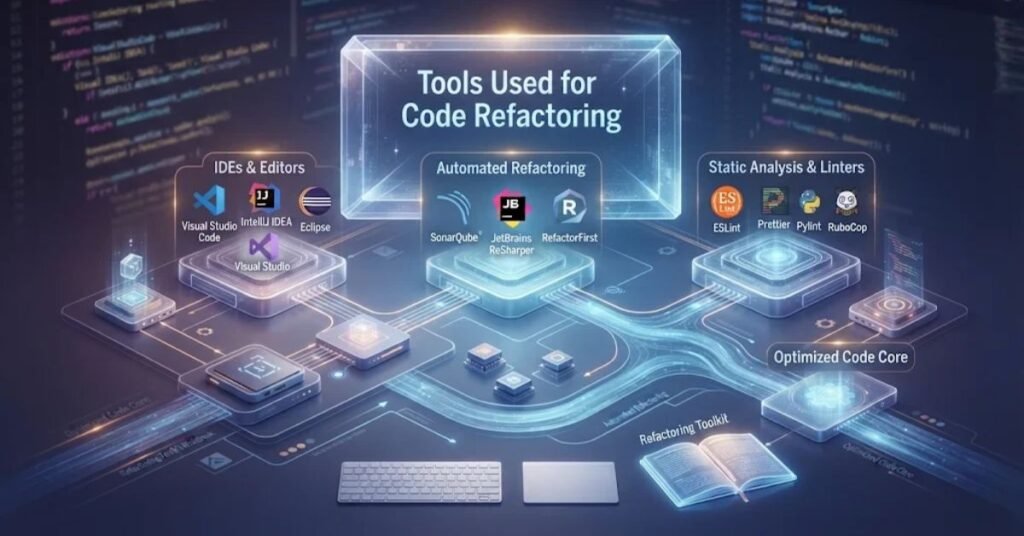
Developers use integrated development environments, code editors, static analysis tools, and automated testing frameworks to support refactoring.
These tools can reduce repetitive work and help identify potential problems.
Visual Studio Code: This editor supports common refactoring actions through built-in language features and extensions. Available options depend on the programming language and its installed tools.
IntelliJ IDEA: This development environment provides automated refactoring features for supported languages, including renaming symbols, extracting methods, and moving code elements.
PyCharm: Python developers can use PyCharm to rename variables, extract functions, reorganize code, and inspect potential issues.
Eclipse: Eclipse provides refactoring tools for Java development, including method extraction, renaming, and moving program elements.
SonarQube: This platform helps teams examine code quality and identify maintainability issues, code smells, and other potential problems.
Git: Version control helps developers track changes, compare versions, and collaborate on refactoring tasks.
Automated Testing Frameworks: Tools such as pytest and JUnit help developers check whether existing functionality continues to work after code changes.
Choosing a tool depends on the programming language, project requirements, and development environment. Automated refactoring features can save time, but developers must review the results rather than assuming every suggested change is correct.
For more information about software quality practices, explore our guide to software verification and validation.
Key Takeaways
- Code refactoring improves the internal structure of existing software without changing its expected behavior.
- Developers use refactoring to improve readability, reduce duplication, and simplify complex functions.
- Common techniques include Extract Method, Rename Variable, and Remove Duplicate Code.
- Automated testing helps developers identify problems after making structural changes.
- Refactoring can reduce technical debt and make future software maintenance easier.
- Developers should make small, controlled changes instead of modifying an entire application at once.
- IDEs and code analysis tools can support refactoring, but human review remains important.
Conclusion
Code refactoring is an important practice in modern software engineering. It helps developers improve existing applications without changing their intended functionality. By organizing functions, removing duplicate instructions, simplifying conditions, and improving naming, programmers can create software that is easier to understand and maintain.
The benefits become particularly valuable when applications grow and development teams need to introduce new features regularly. However, refactoring requires careful planning, appropriate testing, and a clear understanding of existing code.
Developers should begin with small improvements, test each important change, and gradually address more complex structural problems. This approach helps maintain software quality and makes long-term development more manageable.
Frequently Asked Questions
1. What is code refactoring in simple words?
Code refactoring means improving the structure of existing code without changing what the software does.
2. Why do developers refactor code?
Developers refactor code to improve readability, reduce duplication, simplify maintenance, and manage technical debt.
3. Does code refactoring change functionality?
No. Proper refactoring preserves the software’s expected external behavior.
4. What are common code refactoring techniques?
Popular techniques include Extract Method, Rename Variable, Remove Duplicate Code, and Simplify Conditional Expressions.
5. Is code refactoring the same as code optimization?
No. Refactoring improves code structure, while optimization focuses on improving performance and resource efficiency.
6. When should developers refactor code?
Developers should consider refactoring when they find duplicated logic, complex functions, unclear names, or difficult-to-maintain components.
7. Which tools help with code refactoring?
Visual Studio Code, IntelliJ IDEA, PyCharm, Eclipse, and automated testing frameworks provide useful refactoring support.
8. Can beginners perform code refactoring?
Yes. Beginners can start by renaming unclear variables, extracting small functions, and removing unnecessary duplicate instructions.