




Quick Answer
Software maintenance types describe the different ways developers maintain software after release.
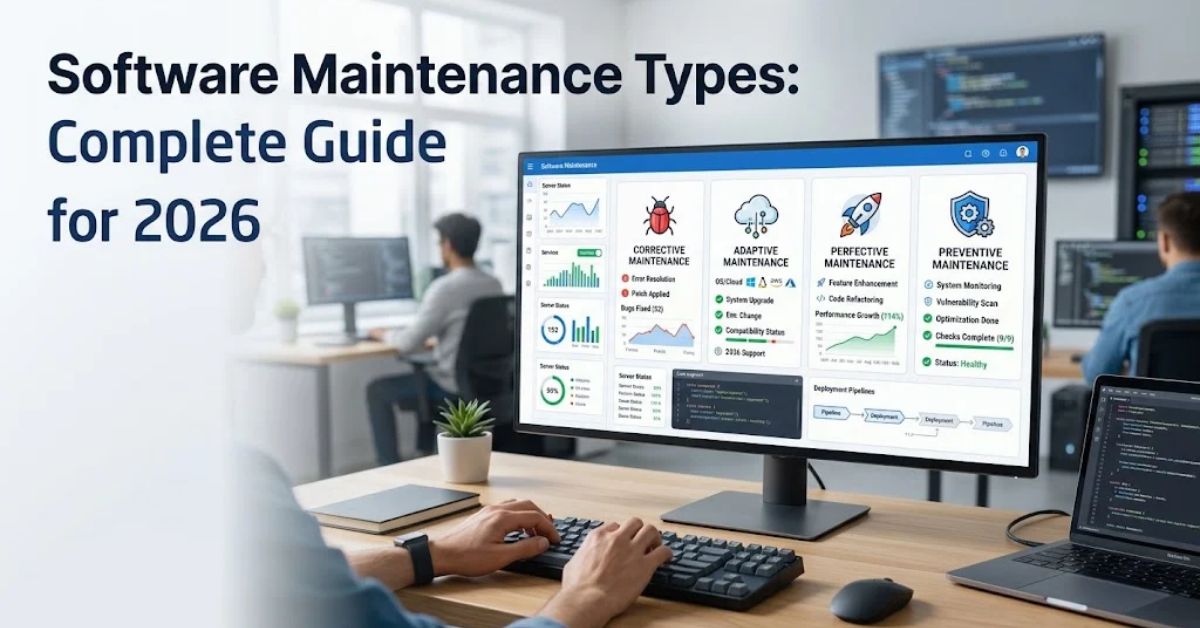
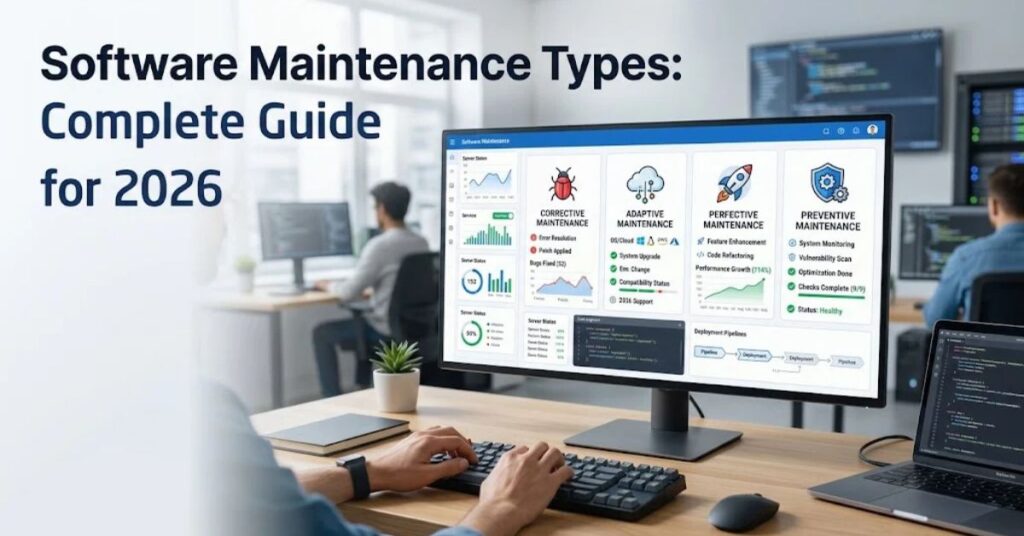
The four widely used types are corrective, adaptive, perfective, and preventive maintenance.
Corrective maintenance fixes existing problems, adaptive maintenance handles environmental changes, perfective maintenance improves features or performance, and preventive maintenance reduces future risks.
Author Information
Author: Gulnaz Malik
Role: Founder, Publisher & Technology Content Specialist
Experience: 5+ Years in Technology, AI, Software & Digital Innovation
Content Review: All content follows Google’s latest EEAT guidelines and includes fact-checked information from official documentation, trusted technology sources, industry reports, and practical research to ensure accuracy, reliability, and up-to-date insights.
Introduction
Software does not stop changing after developers release it.
Users discover bugs. Operating systems receive updates. Business requirements change. Security risks appear. Hardware platforms evolve. Companies also request new features as their needs grow.
Software maintenance keeps an application useful under these changing conditions.
Understanding software maintenance types helps development teams choose the right response to each change. A broken login needs a different solution from a new reporting feature. An operating system migration also requires a different type of maintenance.
The software maintenance process therefore goes beyond fixing bugs. It covers improvements, environmental changes, risk reduction, performance work, documentation, testing, and long-term system health.
This guide explains the major software maintenance types in simple English. It also covers examples, differences, benefits, maintenance processes, common mistakes, troubleshooting approaches, and future trends.
Table of Contents
- What Is Software Maintenance?
- What Are the Software Maintenance Types?
- Corrective Software Maintenance
- Adaptive Software Maintenance
- Perfective Software Maintenance
- Preventive Software Maintenance
- Software Maintenance Types Compared
- Why Is Software Maintenance Important?
- Software Maintenance Process
- Software Maintenance Best Practices
- Common Software Maintenance Mistakes
- Software Maintenance Challenges
- Software Maintenance Examples and Use Cases
- Latest Software Maintenance Trends
- How to Improve Software Maintenance
- Key Takeaways
- Conclusion
- FAQs
- SEO Tags
- Internal Linking Suggestions
- Authoritative External References
- Social Media Title
What Is Software Maintenance?
Software maintenance is the ongoing work that keeps an application functional, secure, useful, and compatible after its initial release.
The work can involve source-code changes, configuration changes, database updates, performance improvements, security fixes, documentation updates, testing, and feature enhancements.
The National Institute of Standards and Technology (NIST) describes maintenance as work performed to keep a software system operational and responsive after users accept and deploy it.
Software maintenance can affect almost every part of an application, including:
- Source code
- Databases
- APIs
- User interfaces
- Operating-system compatibility
- Third-party dependencies
- Security controls
- Configuration files
- Documentation
- Automated tests
- Cloud infrastructure
For example, imagine an online shopping application. Developers may need to fix a payment error, support a new database version, improve the checkout experience, or remove an outdated dependency.
Each situation represents a different maintenance need.
Software maintenance also differs from simply installing updates. An update can contain maintenance work, but maintenance itself represents the broader engineering activity behind analyzing, changing, testing, documenting, and releasing software.
What Are the Software Maintenance Types?
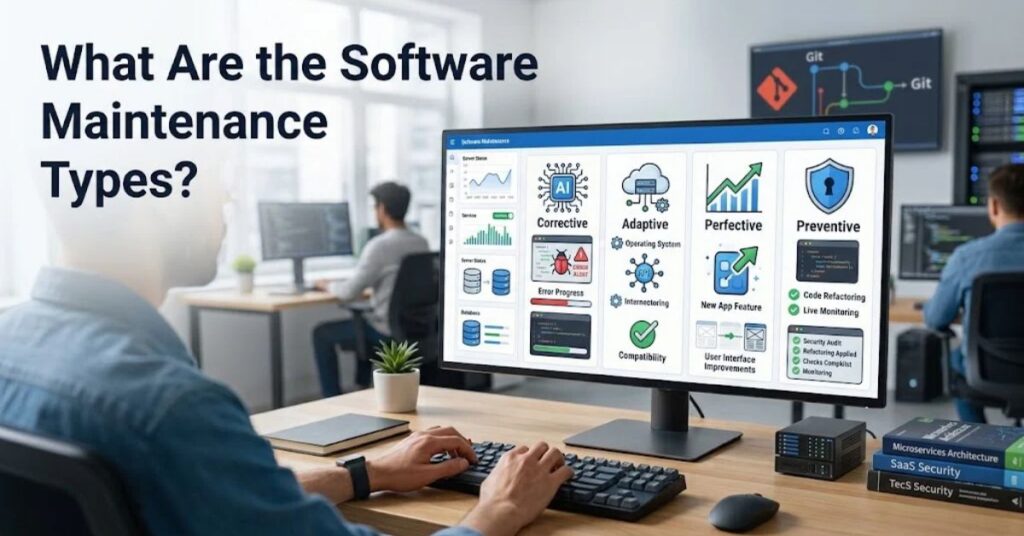
The most commonly discussed software maintenance types are corrective, adaptive, perfective, and preventive maintenance.
Modern software engineering references also describe additional classifications such as additive or emergency maintenance, depending on the framework used. IEEE-related software engineering guidance commonly organizes maintenance around corrective, adaptive, perfective, and preventive categories.
The four major types work like this:
| Software maintenance type | Main purpose | Simple example |
| Corrective | Fix existing defects | Repair a login failure |
| Adaptive | Adjust to environmental changes | Support a new operating system |
| Perfective | Improve or extend software | Add a reporting feature |
| Preventive | Reduce future problems | Refactor risky legacy code |
These categories can overlap in real projects. One release may include several maintenance types at the same time.
Corrective Software Maintenance
- Fixes bugs discovered after release
- Resolves crashes and failures
- Repairs incorrect calculations
- Corrects broken workflows
- Addresses user-reported defects
Adaptive Software Maintenance
- Adjusts software to platform changes
- Supports new operating systems
- Updates external integrations
- Handles database migrations
- Responds to regulatory or business-environment changes
Perfective Software Maintenance
- Improves existing features
- Enhances performance
- Improves usability
- Adds requested capabilities
- Simplifies inefficient workflows
Preventive Software Maintenance
- Finds weaknesses before they become failures
- Reduces technical debt
- Improves code structure
- Updates documentation
- Strengthens testing and maintainability
Corrective Software Maintenance
Corrective maintenance focuses on problems that already exist.
A development team usually starts this work after discovering a defect through monitoring, testing, customer feedback, support tickets, or production incidents.
For example, an application might calculate sales tax incorrectly for a specific region. Developers investigate the defect, identify its cause, modify the affected code, test the correction, and deploy the fix.
Corrective maintenance can range from a small code change to a major emergency repair.
Common examples include:
- Fixing application crashes
- Repairing broken buttons
- Correcting incorrect calculations
- Fixing failed database queries
- Resolving authentication problems
- Repairing data-processing errors
- Fixing API failures
- Correcting display problems
A good corrective maintenance process does not stop when developers make the code work again. The team should identify the root cause and add tests that reduce the chance of the same defect returning.
Corrective Maintenance Example
Suppose a banking application crashes when customers transfer a specific amount of money.
The support team reports the problem. Developers reproduce the failure and discover an unexpected value in the transaction-validation logic.
The team then:
- Reproduces the defect.
- Identifies the root cause.
- Creates a test that exposes the problem.
- Changes the affected code.
- Runs regression tests.
- Deploys the correction.
- Monitors the application.
This approach turns a one-time fix into a more reliable maintenance process.
Adaptive Software Maintenance
Adaptive maintenance keeps software working when its environment changes.
The environment can include operating systems, hardware, databases, cloud platforms, external APIs, browsers, libraries, regulations, or business rules.
For example, an application may depend on an API that changes its authentication method. Developers must modify the application so it can communicate with the new API.
Other examples include:
- Migrating to a newer database system
- Supporting a new operating system
- Updating an outdated framework
- Adjusting to a new cloud platform
- Changing an integration after an API update
- Supporting new hardware
- Updating software for regulatory changes
Adaptive maintenance often requires careful compatibility testing. A change outside the application can affect several components at once.
Perfective Software Maintenance
Perfective maintenance improves software after release.
Unlike corrective maintenance, perfective maintenance does not require an existing defect. Developers can improve a working feature because users want a better experience or the organization needs stronger performance.
For example, an e-commerce application may already support product searches. Users might request filters for price, availability, brand, and customer ratings.
Adding those filters represents a perfective change.
Common examples include:
- Adding new reports
- Improving search functionality
- Simplifying navigation
- Optimizing application performance
- Improving accessibility
- Adding dashboard features
- Improving user interfaces
- Reducing unnecessary processing
- Improving documentation
Perfective maintenance can also include performance optimization. Developers may improve database queries, reduce unnecessary API calls, optimize memory usage, or restructure inefficient code.
NIST notes that perfective maintenance covers enhancements made to meet evolving user needs and can include performance and maintainability improvements.
Preventive Software Maintenance
Preventive maintenance focuses on reducing future problems.
The software may work correctly today, but developers can still find risks that could cause trouble later.
For example, an application may contain complicated code that developers find difficult to test. The team can refactor that code before it causes a production failure.
Preventive maintenance commonly includes:
- Code refactoring
- Removing obsolete code
- Improving documentation
- Updating automated tests
- Reducing technical debt
- Improving error handling
- Updating dependencies
- Strengthening monitoring
- Simplifying complex modules
Preventive maintenance can reduce long-term maintenance difficulty because developers make the system easier to understand and modify.
This work becomes especially important for large applications with long lifecycles.
Software Maintenance Types Compared
The four software maintenance types solve different problems, although one project can use several types together.
| Factor | Corrective | Adaptive | Perfective | Preventive |
| Main trigger | Existing defect | Environmental change | User or business improvement | Future risk |
| Main goal | Restore correct behavior | Maintain compatibility | Improve software | Reduce future failures |
| Typical timing | After a problem appears | After external change | When needs evolve | Before failure occurs |
| Example | Fix login bug | Support new OS | Add dashboard filter | Refactor complex code |
| Nature | Reactive | Usually reactive | Improvement-focused | Proactive |
Consider a desktop application that receives a major operating-system update.
If they redesign the settings screen while making the compatibility changes, that work represents perfective maintenance.
If they refactor fragile code to make future updates safer, that work represents preventive maintenance.
This example shows why real maintenance releases can contain multiple categories.
Why Is Software Maintenance Important?
Software maintenance protects the long-term value of an application.
Without regular maintenance, software can become difficult to operate, insecure, incompatible, or expensive to change.
Key benefits include:
- Better reliability: Regular maintenance addresses defects and operational problems.
- Improved security: Teams can patch vulnerabilities and update vulnerable dependencies.
- Longer software lifespan: Maintenance helps older applications remain useful.
- Better performance: Developers can identify inefficient processes and optimize them.
- Compatibility: Adaptive work keeps applications working with changing platforms.
- Better user experience: Perfective improvements respond to changing user expectations.
- Lower technical risk: Preventive work can reduce future maintenance problems.
- Easier development: Clean code and documentation help developers understand existing systems.
Software maintenance also supports business continuity. A critical application may support payments, healthcare workflows, logistics, communication, or internal operations. A maintenance failure can therefore affect more than the software itself.
Software Maintenance Process
A structured maintenance process reduces unnecessary changes and helps teams release safer updates.
NASA’s software engineering handbook emphasizes controlled and documented deployment of patches, updates, and enhancements, including compatibility checks, testing, release documentation, and configuration records.
Maintenance Request and Analysis
- Record the problem or requested change.
- Identify affected users and components.
- Determine whether the request represents corrective, adaptive, perfective, or preventive work.
- Check existing documentation and previous changes.
- Estimate technical and business impact.
Impact Analysis and Planning
- Identify dependencies.
- Review database and API effects.
- Check configuration changes.
- Estimate development and testing effort.
- Define rollback requirements.
- Prioritize the change according to risk and business need.
Implementation and Testing
- Modify the smallest practical part of the system.
- Follow the project’s coding standards.
- Add or update automated tests.
- Run unit tests.
- Run integration tests.
- Perform regression testing.
- Test the change in a production-like environment.
Deployment and Monitoring
- Prepare release notes.
- Back up important data when appropriate.
- Deploy through a controlled process.
- Monitor application health.
- Watch logs and error rates.
- Confirm that the intended problem or requirement has been addressed.
- Document the final change.
A useful maintenance workflow looks like this:
Request → Analysis → Planning → Development → Testing → Review → Deployment → Monitoring → Documentation
Software Maintenance Best Practices
Good maintenance requires discipline.
Developers should avoid treating every change as an isolated emergency. They should maintain documentation, tests, configuration records, and monitoring systems throughout the software lifecycle.
Keep Code Maintainable
- Use consistent coding standards.
- Break large modules into manageable components.
- Remove obsolete code carefully.
- Refactor high-risk areas.
- Avoid unnecessary complexity.
- Review important changes before deployment.
Maintain Strong Testing
- Keep unit tests updated.
- Use integration testing for connected systems.
- Run regression tests after important changes.
- Automate repetitive checks.
- Test error conditions as well as successful workflows.
A well-maintained test suite helps developers change software with greater confidence.
Manage Dependencies Carefully
Third-party libraries can introduce security and compatibility problems.
Teams should maintain an inventory of important dependencies and monitor supported versions. Developers should also test dependency upgrades before deploying them to production.
If a dependency reaches end of life, adaptive or preventive maintenance may become necessary.
Document Important Changes
Documentation should explain:
- What changed
- Why it changed
- Which components it affects
- How developers can test it
- How administrators can deploy it
- What risks remain
- How teams can roll it back
Poor documentation increases maintenance time because developers must rediscover system behavior.
Common Software Maintenance Mistakes
Maintenance problems often come from process weaknesses rather than coding alone.
One common mistake involves fixing symptoms instead of root causes. A temporary patch may restore service, but the original defect can return.
Another mistake involves skipping regression testing. A small change can break a feature that developers did not expect it to affect.
Other common mistakes include:
- Making undocumented production changes
- Ignoring technical debt
- Updating dependencies without compatibility testing
- Installing unnecessary software components
- Removing old code without checking dependencies
- Failing to monitor production after deployment
- Keeping outdated documentation
- Using several tools that modify the same configuration
- Ignoring user feedback
- Treating security updates as optional
- Making large changes without rollback plans
Teams should also avoid excessive maintenance scope. A small bug fix does not always need a complete redesign.
Software Maintenance Challenges
Software maintenance becomes harder as applications grow older and more complex.
Legacy Code
Legacy systems may contain outdated frameworks, undocumented logic, old programming languages, or dependencies that no longer receive support.
Developers may understand what the system does without fully understanding why it works that way.
Technical Debt
Technical debt builds when teams choose short-term solutions that make future changes harder.
Not every technical debt item requires immediate correction. Teams should prioritize debt that creates significant reliability, security, performance, or maintenance risk.
Limited Documentation
Missing documentation forces developers to spend more time investigating system behavior.
This problem becomes worse when original developers leave an organization.
Dependency Problems
Modern applications often depend on many external packages and services. A change in one dependency can affect several parts of the application.
Testing Limitations
Old applications may have weak test coverage. Developers then face greater risk when changing existing code.
Software Maintenance Examples and Use Cases
Software maintenance appears across almost every technology sector.
Web applications: Developers fix broken features, improve page performance, adapt to browser changes, and update APIs.
Mobile applications: Teams support new operating-system versions, fix crashes, improve interfaces, and update security components.
Enterprise software: Organizations modify business rules, improve reports, update integrations, and maintain database compatibility.
Cloud applications: Teams adapt services to infrastructure changes, improve resource efficiency, update dependencies, and strengthen monitoring.
Gaming software: Developers fix bugs, improve performance, support new hardware, and release gameplay improvements.
Hardware-related software: Drivers and utilities may require maintenance when operating systems or device firmware change. TechCrebia’s Windows Driver Update guide provides related information about maintaining software that connects Windows with hardware.
Consumer devices: Software updates can fix defects, improve compatibility, and add features. For example, TechCrebia’s Samsung J7 software update guide covers maintenance-related issues for an older mobile device.
These examples show that maintenance applies to both modern cloud platforms and older consumer or enterprise systems.
Latest Software Maintenance Trends
Software maintenance continues to change as development teams adopt cloud platforms, automation, artificial intelligence, and DevOps practices.
AI-Assisted Maintenance
AI coding tools can help developers understand unfamiliar code, identify possible defects, generate tests, summarize changes, and suggest refactoring opportunities.
Developers still need to review generated code. AI suggestions can contain errors or overlook system-specific requirements.
Automated Testing
Teams increasingly automate regression testing so maintenance changes receive faster feedback.
Continuous integration systems can automatically build software and run tests whenever developers submit changes.
DevOps and Continuous Delivery
DevOps connects development, testing, operations, monitoring, and deployment.
This approach allows teams to release smaller maintenance changes more frequently instead of collecting large changes for infrequent releases.
Observability
Logs, metrics, traces, and automated alerts help teams discover production problems faster.
Better observability also helps developers understand whether a maintenance change actually improved the system.
Security-Focused Maintenance
Security maintenance continues to receive greater attention as applications depend on more external services and libraries.
Teams increasingly combine dependency monitoring, vulnerability scanning, access controls, automated testing, and continuous monitoring.
How to Improve Software Maintenance
Organizations can improve maintenance by treating it as a continuous engineering responsibility rather than an emergency-only activity.
Start by creating a clear maintenance backlog. Record defects, improvement requests, technical debt, dependency risks, and compatibility requirements in one controlled system.
Next, prioritize work according to business impact and technical risk.
Teams should also measure useful indicators such as:
- Defect resolution time
- Failed deployment rate
- Regression defects
- Application availability
- Change failure rate
- Test coverage
- Dependency age
- Security vulnerability response time
The goal should not involve chasing a single metric. Teams should use several signals to understand software health.
For individual users, good software maintenance also means installing important updates, removing unsupported applications, keeping backups, and avoiding unnecessary utilities.
For example, users managing PC components should avoid installing multiple utilities that attempt to control the same hardware. TechCrebia’s Fan Controller RGB Software guide discusses why overlapping control software can create configuration conflicts.
Software maintenance also connects closely with configuration control. Teams that manage versions, dependencies, and configuration records can track changes more effectively. TechCrebia’s Software Configuration Management guide provides additional context for controlling software changes.
Key Takeaways
- Software maintenance keeps applications useful after release.
- The four major software maintenance types are corrective, adaptive, perfective, and preventive.
- Corrective maintenance fixes existing defects.
- Adaptive maintenance responds to environmental changes.
- Perfective maintenance improves functionality, performance, or usability.
- Preventive maintenance reduces future risks and maintenance difficulty.
- One software release can contain several maintenance types.
- Regression testing helps prevent new changes from breaking existing features.
- Documentation and configuration control make long-term maintenance easier.
- AI, automation, DevOps, observability, and security tools continue to change maintenance practices.
Conclusion
Software maintenance plays a major role in the entire life of an application.
The four major software maintenance types provide a practical way to understand different maintenance needs. Corrective maintenance repairs existing problems. Adaptive maintenance keeps software compatible with a changing environment. Perfective maintenance improves features and performance. Preventive maintenance reduces future technical risks.
Successful maintenance requires more than changing code. Teams need impact analysis, testing, documentation, monitoring, dependency management, and controlled deployment.
As software becomes more connected and AI-driven, maintenance will become even more continuous. Automated testing, AI-assisted development, observability, cloud platforms, and security monitoring will help teams maintain applications more efficiently.
The strongest maintenance strategy focuses on keeping software reliable today while making it easier to change tomorrow.
FAQs
What are the four types of software maintenance?
The four major types are corrective, adaptive, perfective, and preventive maintenance.
What is corrective software maintenance?
Corrective maintenance fixes defects, bugs, failures, and errors discovered after software deployment.
What is adaptive software maintenance?
Adaptive maintenance changes software so it continues working when its operating environment changes.
What is perfective software maintenance?
Perfective maintenance improves existing software by adding useful capabilities or improving performance and usability.
What is preventive software maintenance?
Preventive maintenance reduces future problems through refactoring, testing, documentation, and other proactive improvements.
Why is software maintenance important?
It helps software remain reliable, secure, compatible, useful, and easier to maintain throughout its operational life.
Is software maintenance the same as software development?
No. Maintenance focuses on modifying an existing released system, while development usually focuses on creating or substantially building software.
Can one update include different maintenance types?
Yes. A single release can fix bugs, add features, improve code, and support a new platform at the same time.
How does AI help software maintenance?
AI can assist with code analysis, test generation, documentation, defect detection, refactoring suggestions, and understanding legacy code.
What is preventive maintenance in software engineering?
Preventive maintenance modifies software before a known weakness becomes an operational problem, often through refactoring, testing, and technical-debt reduction.
SEO Tags
- software maintenance types
- types of software maintenance
- corrective software maintenance
- adaptive software maintenance
- perfective software maintenance
- preventive software maintenance
- software maintenance process
- software maintenance examples
- software engineering maintenance
- software maintenance best practices
Internal Linking Suggestions with Anchor Text
- Difference Between Software and Hardware — Use when explaining the relationship between software and physical hardware.
- Productivity Software Guide — Use when discussing software usability, efficiency, and long-term software management.
- Software Testing Life Cycle — Use when discussing testing and regression testing during maintenance.
- PhysX System Software — Use when discussing software components that interact with hardware and gaming systems.
- Bluetooth Driver Update — Use when discussing adaptive maintenance, drivers, compatibility, and operating-system changes.
Authoritative External References
- NIST — Executive Guide to Software Maintenance: NIST Software Maintenance Guide
- NASA — Software Maintenance Phase: NASA Software Engineering Handbook
Social Media Title
Software Maintenance Types: 4 Key Categories