




AMD Software Error Downloading| is a problem that stops many users while installing or updating AMD graphics drivers. This issue blocks the AMD Software Adrenalin installer and prevents proper GPU performance.
This error usually appears when the system cannot download required driver files from AMD servers. It often happens due to internet issues, corrupted installer files, Windows conflicts, or antivirus blocking the setup process.
Users face this issue during driver updates or fresh installations, and it can stop the GPU from working smoothly if not fixed properly.
Users see this error when the system cannot download the required driver files from AMD servers. The problem may come from internet issues, Windows conflicts, antivirus blocking, or corrupted files.
This guide explains everything in simple language, step by step, so you can fix it without technical skills.
AMD Software Error Downloading Causes and Meaning
The AMD software error downloading message appears when the AMD installer fails to fetch required files from the internet or the local system.
AMD Software Adrenalin needs a stable connection and a clean system environment to install correctly. If anything interrupts this process, the download fails.
AMD officially confirms that driver installation can fail due to missing files, blocked internet access, or system conflicts.
The main reasons behind the AMD software error are downloading
- Weak or unstable internet connection
- Corrupted AMD installer file
- Antivirus blocking download
- Windows update conflict
- Old AMD drivers are still installed
- Wrong GPU driver selection
- Insufficient storage space
- Missing administrator permissions
- Background apps are interrupting the installation
Common AMD installer error codes
| Error Code | Meaning |
| 195 | Cannot connect to AMD servers |
| 196 | Download failed |
| 1603 | Installation failure |
| 193 | Corrupted or missing files |
| 206 | Windows update pending |
These errors often appear together with AMD software error downloading.
AMD Software Error Downloading Basic Fix Methods
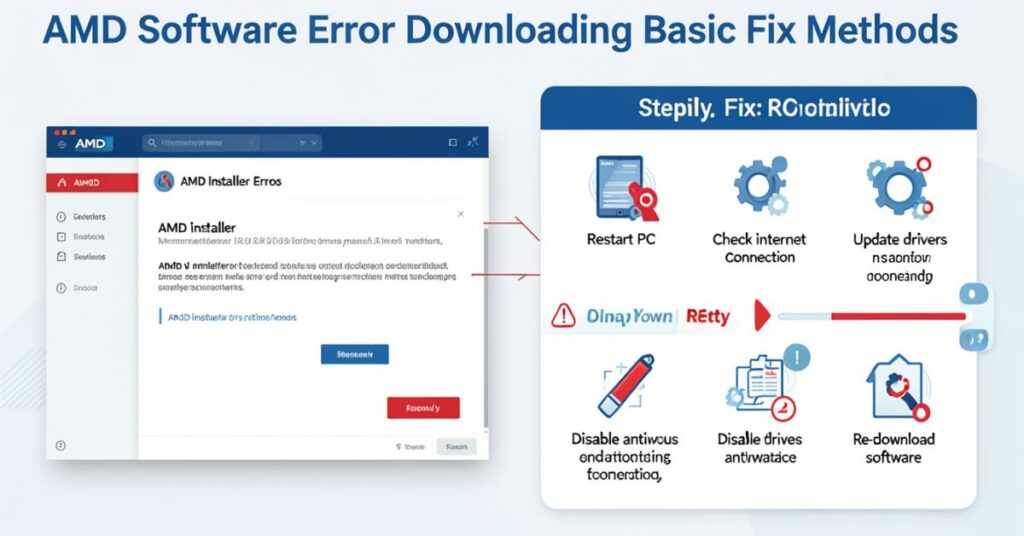
You can solve most cases of AMD software error downloading using basic troubleshooting.
These methods do not require technical knowledge.
Check the internet connection first
The AMD installer needs a stable internet.
Follow these steps:
- Restart your router
- Switch Wi-Fi to cable if possible
- Stop downloads in the background
- Disable VPN or proxy
- Test internet speed
If your internet drops even for a few seconds, installation may fail.
Run the AMD installer as an administrator
Windows sometimes blocks installation permissions.
Follow these steps:
- Right-click the AMD installer
- Click Run as administrator
- Allow permission prompt
- Start installation again
This method removes permission restrictions and improves the success rate.
Turn off the antivirus and firewall temporarily
Security software can block AMD downloads.
You can fix this by:
- Disabling antivirus temporarily
- Turning off Windows Defender Firewall
- Installing AMD software
- Turning protection back on
Many users fix AMD software error downloading using this method.
AMD Software Error Downloading Clean Driver Fix
Old or broken drivers often cause installation failure.
A clean installation removes all damaged files and resets system drivers.
Why is a clean installation required for the AMD Software Error Downloading
AMD drivers store configuration files in system folders. If these files become corrupted, the new installation fails.
Clean install removes:
- Old driver files
- Hidden AMD settings
- Cache data
- Broken registry entries
Step-by-step clean installation process
Step 1: Uninstall AMD software
- Open Settings
- Go to Apps
- Find AMD Software
- Click Uninstall
Restart your computer.
Step 2: Delete leftover AMD files
Remove these folders:
- C:\AMD
- C:\Program Files\AMD
- AppData AMD folders
Restart the system again.
Step 3: Download a fresh driver
Always download from the official AMD website:
👉 AMD Software Adrenalin Edition
https://www.amd.com/en/support
Step 4: Install with a factory reset
During installation:
- Select the Factory Reset option
- Let the installer remove old files
- Complete installation
- Restart PC
This fixes most AMD software error downloading issues.
AMD Software Error Downloading Windows Fix
Windows system conflicts also trigger AMD installation errors.
Windows updates sometimes block driver installation or replace AMD drivers.
Update Windows fully
Follow these steps:
- Open Settings
- Click Windows Update
- Install all updates
- Restart PC
AMD driver installation works best on updated Windows systems.
Disable automatic driver replacement
Windows may replace AMD drivers automatically.
Fix this:
- Press Windows + R
- Type sysdm.cpl
- Open Hardware tab
- Click Device Installation Settings
- Select No
This prevents driver conflicts.
Remove pending updates:AMD Software Error Downloading
Pending updates block installation.
Check:
- Windows Update section
- Install everything
- Restart system
AMD Software Error Downloading Manual Installation Method
If the automatic installer fails, use manual installation.
This method gives full control over driver setup.
Steps for manual installation
- Go to the AMD official support page
- Select your GPU model
- Download the correct driver version
- Install manually
Choose the correct GPU driver
| GPU Type | Driver Type |
| RX 500 Series | Legacy Adrenalin |
| RX 6000 Series | Adrenalin Edition |
| RX 7000 Series | Latest Adrenalin |
| Integrated Radeon | Auto Detect Tool |
Wrong driver selection often causes AMD software error downloading.
Use the AMD Auto Detect Tool
AMD provides an automatic detection tool that:
- Detects GPU
- Downloads the correct driver
- Installs automatically
This reduces human error.
AMD Software Error Downloading Advanced Fix Methods
If the issue still appears, use advanced troubleshooting.
Repair Windows system files
Open Command Prompt (Admin):
Run this command:
DISM /Online /Cleanup-Image /RestoreHealth
Then run:
sfc /scannow
This repairs broken Windows files that block installation.
Close AMD background processes
Sometimes AMD processes stay active.
Fix it:
- Open Task Manager
- End all AMD tasks
- Restart installer
Clear temporary files
Remove system junk:
- Press Windows + R
- Type %temp%
- Delete all files
- Restart system
This removes the corrupted installer cache.
AMD Software Error Downloading Prevention Tips
You can avoid future issues by maintaining your system properly.
Best practices: AMD Software Error Downloading
- Always download from the official AMD site
- Keep Windows updated
- Avoid beta drivers unless needed
- Clear system cache regularly
- Remove old drivers before updating
- Use a stable internet connection
Maintenance checklist: AMD Software Error Downloading
| Task | Frequency |
| Driver update | Monthly |
| Windows update | Weekly |
| System cleanup | Monthly |
| Antivirus scan | Weekly |
Final Conclusion
The AMD software error downloading problem is common, but you can fix it easily with the right steps.
You can start by checking your internet connection because a weak or unstable network often breaks the AMD download process.
You should also update Windows and close background apps so the installer runs without interruption. These simple actions solve many basic installation failures.
You can also fix this issue by removing old or corrupted AMD drivers from your system. A clean installation helps the new AMD software install without conflicts.
When you install the correct driver version for your GPU, the process becomes more stable and smooth.
If you follow all the steps in this guide carefully, you will solve the AMD software error downloading problem and install AMD software successfully.
FAQs
Why does the AMD software error occur when downloading happens?
It happens due to internet issues, corrupted files, or system conflicts.
Can antivirus software block AMD driver installation?
Yes, antivirus often blocks AMD installer downloads.
Do I need to reinstall AMD drivers?
Yes, a clean reinstall fixes most errors.
Does Windows cause AMD software error downloading?
Yes, pending updates or driver conflicts often cause issues.
Which AMD driver should I install?
Always install the latest driver from the AMD official website.
Is a factory reset safe during installation?
Yes, it removes old files and installs fresh drivers.